

你的首个 Devin 会话:从提示到 PR
了解 Devin 会话页面
除非你已经有一个完整且明确的计划,否则我们建议先使用 Ask 模式,与 Devin 一起制定计划,然后再切换到 Agent 模式来执行该计划。
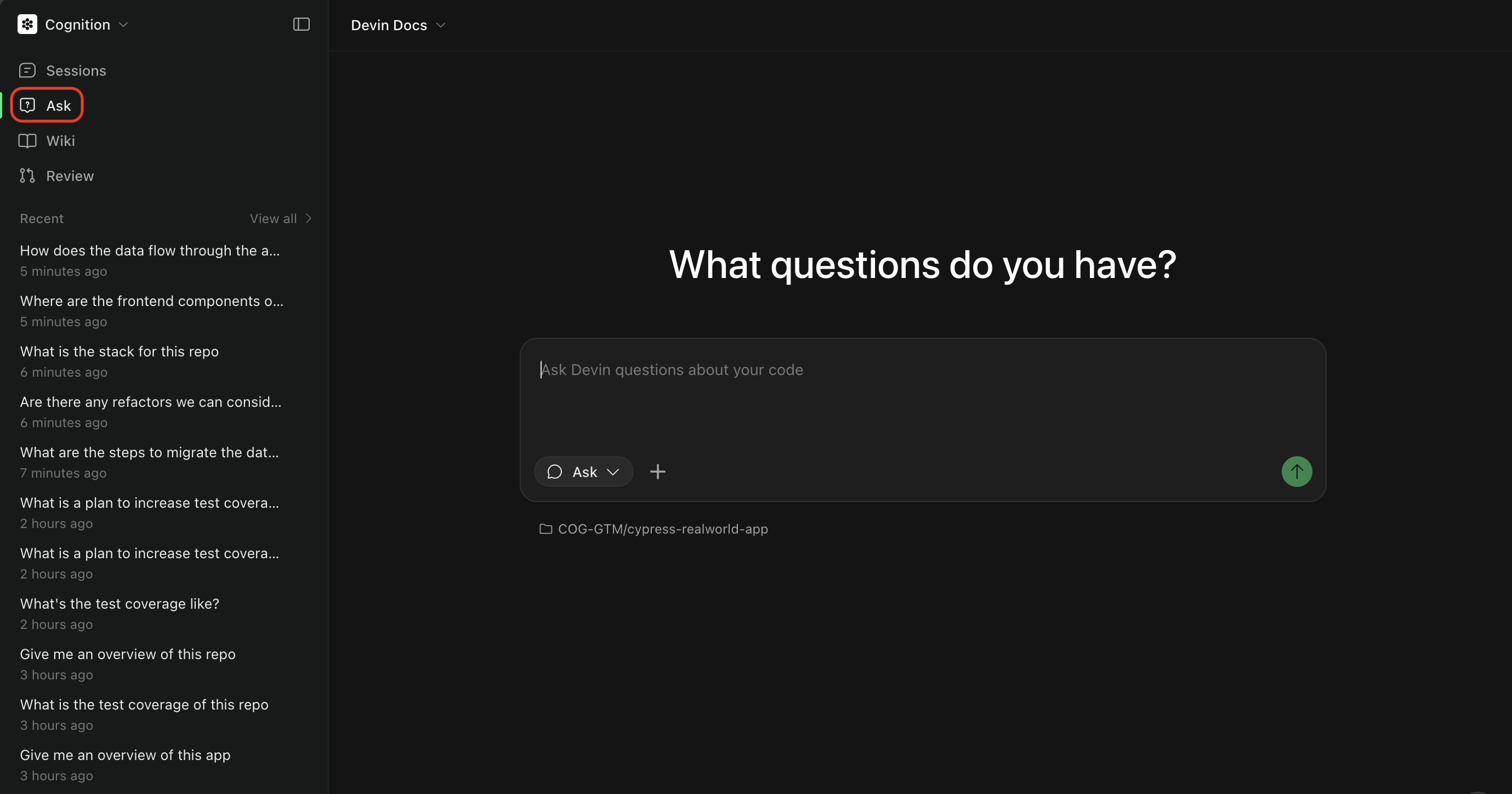
Ask 模式
Ask Devin 是一种轻量级模式,可用于在不修改实际代码的前提下,与 Devin 一起探索你的代码库并规划任务。现在 Ask Devin 同时支持提问和任务规划:- 提出问题,了解你的代码是如何工作的。利用高级代码搜索生成详细、准确且引用充分的回答。
- 规划任务,在实现之前对工作进行范围界定和规划。Devin 会为 Agent 会话生成富上下文的提示。
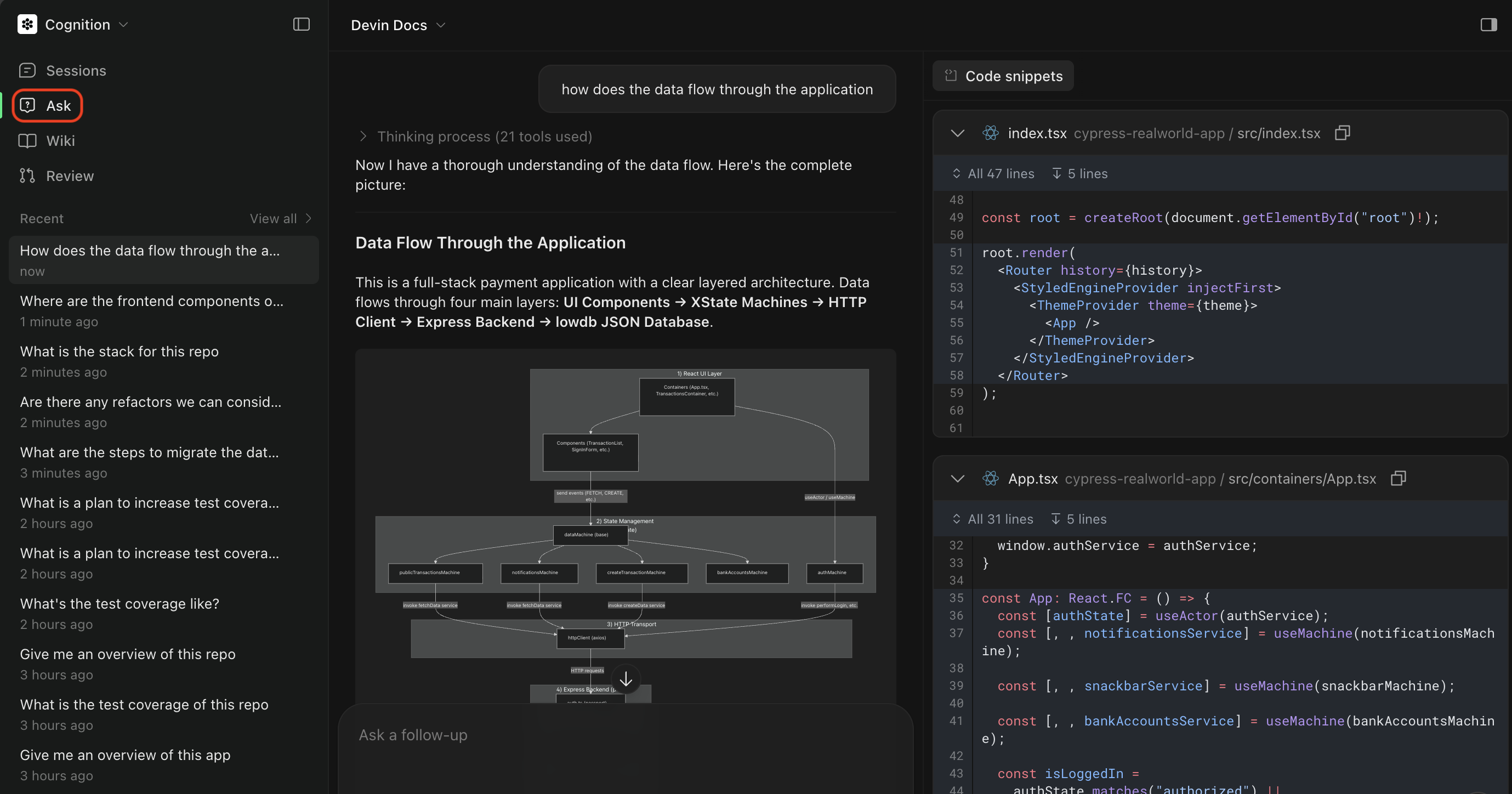
触发 Ask 模式
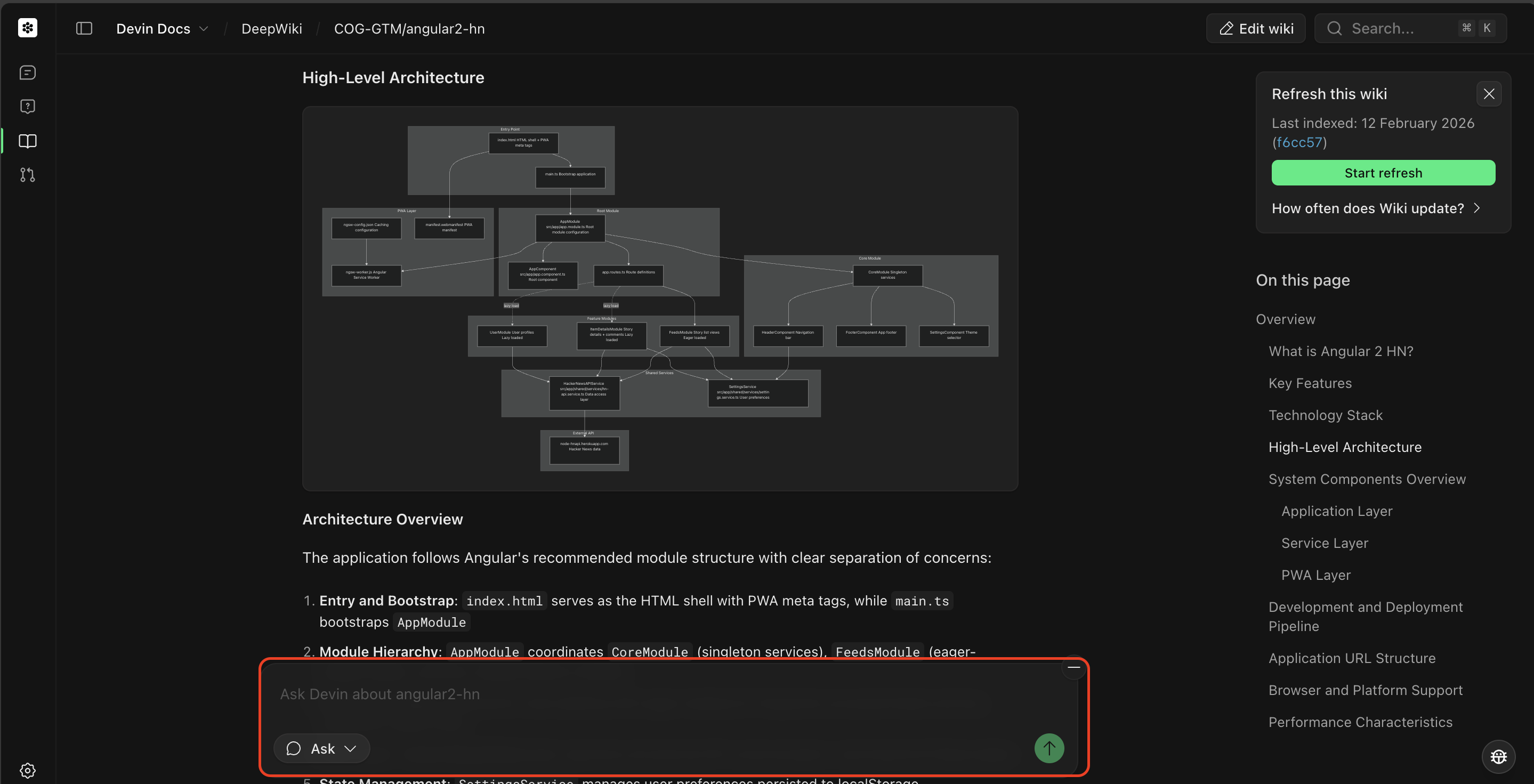
Agent 模式
- 实现功能或修复 bug
- 创建 pull request
- 运行测试并调试问题
- 执行需要修改代码的多步骤任务
选择 Agent
消息框中的 Agent 选择器决定由哪个 Agent 运行你的会话。你可以在启动会话时选择,也可以在会话中途切换。
能力越强,所用模型越强大,成本也越高。研究预览版仅限时提供,且未针对日常使用进行优化。可用的 Agent 由 Admin 控制,因此你可能无法看到全部选项;企业管理员可在 Settings 中启用 SWE-2 (Preview)。
在 Slack 中,可使用
!lite、!ultra、!fusion 或 !swe2 等模式关键字切换 Agent。
触发 Agent 模式
- 先使用 Ask 模式 来规划任务
- 构建 Devin Prompt,它会基于你的 Ask 会话生成一个范围清晰的计划
- 点击 Send to Devin 切换到 Agent 模式并执行任务
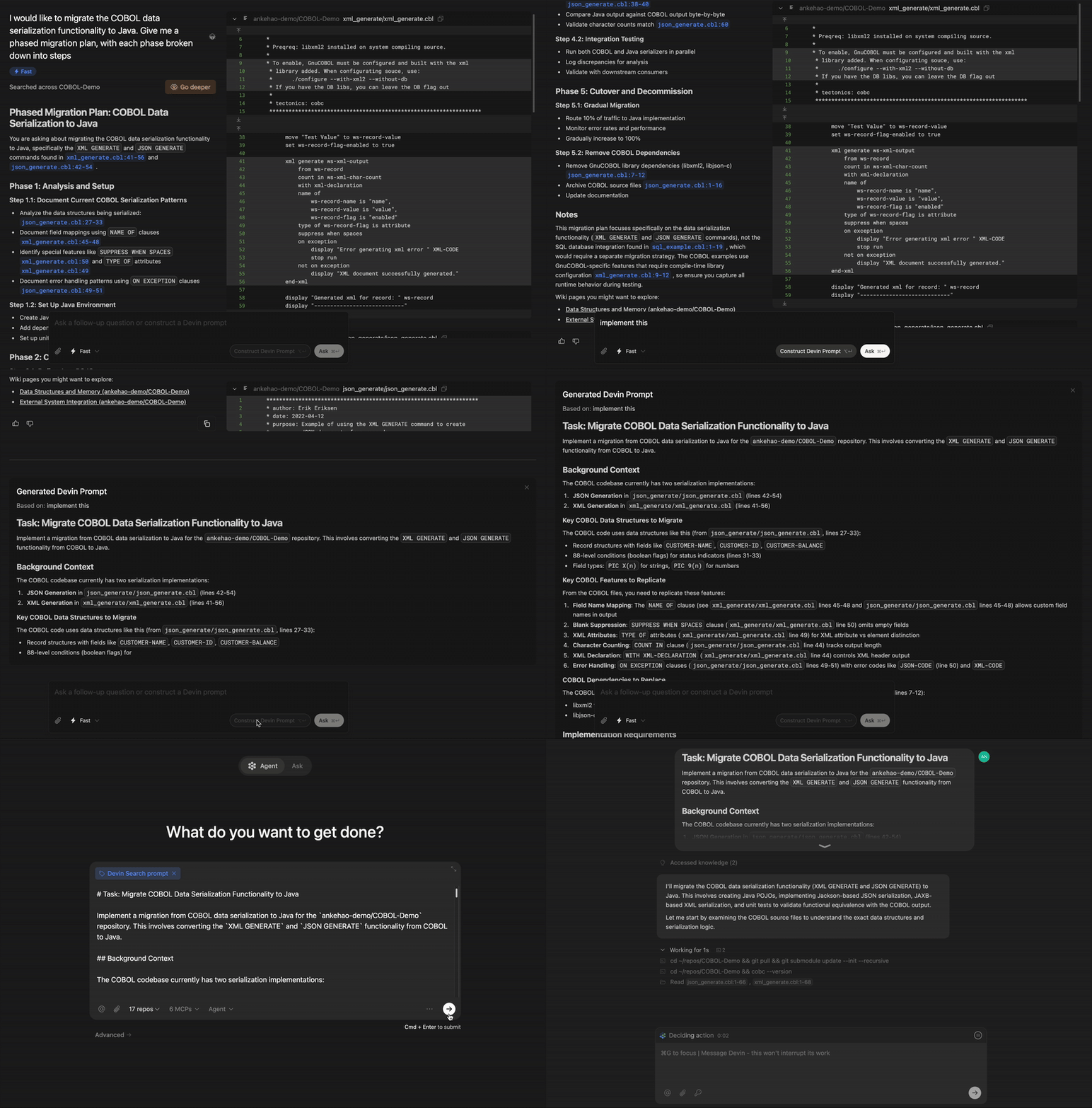
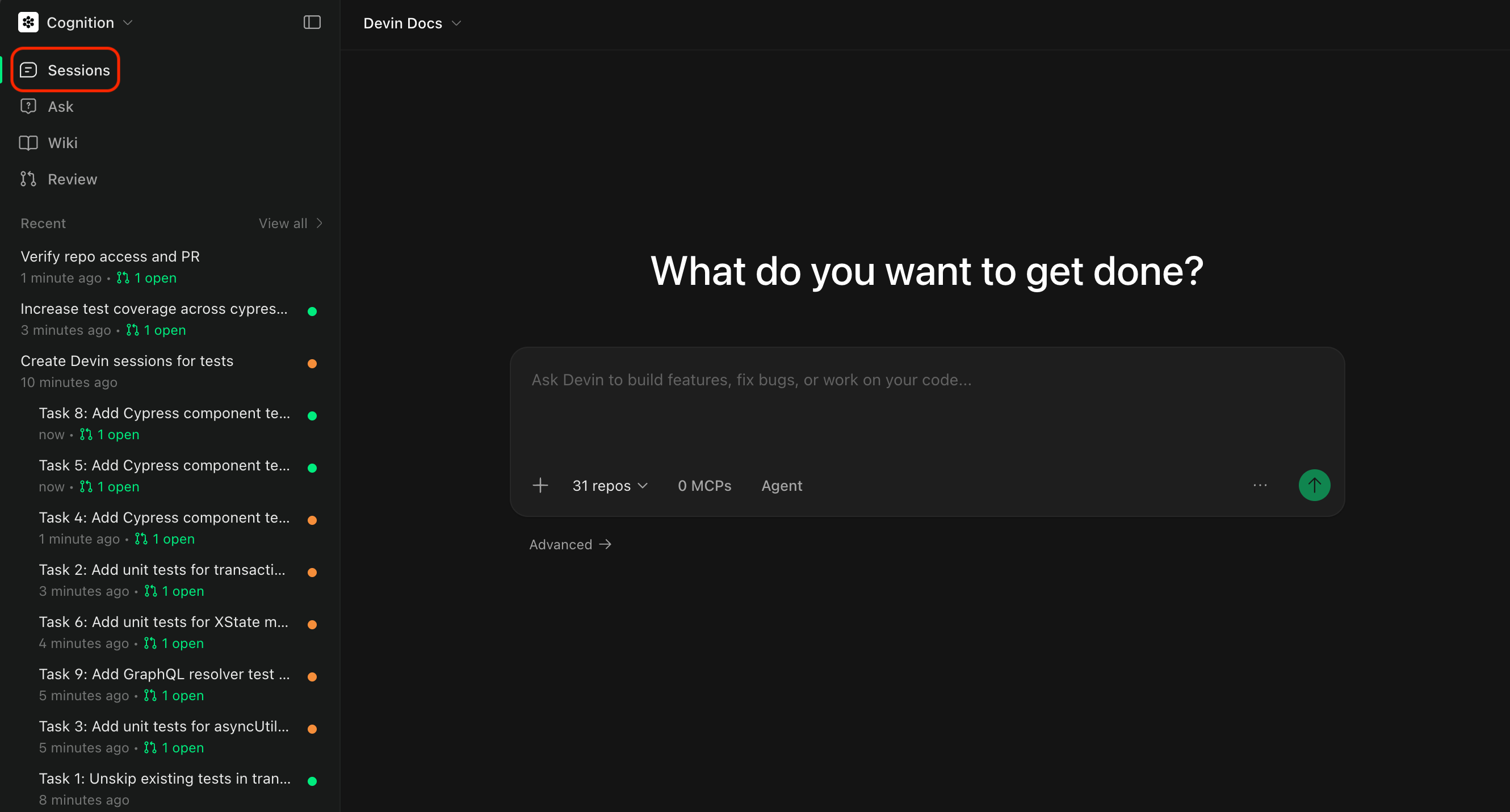
选择代码仓库
选择你希望 Devin 使用的代码仓库。点击代码仓库选择器,可以查看所有已添加到 Devin 运行环境中的代码仓库。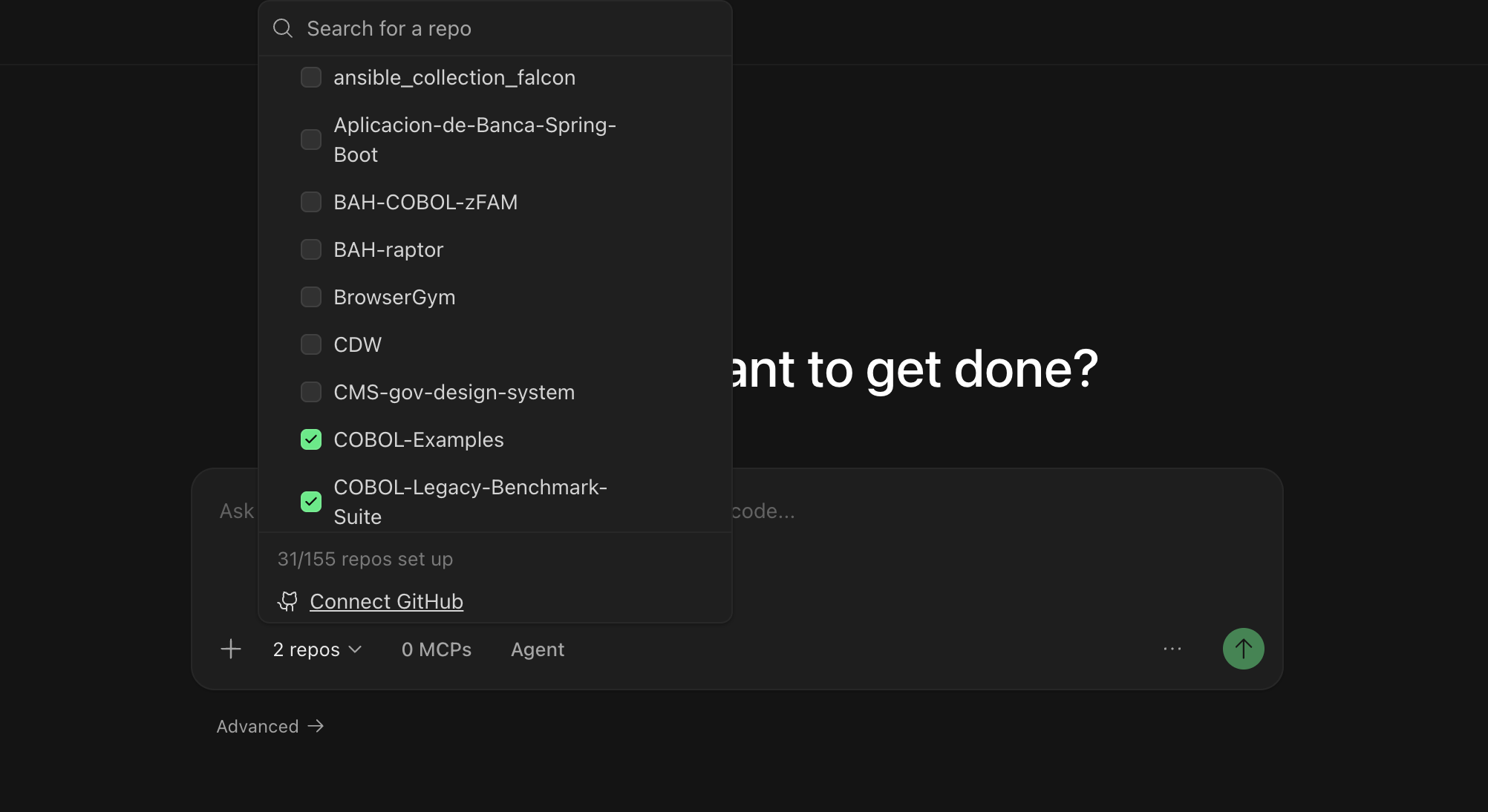
- 能访问你的代码库并进行修改
- 使用正确的分支作为起点
- 能向正确的代码仓库创建 pull request
选择 Agent
你可以选择 Devin 在本次会话中使用哪种 Agent 配置。不同的 Agent 可能具备不同的能力,或针对特定类型的任务进行了专项优化。 可用的 Agent 包括:- Devin (默认) — 一位通用型 AI 软件工程师,适用于构建功能、修复 bug、重构代码以及大多数开发任务。
- Fast Mode — 一种针对快速、范围明确的任务进行优化的模式。
- Data Analyst (DANA) — 一个针对数据库 query、数据分析和创建可视化内容进行优化的数据分析 Agent。如需使用,请在 Agent 选择器中打开 Mode 子菜单,然后选择 Data。
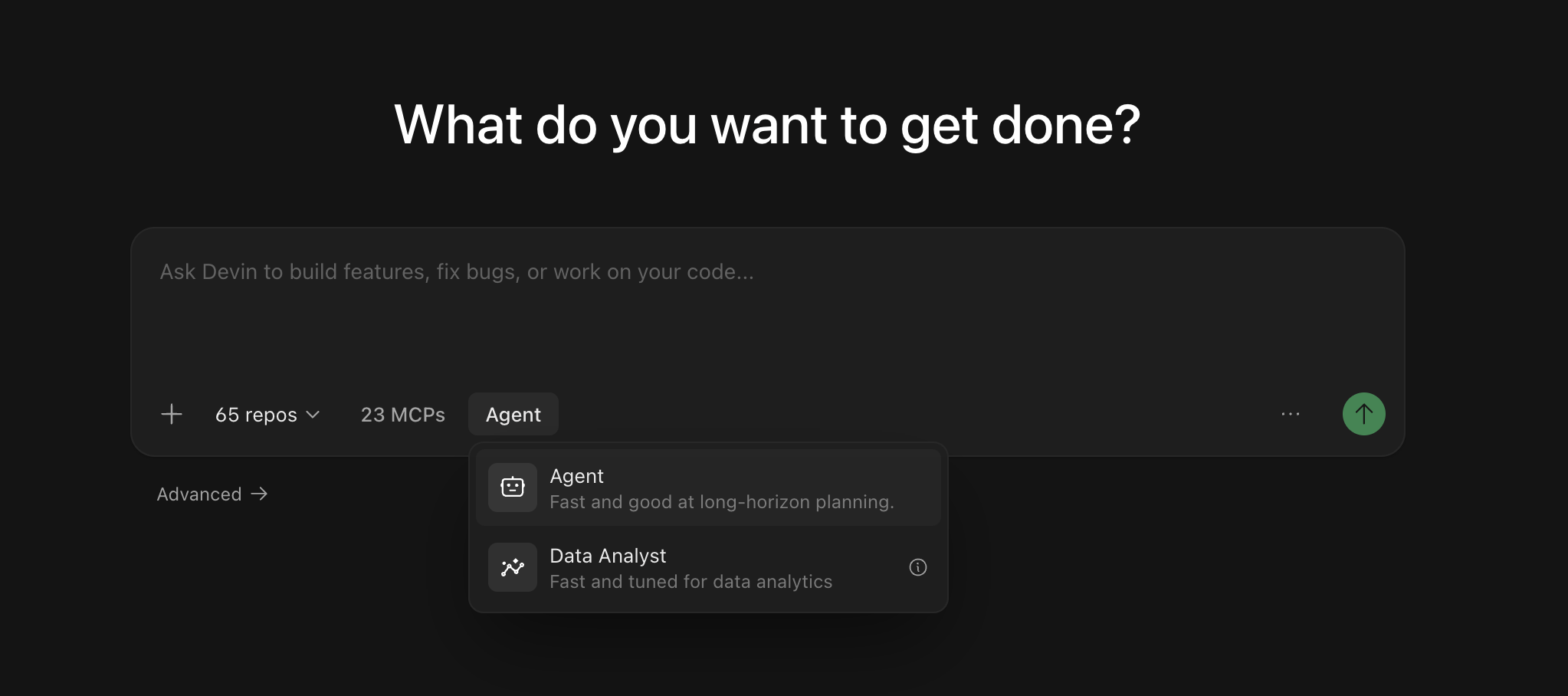
你无需开始新会话即可切换模式。你可以在会话页面中使用消息输入框旁边的 Agent toggle,在当前会话中切换 Agent——更改会从你的下一条消息开始生效。在 Slack 中,你可以通过在消息开头输入
!ultra、!fast、!lite、!fusion、!swe 或 !normal 来在当前会话中切换模式 (请参阅 Slack mode keywords) 。使用 @ 提及
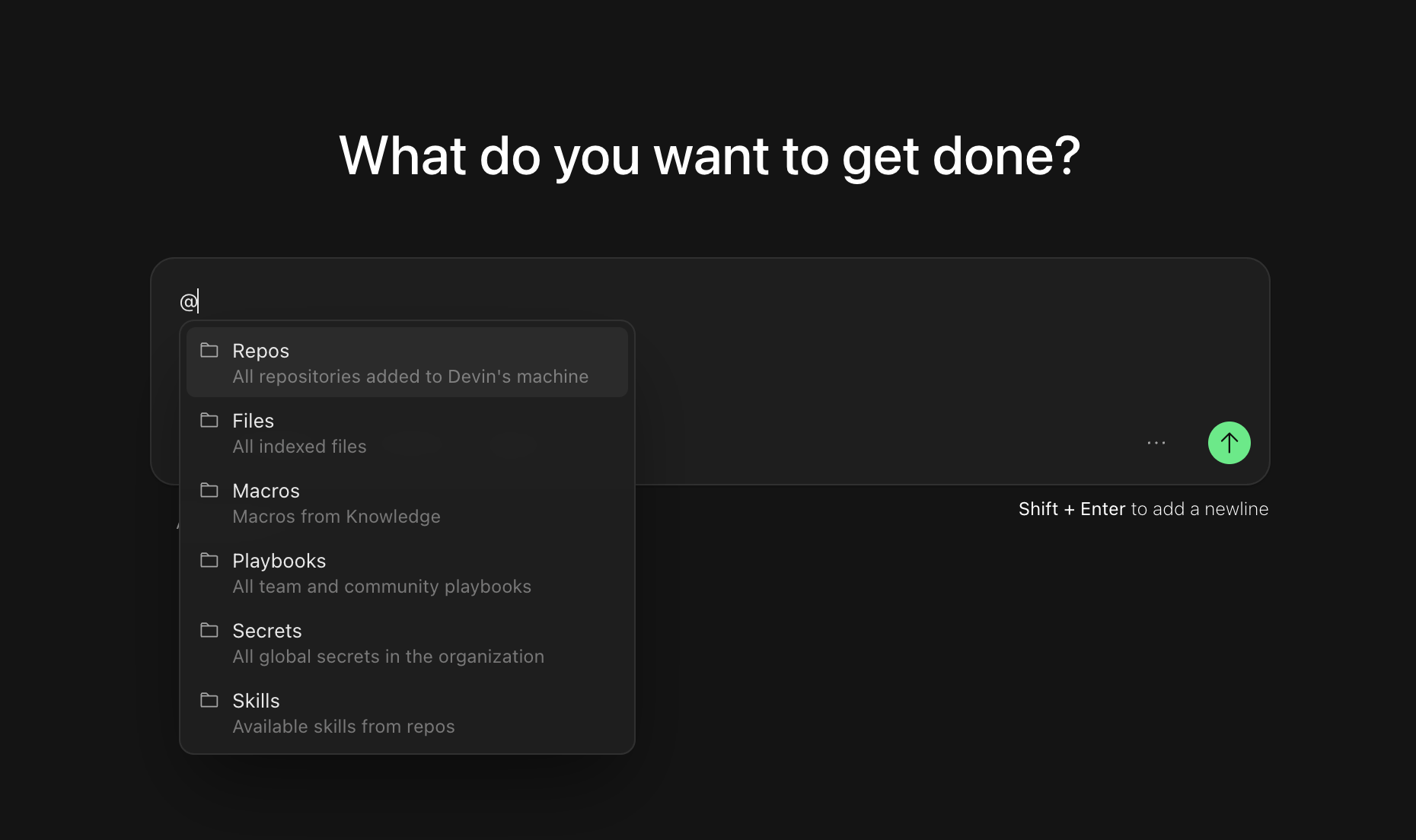
使用@ 提及为 Devin 提供有关文件、代码仓库或其他资源的特定上下文。当你在聊天输入框中键入 @ 时,你会看到一个可用提及项的下拉列表:
- @Repos - 引用特定代码仓库
- @Files - 引用代码库中的特定文件
- @Macros - 引用某个 Knowledge 条目对应的宏
- @Playbooks - 引用团队或社区的 playbook (操作手册) ,这些是详细的提示模板,可用于引导 Devin 的行为
- @Skills - 引用你在代码仓库中定义的 skill (以
SKILL.md文件提交的可复用步骤) - @Secrets - 从 Devin 的会话管理器中引用某个特定机密 (例如 API key、凭证等)
- @Sessions - 引用之前的 Devin 会话作为上下文
为你的首次会话设定范围
从那些具有明确成功标准并且能为 Devin 提供所需上下文的任务开始——就像你把工作交接给一位队友时那样。随着你逐渐熟悉,可以尝试越来越复杂的任务。我们看到用户和 Devin 合作完成了各种工作,从修复小 bug,到有针对性的重构,再到大规模迁移,甚至从零构建完整功能。首次使用的提示思路
新增 API 端点
新增 API 端点
小型前端功能
小型前端功能
编写单元测试
编写单元测试
迁移或重构现有代码
迁移或重构现有代码
更新 API 或数据库 query
更新 API 或数据库 query
快速创建一个 PR(我们建议在 Playbook 中使用此提示)
快速创建一个 PR(我们建议在 Playbook 中使用此提示)
Devin 会通过内置工作流程处理建分支、创建 PR 和 CI 监控,因此 playbook 只需描述任务本身。参见 创建 Playbooks 将此提示保存为 Playbook,并参见 Pull Request 模板 来控制 PR 描述中的内容。
浏览使用场景
探索工程工作流中的实用示例——每个示例都包含可以立即尝试的提示词。
会话结束后
当 Devin 完成后,打开 Session Insights 并点击 Generate Analysis —— 你将获得一条事件发生过程的时间线、可执行的反馈,以及一个经过改进的提示,供你在今后处理类似任务时使用。后续步骤
当你已经熟悉基础会话后,可以进一步查看以下资源,以更高效地使用 Devin:Integrations
将 Devin 连接到你现有的工具,如 GitHub、Slack、Jira 等。
Playbooks
了解如何使用 Playbooks 来实现任务。
技能
添加技能,让 Devin 掌握你团队的工作实践和流程步骤。