To set up Okta as a log-in option for your Devin users, you can share this document with your Okta administrator and/or a member of your IT team.
Create a new application in Okta
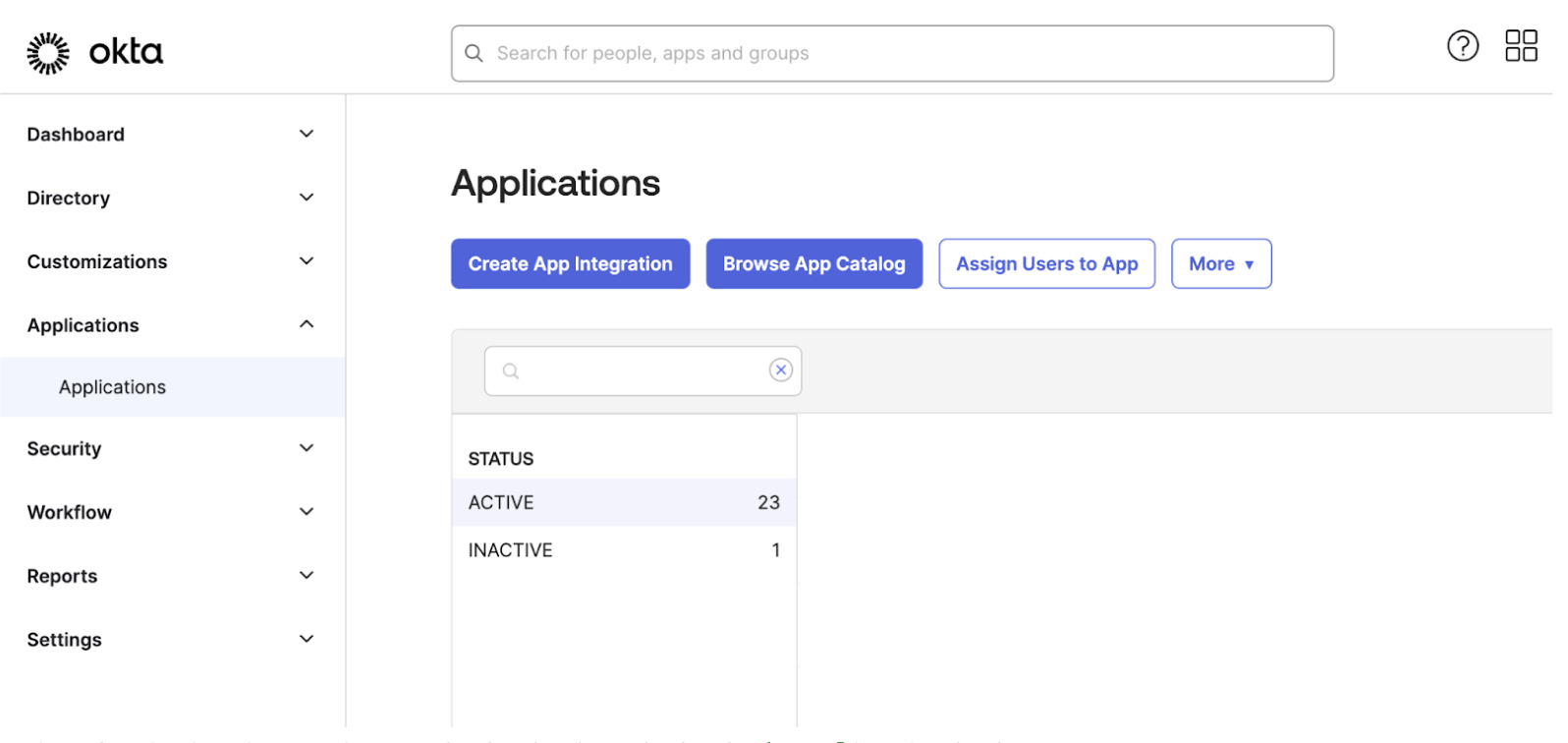
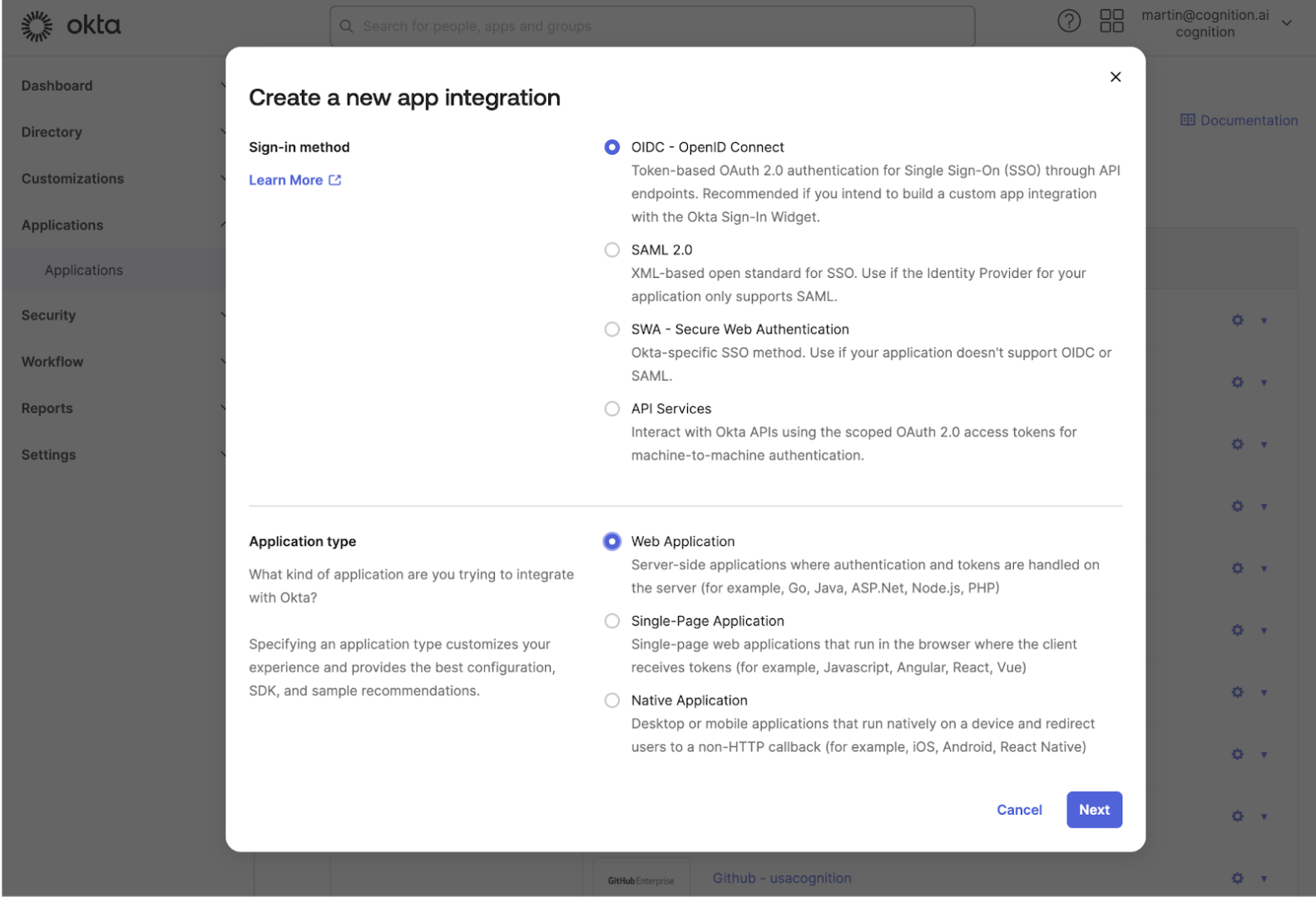
- In your OKTA Admin Panel go to Applications > Create App Integration
- Select
OIDC - OpenID Connect for the Sign-in method and Web Application for the Application Type
- For
Sign-in redirect URIs enter the following value (this is the only redirect URI needed)
- Leave Sign-out redirect URIs empty
Share your application credentials with Cognition
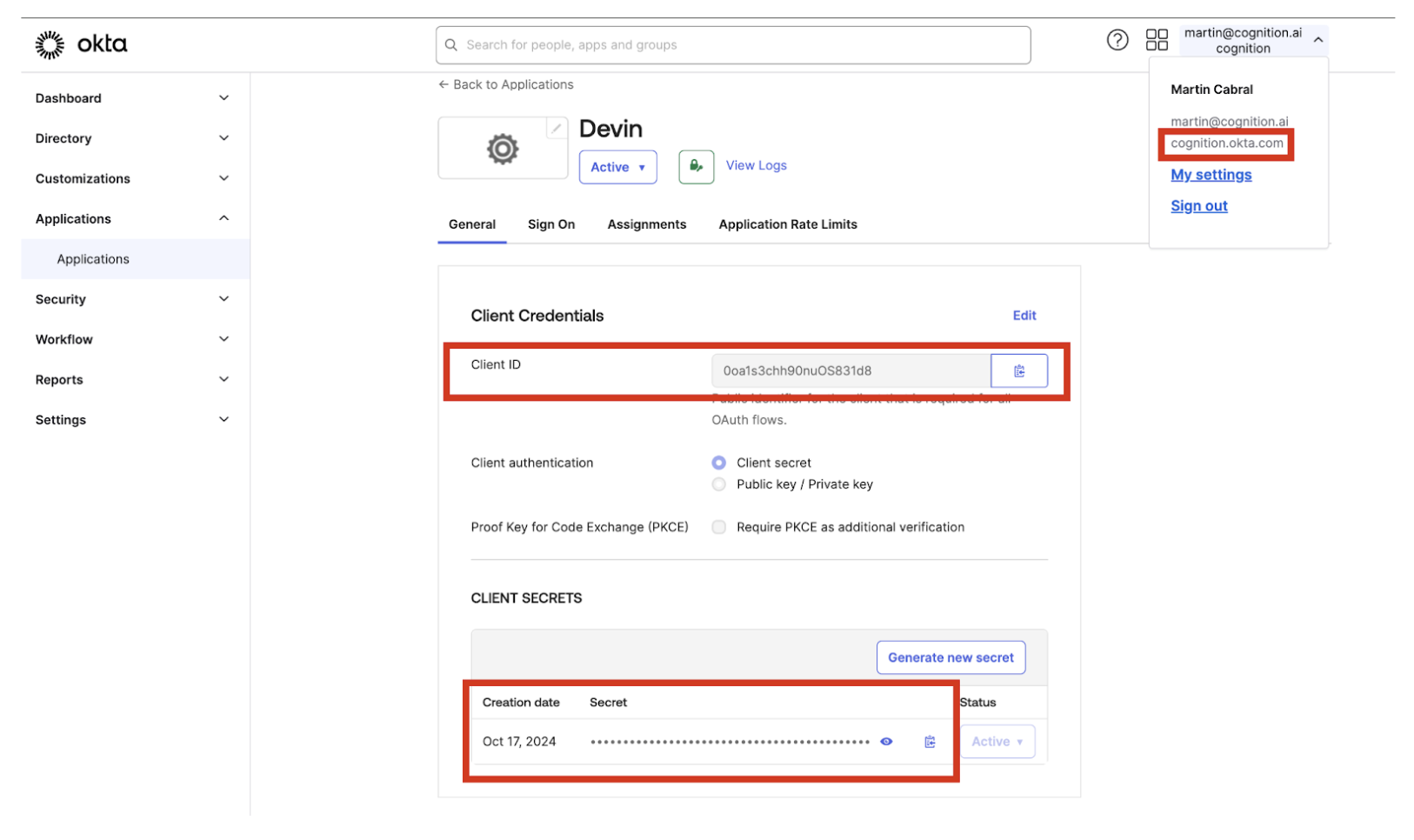
- Once the application is created, you will need to share with Cognition the following pieces of information
- Client ID
- Client Secret
- Your Okta Domain (can be obtained from the user dropdown below your email)
Optional
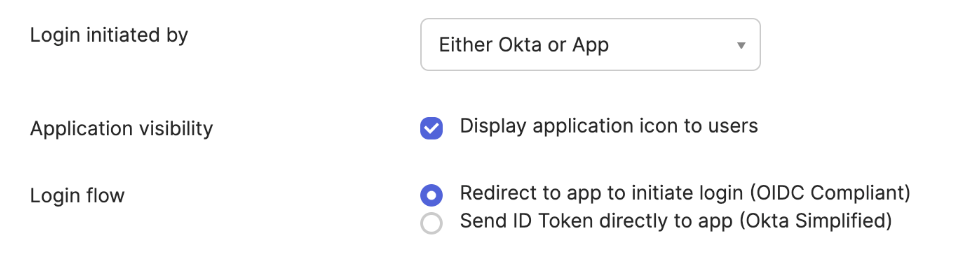
You can enable the application as an icon in your users dashboard with the following configuration:
- Select Either OKTA or App for
Login initiated by
- Check Display application icon to users
- Select Redirect to app to initiate login (OIDC Compliant) as the Login flow value
- Set the Initiate login URI to your Devin Enterprise login URL
https://<your_subdomain>.devinenterprise.com/login