

Running a review
When the Devin Local agent makes changes, you can select Quick Review to immediately request a secondary agent to review those changes. The review agent analyzes the diff and provides feedback directly in the editor, helping you catch issues before committing.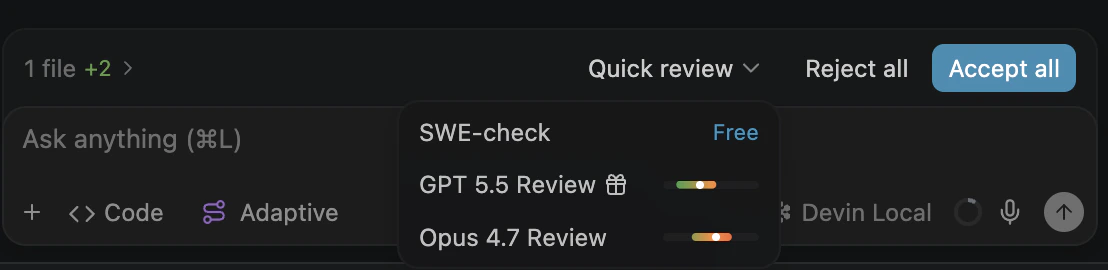
Select Quick Review and choose a review model from the dropdown.
Available models
Quick Review offers three models to choose from:
SWE-check is free for all users and provides quick, efficient reviews. GPT 5.5 and Opus 4.7 leverage the latest frontier models for more thorough agentic code review and use token-based pricing.
Pricing
Quick Review pricing depends on your billing plan.- Self-serve
- Enterprise (ACUs)
- Enterprise (Legacy Credits)
SWE-check is free for all tiers. GPT 5.5 and Opus 4.7 consume quota at their respective per-token rates.
Enterprise controls
Quick Review is enabled by default for enterprise organizations; no administrator action is required. Administrators can disable it, or re-enable it after it has been disabled, with the Enable quick review toggle in Devin Desktop settings.
The Enable quick review toggle on the Devin Desktop team settings page.
- SWE-check
- GPT 5.5
- Opus 4.7