New Agent UpgradeAll enterprise customers have now been upgraded to the newest version of Devin, powered by the latest architectural and model improvements. The legacy “Agent (old)” option has been removed from the Agent dropdown menu in the input box, ensuring all users benefit from the most advanced capabilities.Enterprise API v3 Metrics EndpointsNew API v3 endpoints for tracking usage metrics and active users across your enterprise. Includes endpoints for sessions, searches, PRs, and daily/weekly/monthly active user metrics with time-series data. See API Release Notes for details.Jira Project Mapping SearchAdded a search filter to the Jira project mapping modal.Child Session IndentationBatch sessions now appear visually indented under their parent session in the sidebar, making it easier to understand session hierarchies and navigate complex multi-session workflows at a glance.Repository Connection WarningsThe repository side panel now displays a warning banner when a repository has a connection issue.Consumption Analytics ImprovementsEnhanced analytics dashboard with extended historical data:
- Historical cycles chart now displays 12 months of data (up from 5 months)
- New export functionality for previous billing cycles, enabling better cost analysis and reporting
Custom Slash CommandsOrganizations can now create and manage custom slash commands that expand into predefined text prompts when used in chat. Features include:
- Support for modifying default commands like /plan and /review
- Ability to create entirely new custom commands tailored to your team’s workflows
- Command management interface for enterprise administrators
- In-thread responses with updates and questions to help with software engineering tasks
- Support for mapping Teams channels to specific Devin organizations
- The “Connected accounts” section in organization settings has been renamed to “Integrations”.
Data Analyst Devin (Dana)Dana, which is a version of Devin optimized for data analysis tasks, is now available for all users. To use Dana, simply connect a data source via MCP then start asking questions.Enterprise API v3 UpdatesNew v3 beta endpoints and improvements for service users. See API Release Notes for details.Service Users Page ImprovementsUnified role filter combining enterprise and organization roles into a single grouped dropdown for easier filtering on the service users page.Consumption AnalyticsNew backend support for detailed consumption analytics and reporting, providing better visibility into resource usage across organizations.Enterprise Hypervisors Capacity UtilizationThe hypervisor monitoring page now shows usage as a percentage instead of max slots and available slots.Azure DevOps Webhook SupportAutomated PR comments and status updates for Azure DevOps repositories.Minor bug fixes and improvementsVarious bug fixes and performance improvements across the webapp UI, Slack integration, and DeepWiki.
Enterprise API v3 Git Permissions Bulk Create ImprovementsThe Enterprise API v3 Git Permissions bulk create endpoint now accepts up to 200 permissions per request, increased from the previous limit of 100. Additionally, the endpoint now validates requests to prevent common configuration errors:
- Duplicate detection: Requests containing identical permissions (same connection, repository path, and group prefix) are now rejected with a clear error message listing the duplicates.
- Overlap detection: Requests containing a repository-specific permission that conflicts with a group prefix permission are now rejected. For example, adding both
group_prefix: "myorg"andrepo_path: "myorg/repo1"for the same connection will fail, since the group prefix already covers that repository.
Enterprise API v2 Pagination Limit Update:
- The maximum pagination limit for Enterprise API v2 query parameters has been reduced from 1000 to 200 for improved performance and reliability.
- This change affects all v2 Enterprise API endpoints with pagination, including sessions, members, organizations, groups, and user usage endpoints.
- The default limit remains 100, with a minimum of 1 and a new maximum of 200.
- Note: This change does NOT affect the v1 External API.
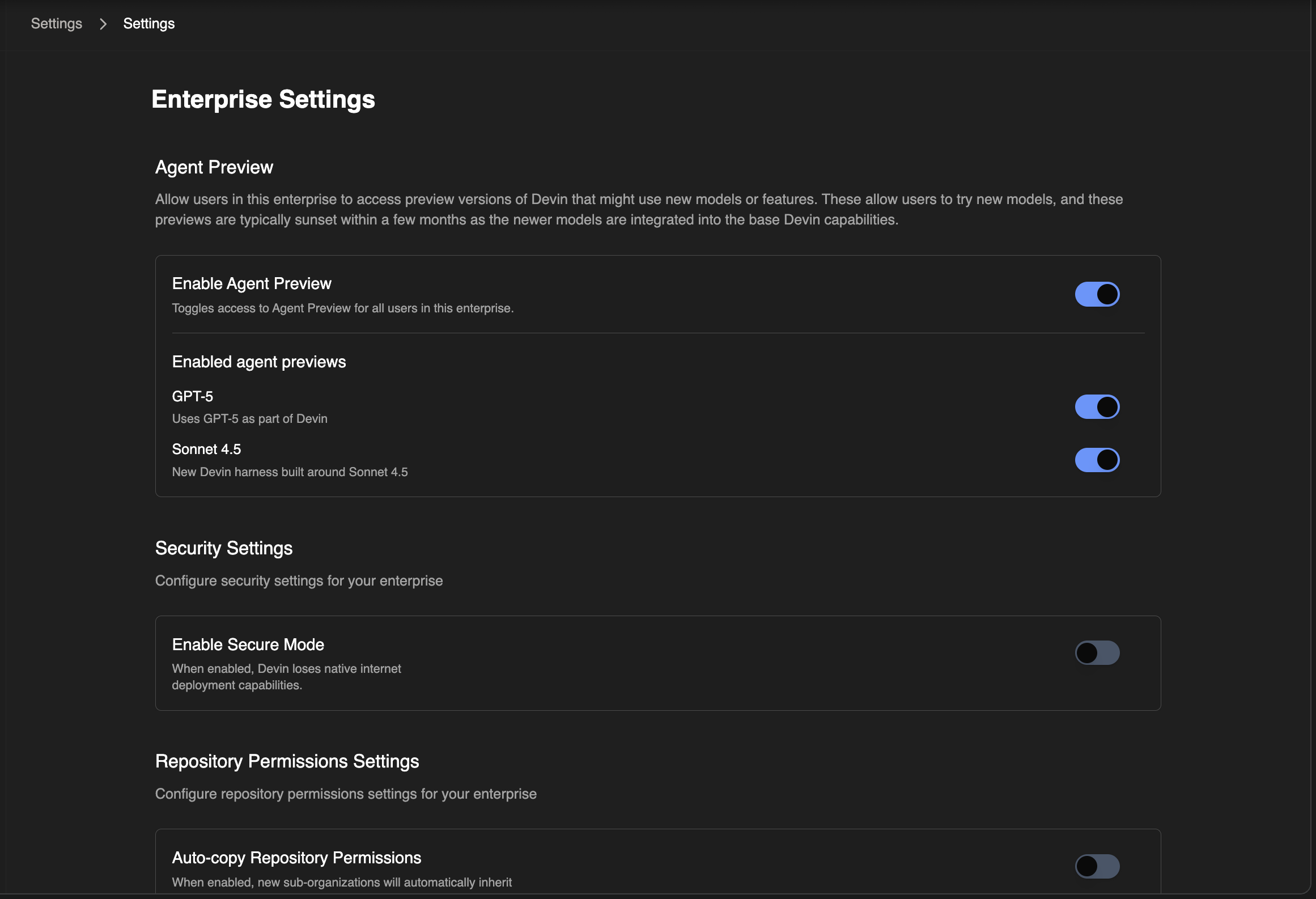
Breadcrumb Navigation RedesignRedesigned breadcrumb navigation system with improved organization selector, enterprise organization management with favorites, and enhanced mobile responsiveness.New Devin AgentAdded New Devin agent mode for Enterprise customers, which is a faster, more intelligent version of Devin. See Devin Sonnet 4.5: Lessons and Challenges for more details.Document TitlesAdded descriptive document titles to all webapp pages for easier browser tab identification, including dynamic titles that show search queries.Repository Setup Steering KnowledgeAdded the ability to provide enterprise-wide knowledge for the synchronous repository setup agent at https://app.devin.ai/settings/snapshots.Agentic Knowledge ManagementImproved agentic knowledge management, allowing Devin to contribute knowledge base entries within the folder hierarchy during sessions.Snapshots OrganizationReorganized snapshots pages under /settings and improved snapshot management with bulk editing capabilities for better organization.Ada Renamed to Ask DevinRenamed Ada assistant to Ask Devin for clearer branding throughout the interface.Playbook Usage VisibilityAdded analytics for when playbooks are retrieved during sessions.Git Commit AuthoringAdded new git commit authoring option in customization settings to control commit attribution.Redshift MCP Production ReadyRemoved beta tag from AWS Redshift MCP integration.Slack Notification SafetySanitized @everyone, @channel, and @here mentions in Slack notifications to prevent accidental mass mentions.Direct Attachment DownloadImproved attachment download functionality with direct download support for better performance.Wiki Edit Button ImprovementsImproved wiki edit button to work consistently across all git providers including GitHub, GitLab, Bitbucket, and Azure DevOps.Minor Bug Fixes & Quality of Life ImprovementsVarious bug fixes and performance improvements across the platform.
Unified Agent Selection ExperienceConsolidated agent selection into a streamlined experience with an improved agent switcher on the home page, making it easier to choose the right agent for your task.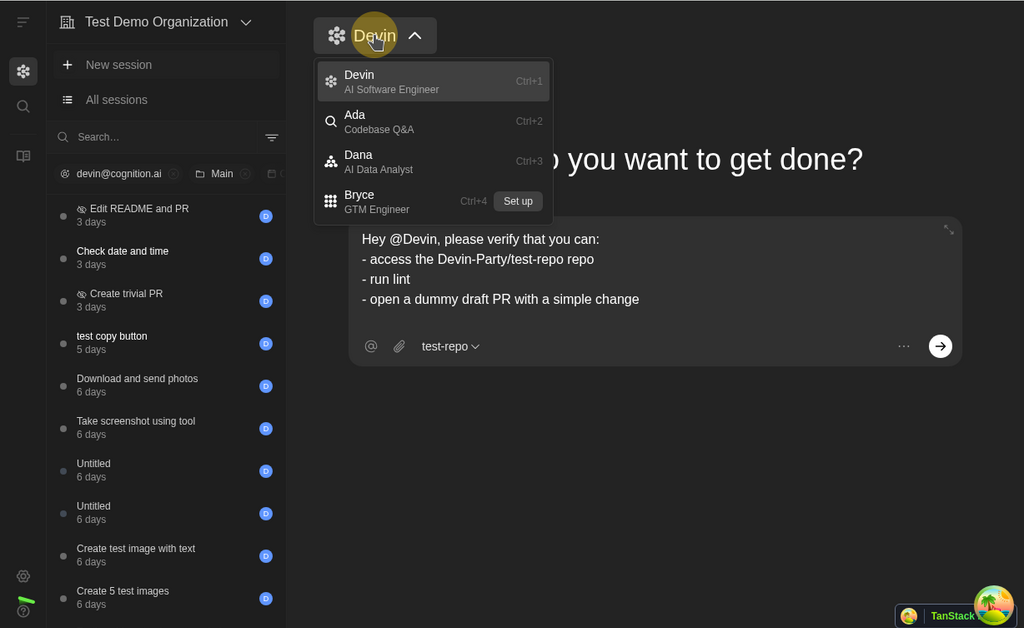
DeepWiki CodemapsInteractive code visualization is now available in DeepWiki, allowing you to explore codebases visually with an intuitive mode switcher that helps you navigate between different views of your repository documentation.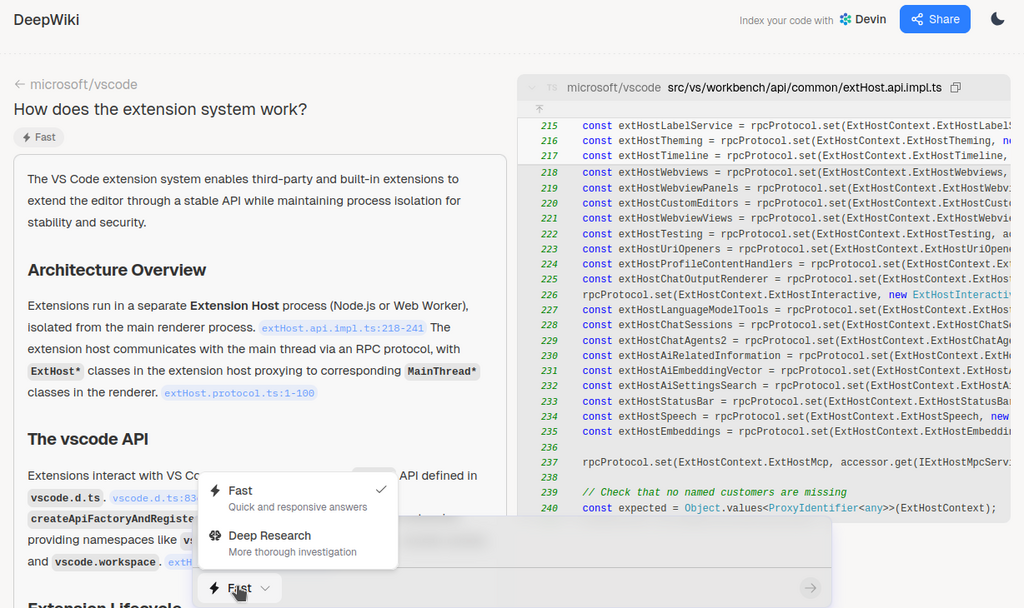
Steerable Wiki for GitHub and GitlabUsers now have the ability to upload .json files to adjust the contents of a DeepWiki to add more detail, edit any inaccuracies, and customize documentation to match team standards.Enterprise Playbooks API v2Updated Enterprise Playbooks API with improved functionality for programmatic playbook management.Slack Enterprise Grid SupportFull support for Slack Enterprise Grid deployments, enabling larger enterprises to use Devin with their Slack infrastructure.GitLab CI/CD IntegrationEnhanced GitLab integration with support for viewing CI job logs and pipeline metrics directly within Devin, providing better visibility into build and deployment processes.Session Analytics EnhancementsAdded external link icons to the session analytics table, making it easier to open sessions directly from the analytics view.Minor Bug Fixes & Quality of Life Improvements
- Product polish and design system migration for playbooks and settings pages
- Repository page improvements with better filtering and pagination
- Ongoing bug bashing and quality of life improvements
Slash Commands in Input BoxQuick-start your sessions with slash commands. Type
/plan, /review, /test, or /think-hard in the input box to insert predefined task templates that help you structure your requests more effectively.Enterprise Knowledge ManagementEnterprise administrators can now create and manage organization-wide knowledge that’s shared across all teams, making it easier to maintain consistent context and best practices throughout your enterprise.Enterprise PlaybooksPlaybooks are now available at the enterprise level, allowing administrators to create and manage reusable task templates that can be shared across all organizations within the enterprise.Repository Mentions as AttachmentsWhen you mention repositories in messages, they now appear as clean attachment badges with repository icons instead of inline text, providing a clearer visual distinction between message content and repository references.Knowledge Sharing by DefaultKnowledge entries now default to being shared within your organization.Minor Bug Fixes & Quality of Life ImprovementsVarious bug fixes including improvements to steerable DeepWiki configuration, repository pagination, and general performance enhancements.Steerable DeepWikiCustomize and guide your repository documentation with Steerable DeepWiki. Enterprise administrators can now add custom instructions and context to shape how wikis are generated for their repositories.Create Organization PageRedesigned UI of 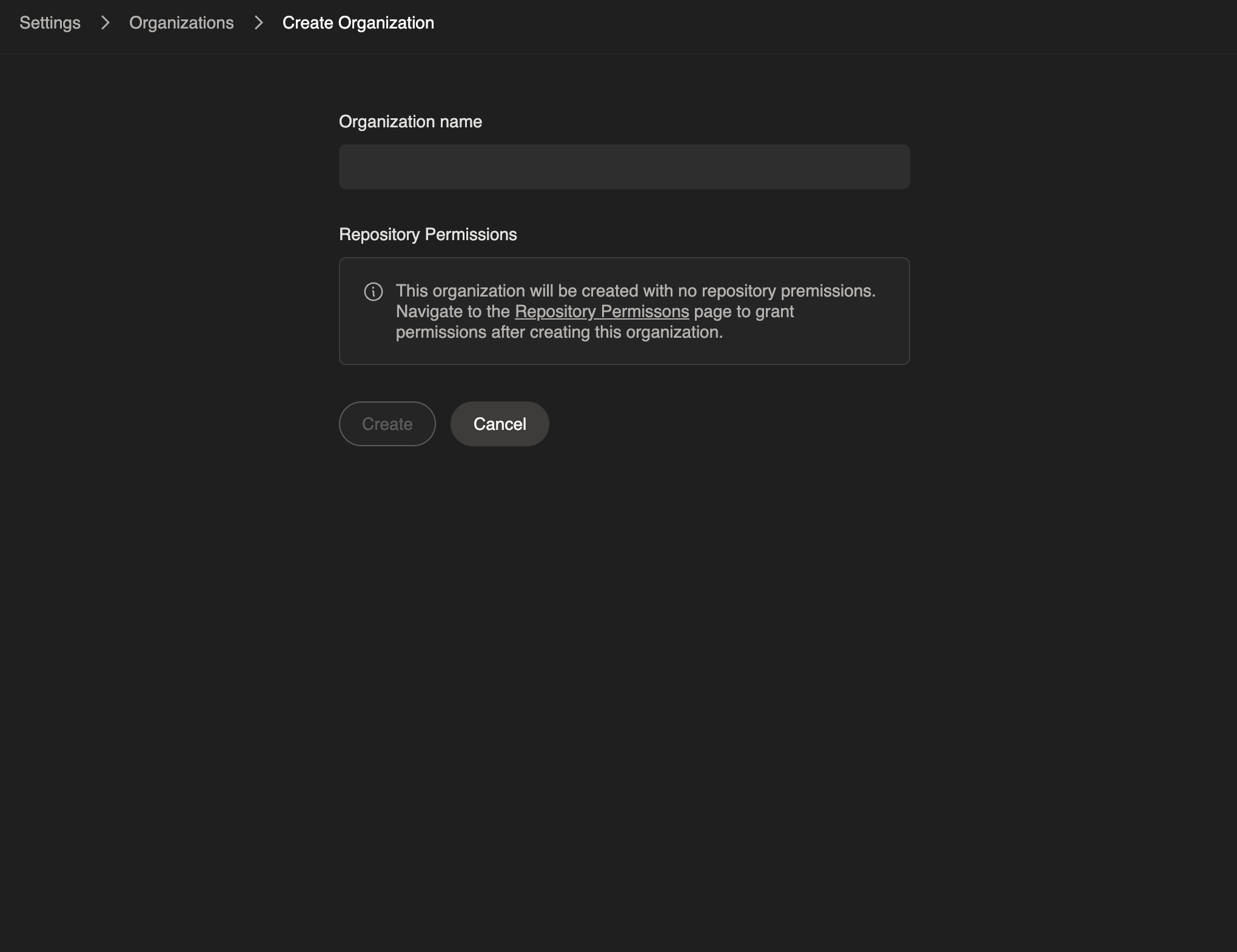
/settings/organizations/create for enterprise organization creation.- Fixed bug preventing proper display of secrets page for organization members
- Fixed bug around gh CLI auth failing in certain circumstances on Devin’s machine
- Enterprise API v2 git permissions endpoint now returns permission_names dict mapping permission IDs to repo/group paths
- Enhanced member page tabs and navigation
- Ongoing stability improvements and bug fixes
New Agent Preview using Sonnet 4.5A new version of Devin, built around the new capabilities and behaviors of Claude Sonnet 4.5, is now available. This agent is about twice as fast as the previous version of Devin, and can be enabled on a per-run basis or defaulted for all of a user’s runs using the star in the dropdown. This agent is in beta, so not all functionality is supported at this time; it will not suggest knowledge, use cloud IDEs, or respect macros starting with ! (such as playbooks).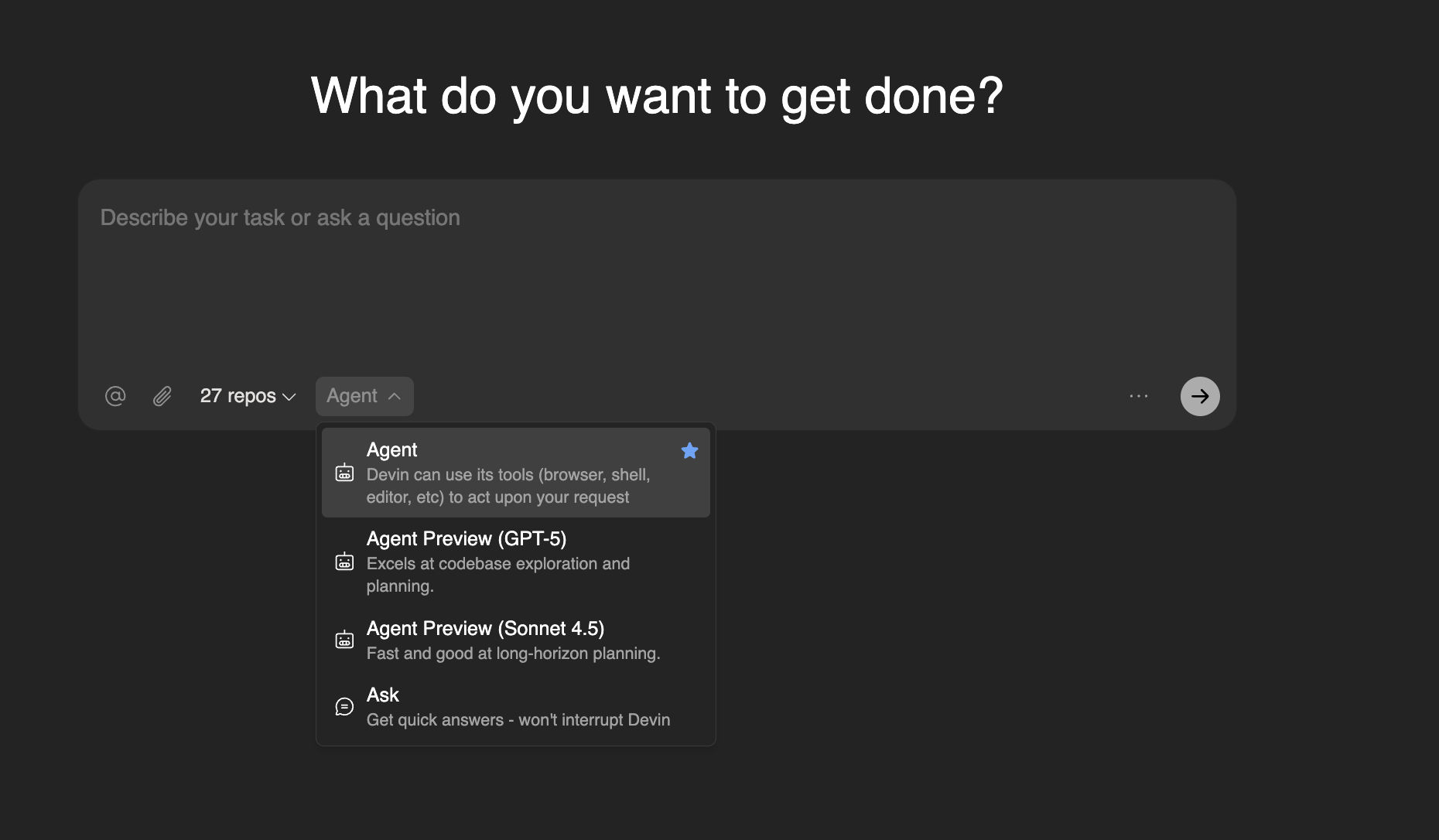
Inline Plan Display for Ask DevinWhen transitioning from an Ask Devin session into creating a prompt for the Devin agent to write code, the UX now displays generated plans inline with streaming content instead of in a modal.Session Analytics ConsolidationThe dedicated PR-only view has been consolidated with the “All Sessions” page for a unified view of session data and insights.MCP Observability for EnterprisesEnhanced Model Context Protocol (MCP) observability tools are now available for enterprise customers, providing better visibility into MCP usage patterns and performance across your organization.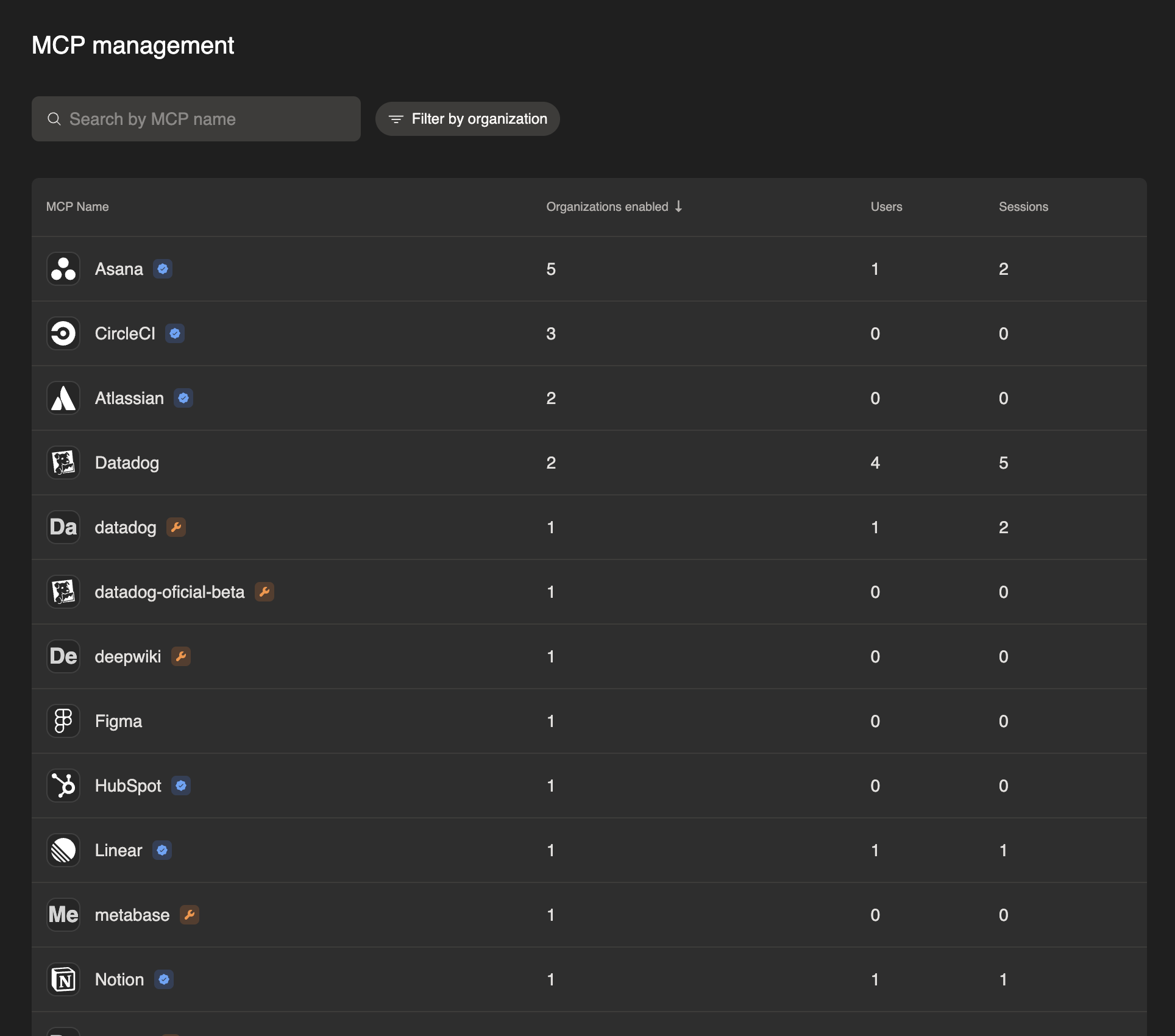
@devin and DevinAI prefixes for triggering Devin, making it more intuitive to mention Devin in pull request discussions.Minor Bug Fixes & Quality of Life ImprovementsFixed bug causing session URLs to not always work for enterprise administrators, as well as ongoing stability improvements.Session Analysis & Knowledge ManagementEnhanced session tracking and analysis capabilities with improved knowledge base management, curation tools, and prompt improvement system that preserves user context and @ mentions in the input box.Git permissions performance improvementsOptimized git permissions page to support 200k+ elements with improved query performance, indexing, and pagination for GitHub repository listings.Minor Bug Fixes & Quality of Life Improvements
- Fixed positioning of “Learn more” tooltip and link in message components by moving it inside a div container for better layout structure
- Removed login_hint in new user authentication flow due to inconsistent behavior, preventing email from pre-filling during a user’s first visit.
- Fixed a bug where you could not add more than one set of session-scoped secrets.
API v2 knowledge sharingThe 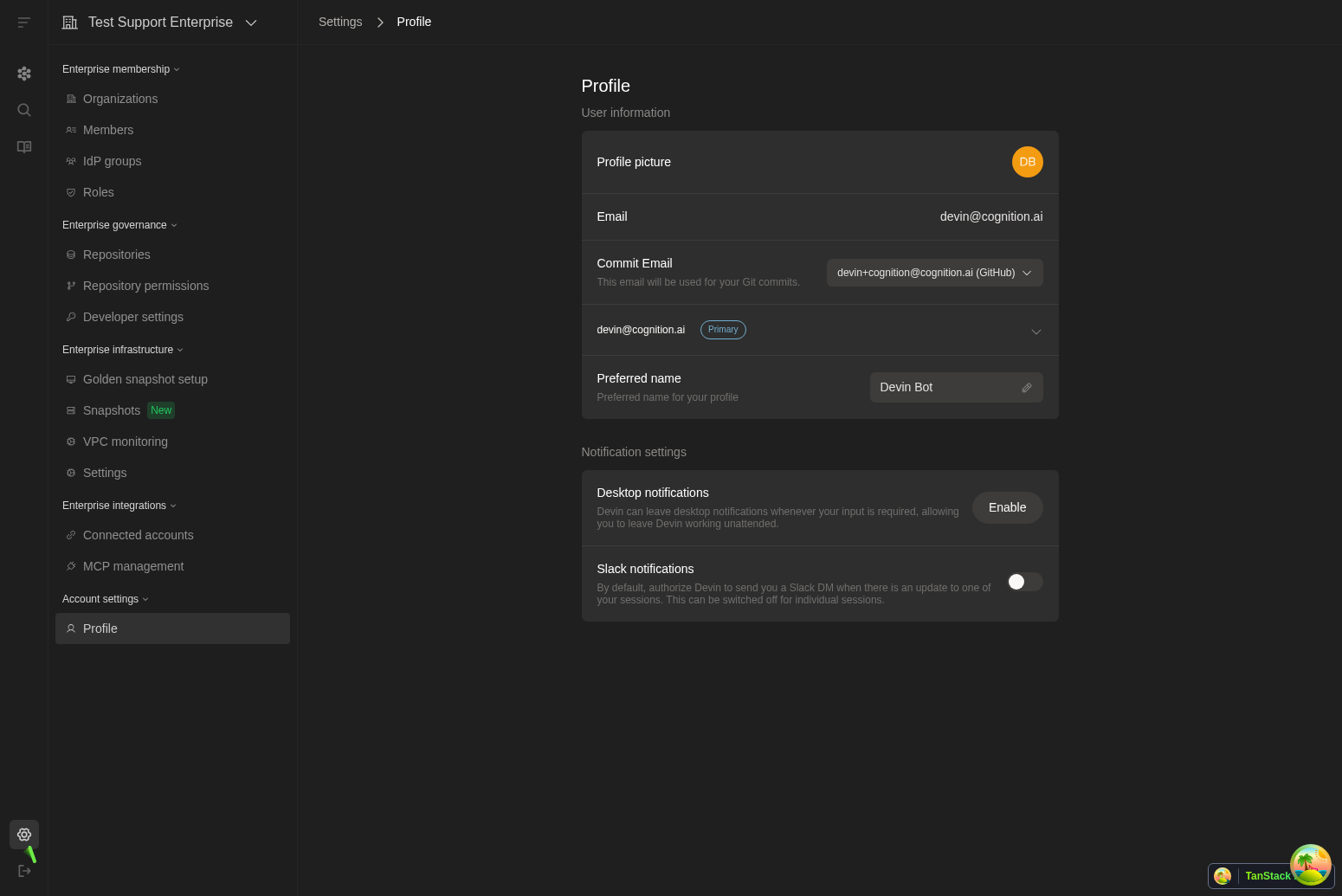
shared_in_org field now controls knowledge visibility: true applies knowledge to the entire organization, false applies only to the creator of the knowledge.DeepWiki.com Thread Export FeatureAdded a “Copy Thread” button to the external deepwiki.com site for exporting Q&A threads as markdown with citations. This feature is only available on the public deepwiki.com, not internal Devin wikis.Integrations page accessAll Devin users can now access integrations pages, expanding from previous restrictions that required specific management permissions to basic Devin usage permissions. Users still need admin in order to manage the specific integrations, but this enables all users to see which integrations are enabled.Enterprise Settings reorganizationReorganized Enterprise Settings sidebar into logical sections: Membership, Governance, Infrastructure, Integrations, and Analytics for improved navigation.Enhanced MCP ConfigurationImproved MCP marketplace configuration page with inline raw secrets form, making it easier to configure MCP integrations by allowing users to create and link secrets directly within the configuration interface.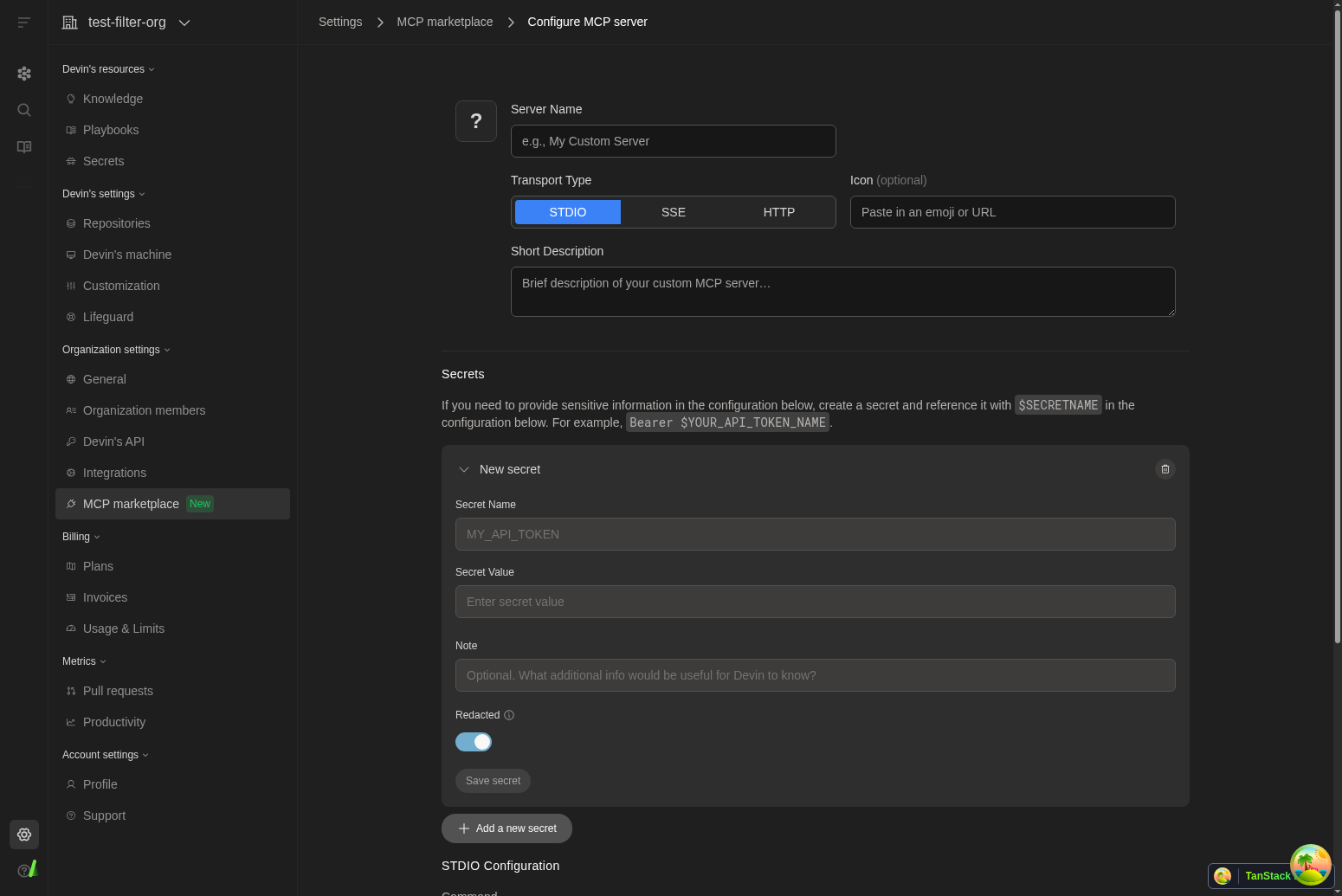
Wiki Sidebar ImprovementsThe wiki sidebar now displays cleaner repository names without full paths, making it easier to navigate through your indexed repositories.Settings Navigation EnhancementStandardized breadcrumb styling across Settings > Integrations pages for more consistent navigation experience throughout the application.Self-Hosted GitLab AccessAdded query parameter support to enable self-hosted GitLab connection modal for enterprise users who need this integration option.Figma MCP OAuth SupportEnhanced the Figma integration in the MCP marketplace with OAuth authentication support for secure access to Figma files and resources.Enterprise API Key ManagementImproved error handling and user experience for service API key provisioning, including better messaging for organizations with existing keys.Mobile Sidebar ImprovementsFixed sidebar display issues on mobile devices for better navigation experience across all screen sizes.Bug fixes and improvementsVarious reliability, performance, and usability improvements across the app.
Referral Information AlertAdded informational alert to Settings → Referrals page explaining referral rewards and success criteria for better user guidance.Enhanced Linear IntegrationImproved Linear integration with per-team/organization trigger conditions and status-based Devin triggering for more granular control.GitHub Connection ManagementAdded “Manage Connection” button for GitHub PAT connections and improved token display by removing @ prefix for non-individual tokens.Azure DevOps DisplayEnhanced Azure DevOps connection display by removing @ prefix and properly handling null connection names.JAM MCP IntegrationAdded JAM integration to the MCP marketplace, expanding available tools and services for enhanced development workflows.Bug fixes and improvementsVarious reliability, performance, and usability improvements across the app.
Repository Counters DisplayThe repositories page now shows total repository count and indexed repository count in the format ‘X/Y repos indexed’ for better visibility into indexing status.Enhanced MCP MarketplaceFixed text overflow issues in MCP marketplace cards so long integration names now wrap properly instead of being truncated.Improved Integration for SlackEnhanced Slack thread functionality with better macro extraction and moved thread mode settings to the dedicated Slack panel for improved organization.Enterprise Logout AccessAdded logout button visibility for enterprise sub-organizations in the sidebar, improving navigation consistency across different organization types.Enhanced Enterprise Consumption DashboardAdded sorting functionality to the User Metrics table in the enterprise consumption dashboard, allowing administrators to sort by session count and ACU consumption.Text Wrapping ImprovementsFixed text wrapping issues in ADA search and DeepWiki to ensure long content displays properly without overflow.Bug fixes and improvementsVarious reliability, performance, and usability improvements across the app.VPC Repo IndexingFor Enterprise customers using a VPC installation, added support for indexing repositories inside of the VPC which enhances security.
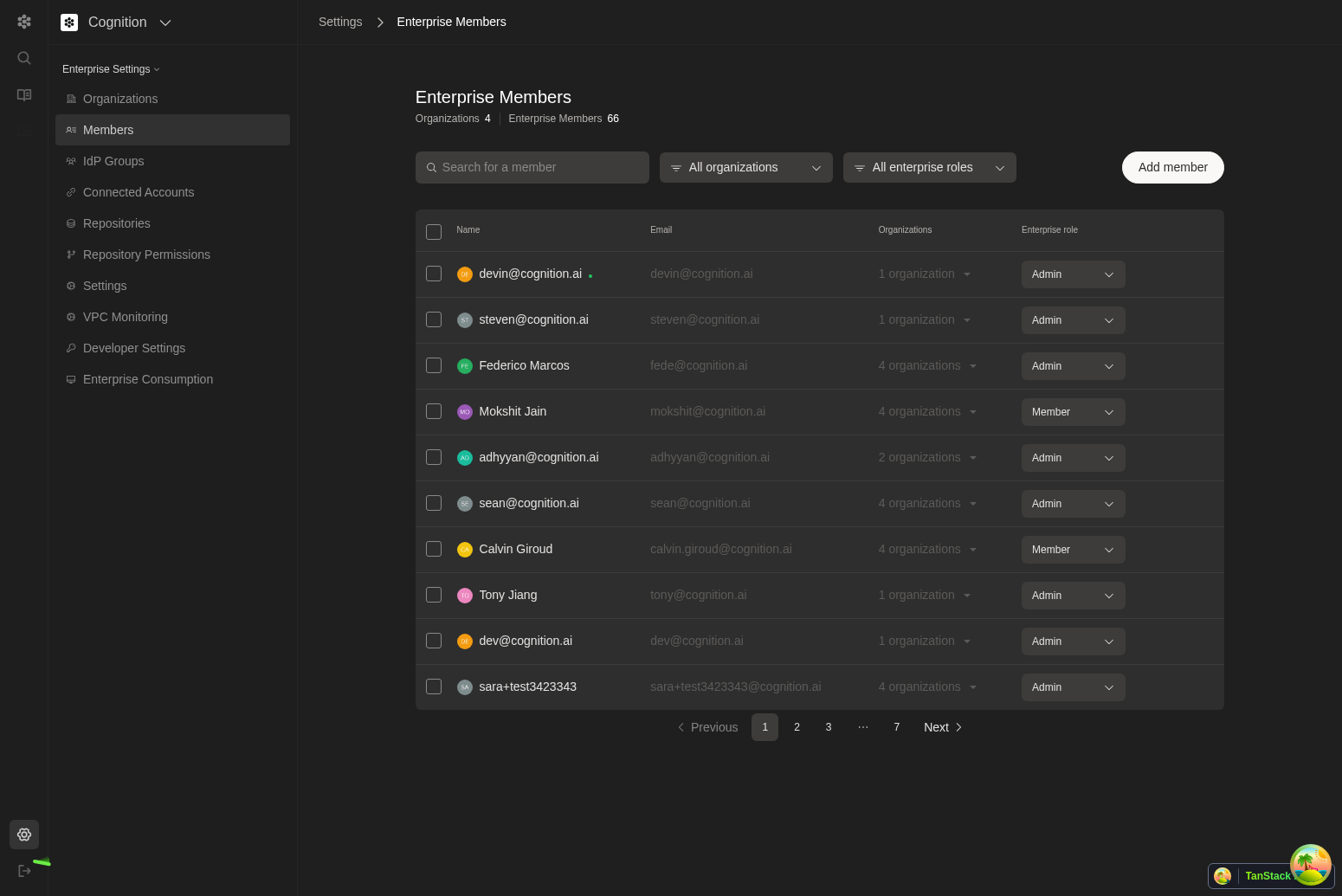
GPT-5 Preview AccessCore and Teams users now have access to a preview version of Devin that includes GPT-5, available through Agent Preview while we conduct further reliability and safety testing.Enhanced Enterprise Members ManagementThe Enterprise Members page now displays organization groups and roles, giving administrators better visibility into member permissions and organizational structure.Jira Integration for EnterprisesJira integration is now available in enterprise connected accounts settings, enabling better project management workflows for enterprise customers.Perplexity MCP ServerAdded Perplexity to the MCP marketplace, expanding research and information gathering capabilities through the Model Context Protocol.Bug fixes and improvementsVarious reliability, performance, and usability improvements across the app.
IdP Groups Settings PageView and search your identity provider groups directly in Settings > IdP Groups to quickly reference group names and membership context within Devin.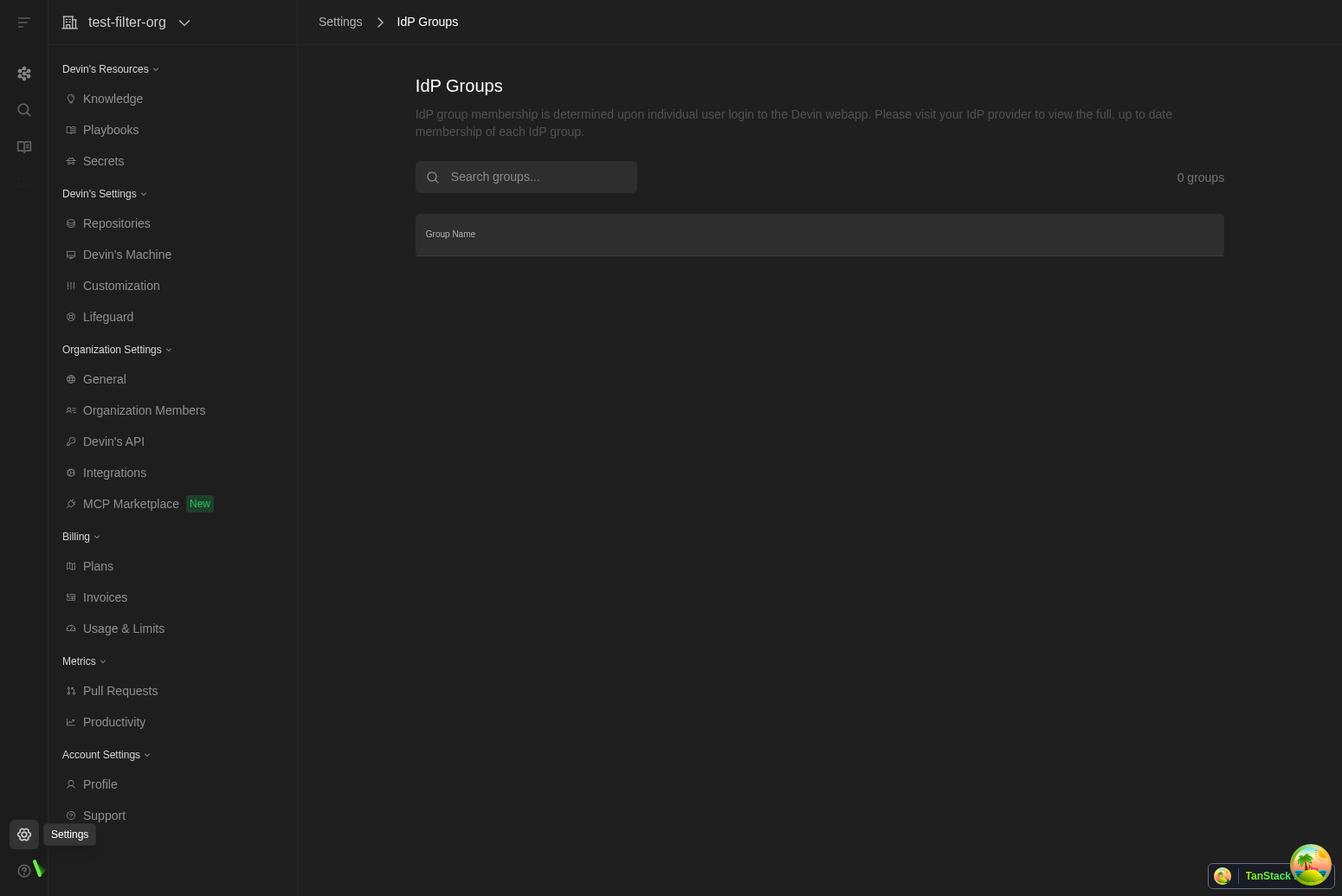
Organization Selector ImprovementsFixed overflow issues in the organization selector dropdown for better navigation when managing multiple organizations.Linear Integration EnhancementsImproved Linear settings page to hide unnecessary configuration options for non-enterprise users, providing a cleaner interface.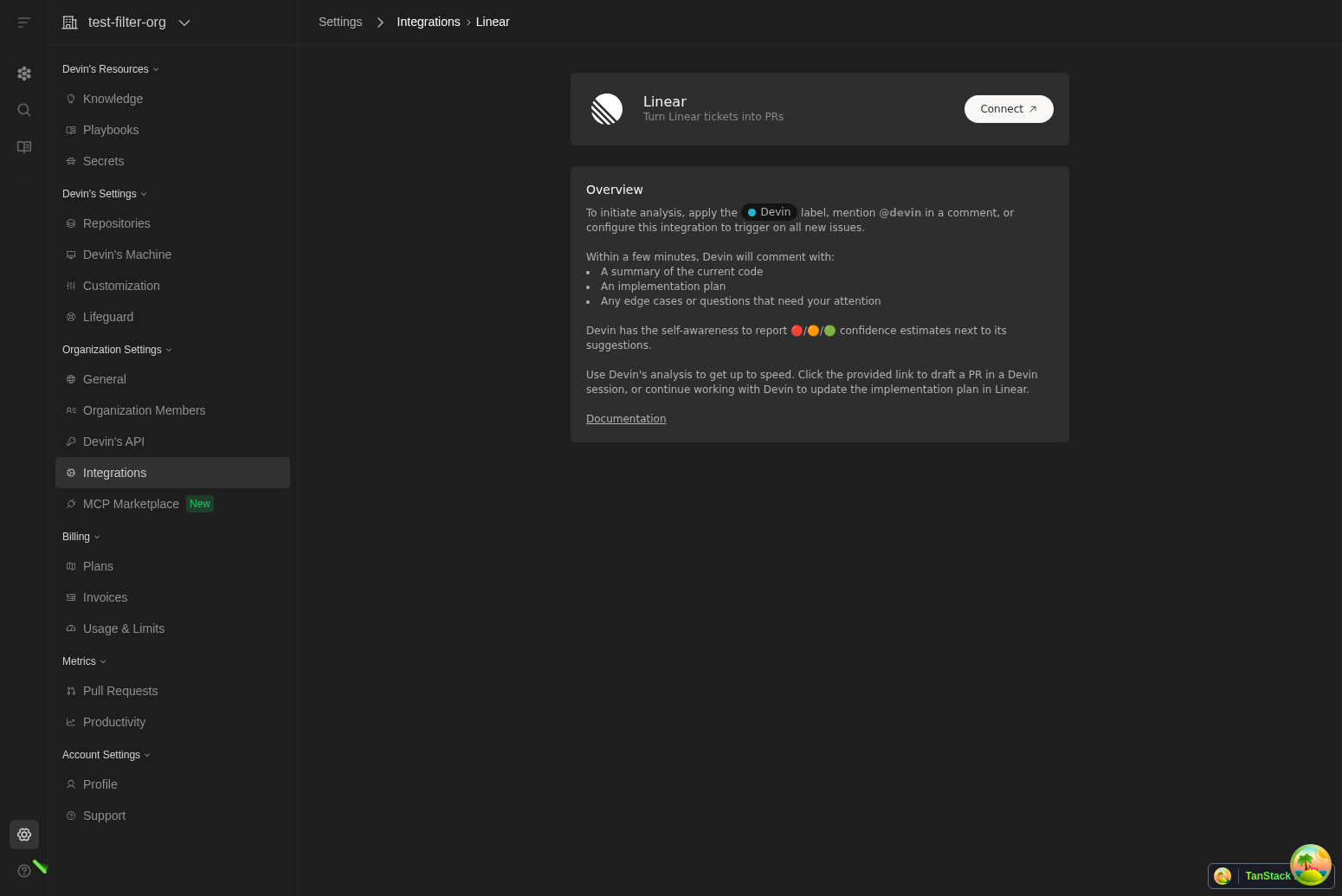
Organization Switcher SearchSuperusers can now search organizations directly from the switcher, and the menu is wider for faster navigation across large org lists.Primary Org Session SidebarWhile working inside a session, the primary organization sidebar now remains visible to speed up navigation and access to settings.Linear Mapping UX ImprovementsThe Linear integration modal has clearer toggles and button layouts, warns before closing with unsaved mappings, and uses the updated integrations webhook path for a more reliable setup.Automatic Linear NotesSaving Linear project mappings now generates structured Linear notes to help Devin scope issues and plan work more effectively.Input Dropdown CleanupWe removed the Deep Agent option from the input box dropdown to simplify task kickoff choices.PR Merge NotificationsYou’ll receive notifications when PRs are merged so session status stays up to date without manual refresh.Knowledge Title EditingYou can now edit knowledge entry titles while in edit mode for cleaner organization.Dictionary Secrets No Longer SupportedDictionary-type secrets are no longer supported; use individual string secrets per key instead.Bug fixes and polishVarious minor UI polish and non-user-facing improvements.
MCP (Model Context Protocol) MarketplaceAccess 1000s of tools and integrations from a dedicated marketplace at 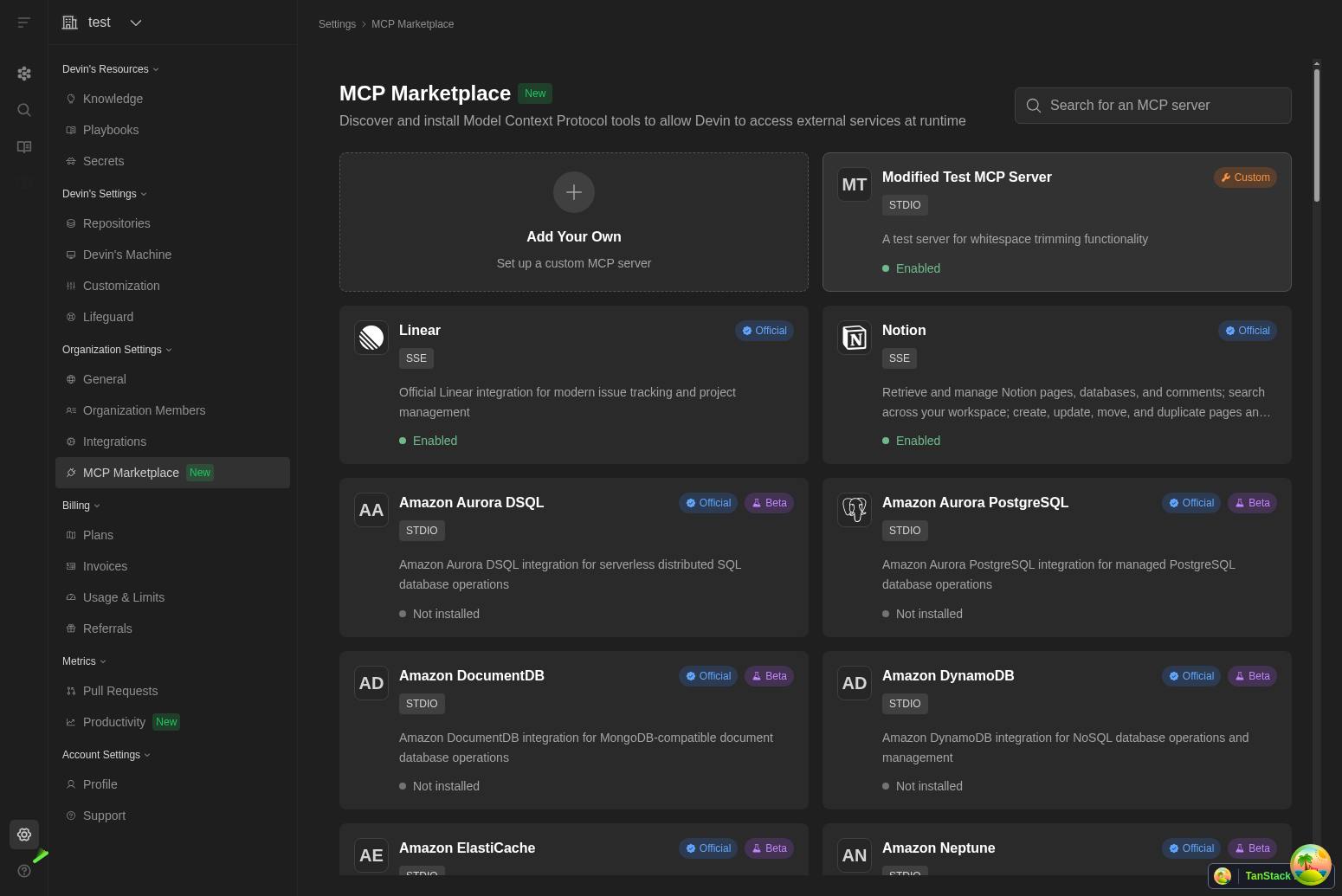
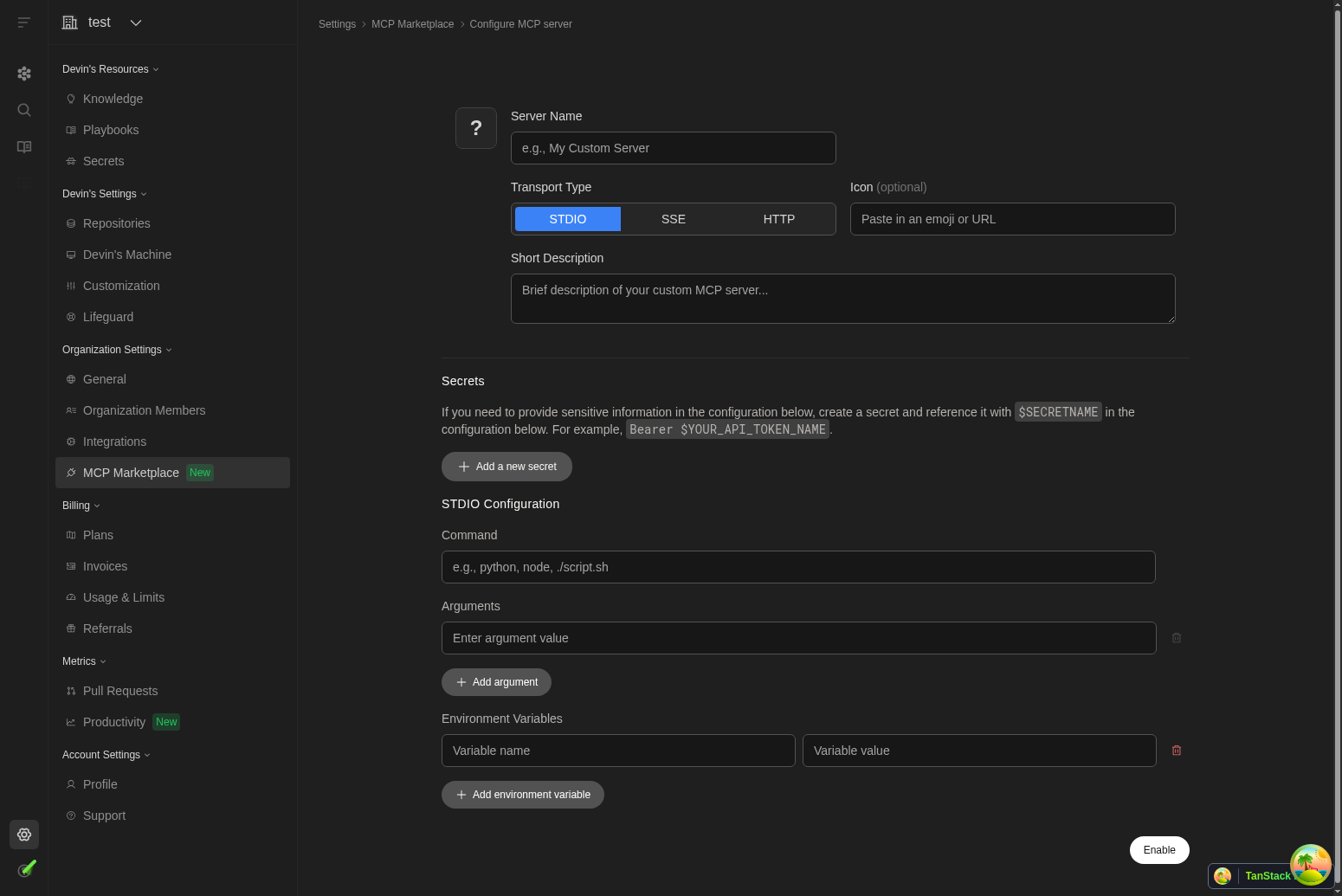
/settings/mcp-marketplace. Connect to services like Linear, Notion, AWS services, and many more with a single click.$SECRETNAME syntax for secure credential management.Session UIWe updated the Session UI to streamline the interface and better highlight key decision points in each session: the Task, the Plan, the PR, and the Summary. You’ll still have full access to Devin’s session progress, now presented more clearly and intuitively.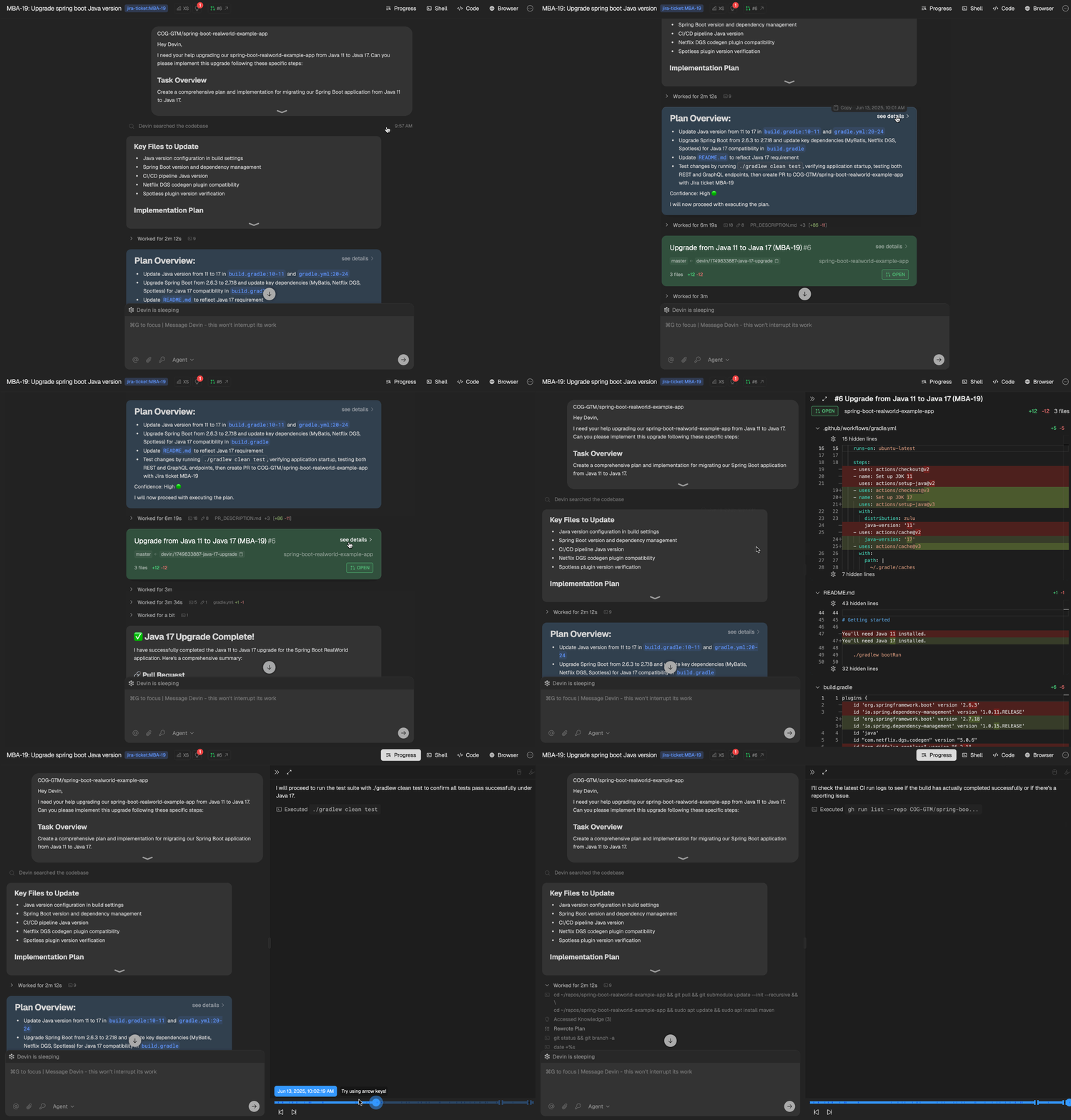
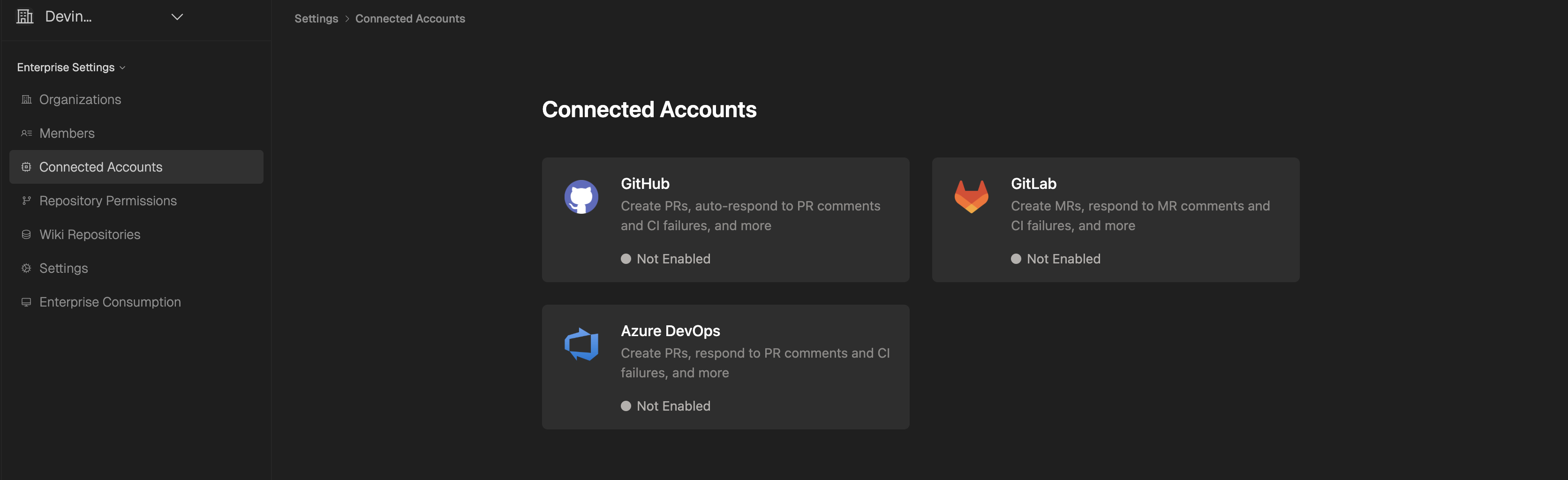
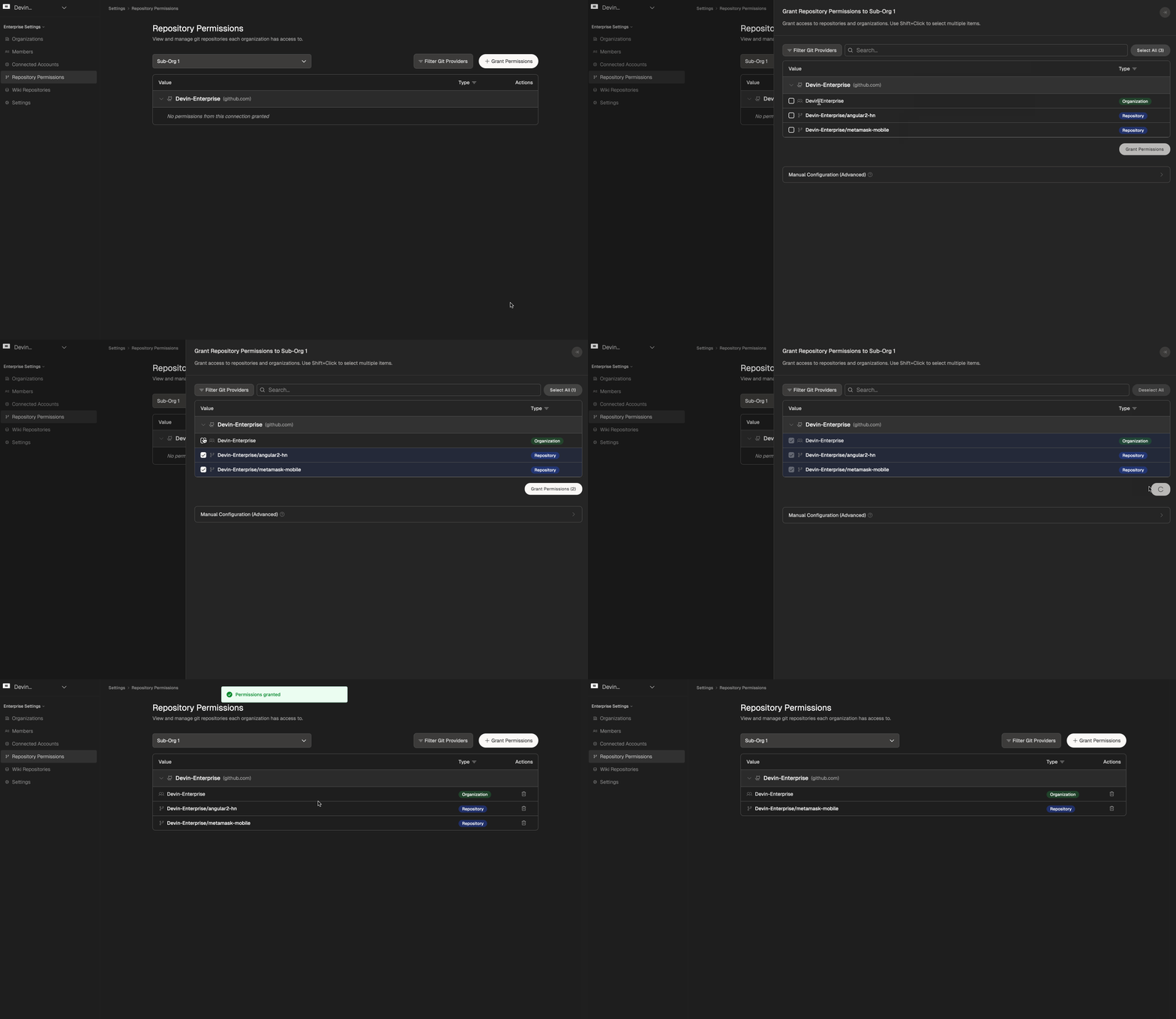
Devin can now open PRs using your GitHub username.This feature is off by default. To turn it on, select “Open PRs as Devin” on the Integrations page. This setting applies to all org members and can be changed by the admin.
Session InsightsSession Insights is a new free feature that analyzes your Devin sessions and breaks down what happened and gives you actionable tips for next time. It also generates a new, improved prompt that you can use to kick off a new session.To use Session Insights, click the “View Session Insights” button in the top bar of your completed Devin session (located next to the lightbulb icon), then click Generate Analysis to trigger the analysis. You can also trigger analysis programmatically via the API.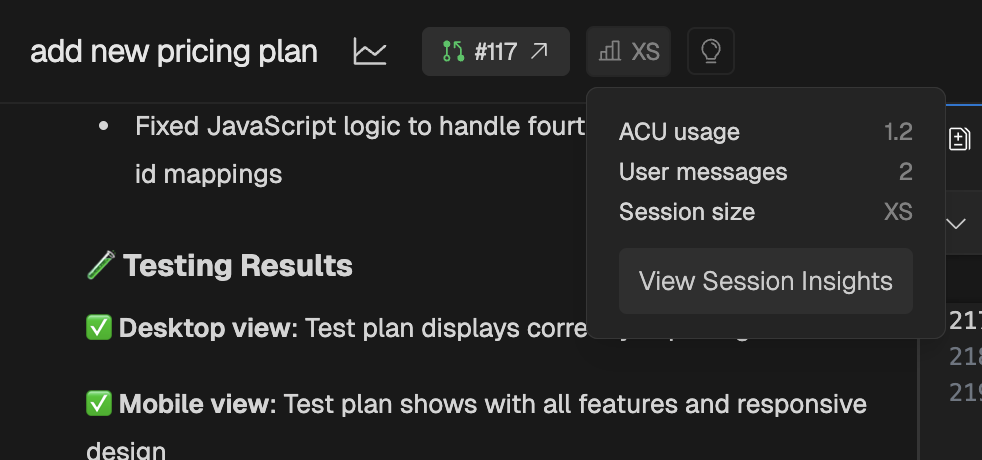
DeepWiki MCP Server:
- We’ve launched the DeepWiki MCP server, providing programmatic access to DeepWiki’s repository documentation and search capabilities.
- Connect your AI applications to DeepWiki using the Model Context Protocol (MCP) standard.
- Free, no authentication required.
Devin 2.1: Confidence Scores 🟢 🟡 🔴 and enhanced codebase intelligenceIt’s true: coding agents can be overconfident. That’s why Devin 2.1 now provides Confidence Scores to indicate its likelihood of completing tasks. Answer Devin’s questions to help it reach 🟢.
- At multiple points in each session, Devin will express its confidence:
- At the start of the session
- After creating a plan
- Whenever it answers a question about the code
- When Devin doesn’t have 🟢 confidence (i.e., 🟡 or 🔴), it will now wait for user approval before proceeding with its plan. If it’s 🟢, it proceeds automatically.
- You can still send feedback and adjust Devin’s plan even after it has started working.
- Our data shows that Confidence Scores are highly correlated with success.
- Easily get Confidence Scores for multiple issues at once directly through our Linear integration and Jira integration.
- This occurs without starting actual Devin sessions, allowing you to score as many issues as you’d like and prioritize having Devin work on the highest-confidence tasks.
- The codebase understanding and intelligence features from DeepWiki are now directly integrated into Devin.
- At any point during a session, ask a question, and Devin will provide a DeepWiki-like answer, complete with code citations.
- Devin auto-detects when it should scan your codebase, but you can also trigger this manually using
!ask.
We shipped Deep Wiki: Up-to-date documentation you can talk to.Turn on Deep Research for agent-powered, in-depth answers.Share wikis and answers to keep everyone on the same page.Watch the walkthrough and check it for your favorite open source repos out at www.deepwiki.com! It’s free for open-source repos, with 30k+ repos already available!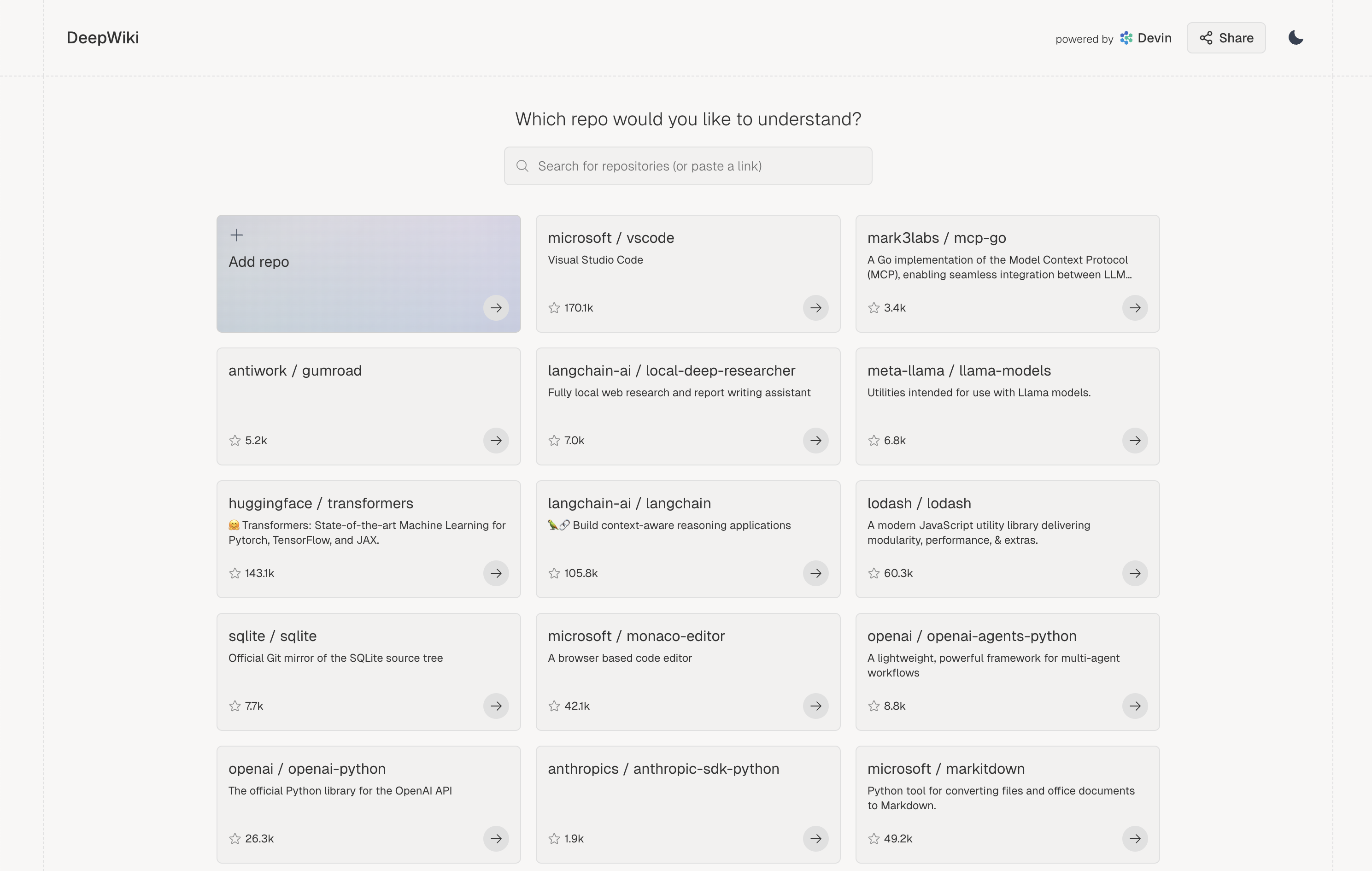
We now support Jira, in addition to Linear! The best workflow: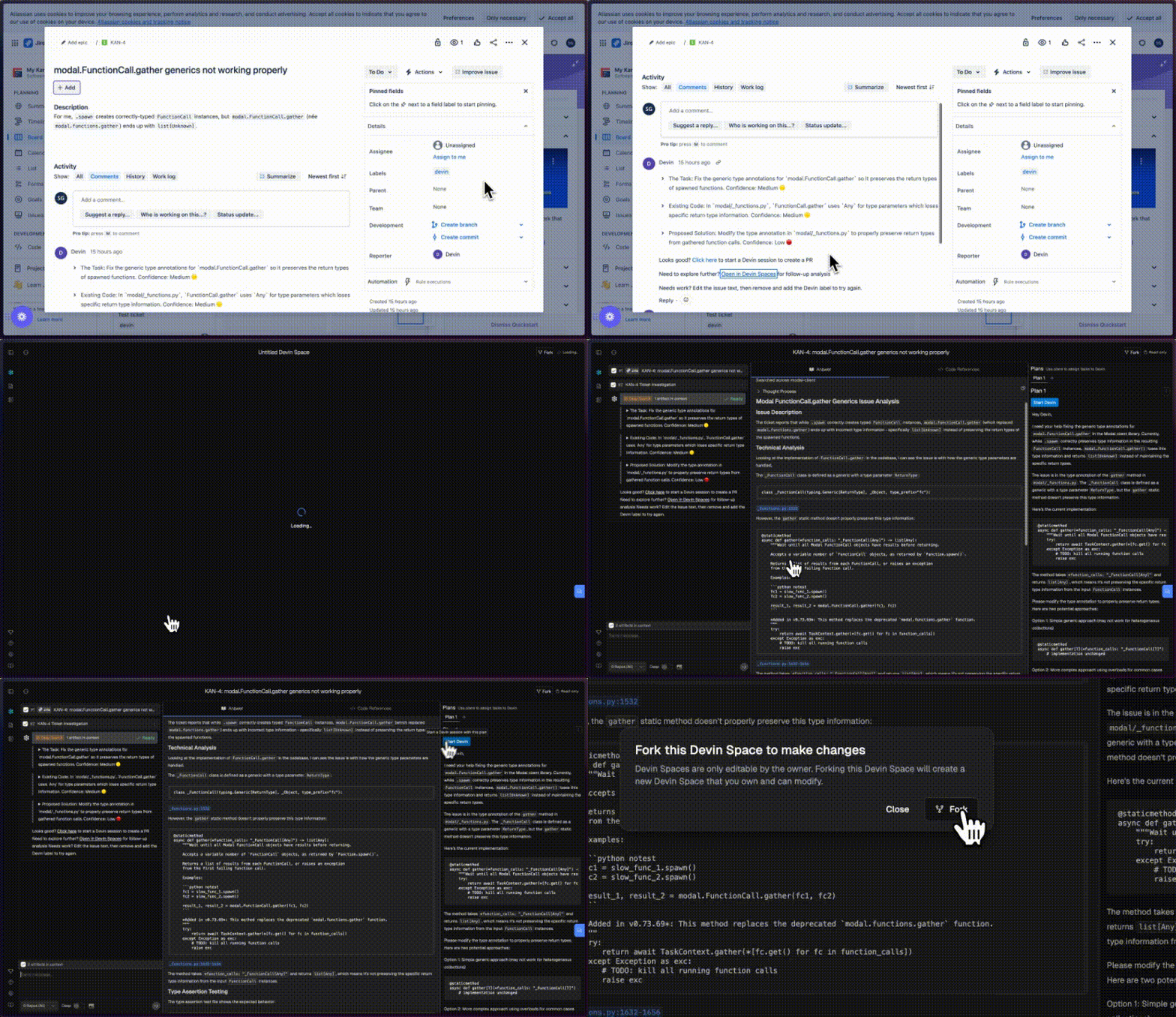
- Add the “Devin” label to a Jira issue, or bulk add to multiple issues to begin issue scoping in parallel.
- Devin knows your codebase and will comment on each ticket in minutes with a summary of relevant code, implementation plan and open questions.
- Use Devin’s analysis to get up to speed. Devin has the self-awareness to report 🔴/🟠/🟢 confidence estimates too.
- Devin will now link to Devin Spaces in its comment on Jira and Linear - use Spaces to ask follow up questions and further plan out the task.
- Start a Devin session directly from the plan you create in Devin Spaces!
Our native Linear integration is now available! Turn tickets into PRs by launching Devins directly from Linear.Our Devin x Linear workflow 👇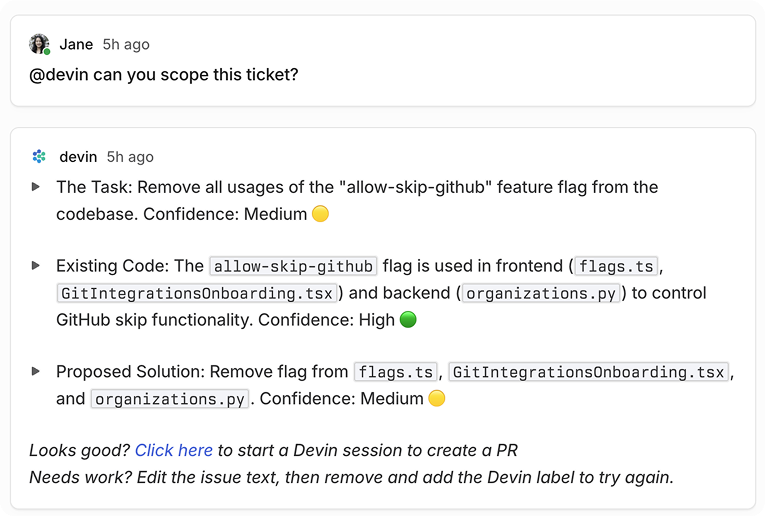
- Use Cmd+A to multi-select Linear tickets. Then, add the Devin label to start ticket scoping in parallel.
- Devin knows your codebase and will comment on each ticket in minutes with:
- A summary of the current code
- An implementation plan
- Any edge cases or questions that need your attention
- Use Devin’s analysis to get up to speed, or just click the provided link to have Devin take a first pass at the PR. Devin has the self-awareness to report 🔴/🟠/🟢 confidence estimates too.
Introducing Devin 2.0: an agent-native IDE experience. Generally available today starting at $20.Check out our launch announcement on X to learn more!
Devin 1.5 is live! We’ve shipped an end-to-end revamp of the Devin experience that makes it much easier to collaborate with Devin.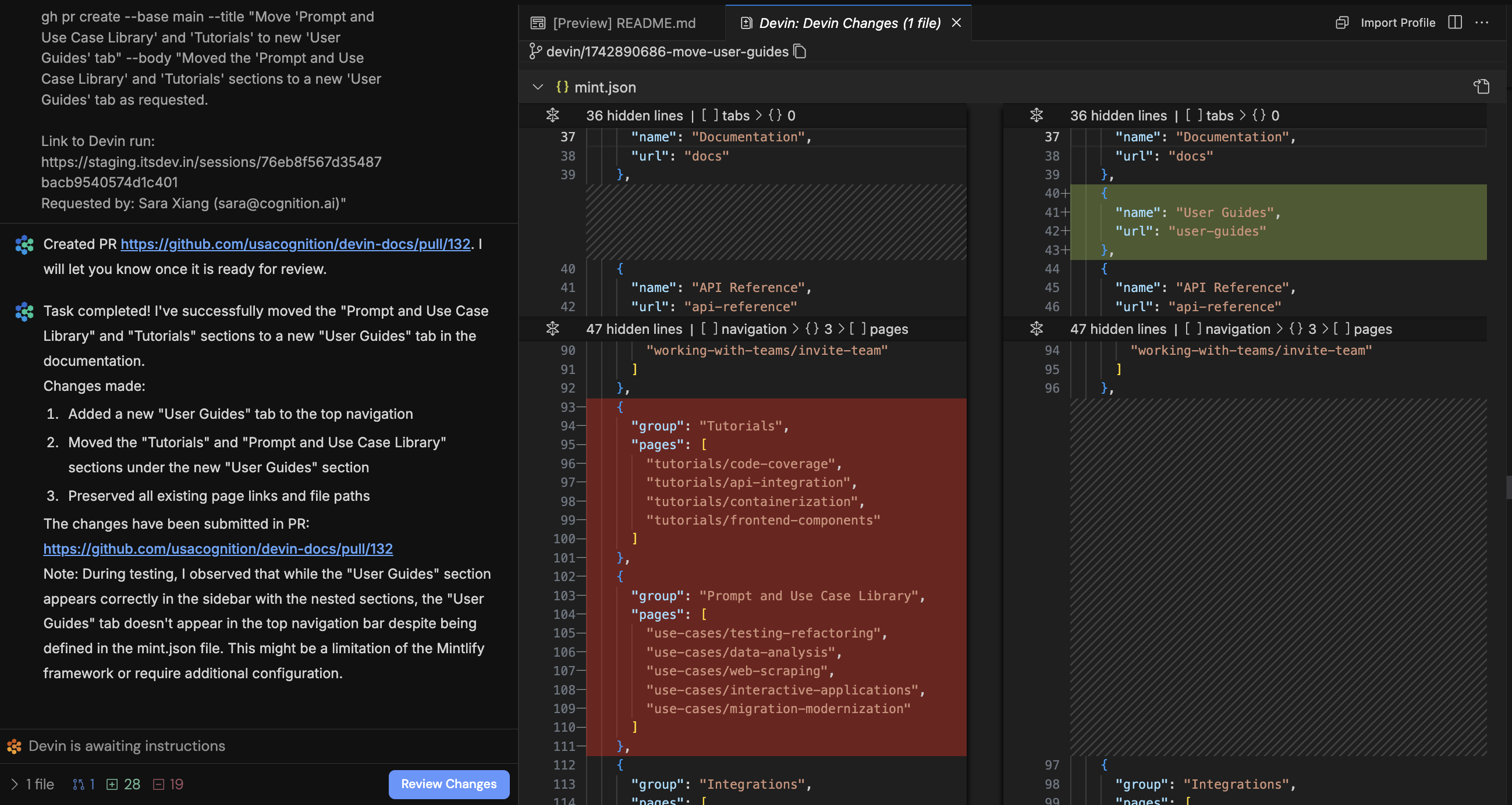

Devin IDE
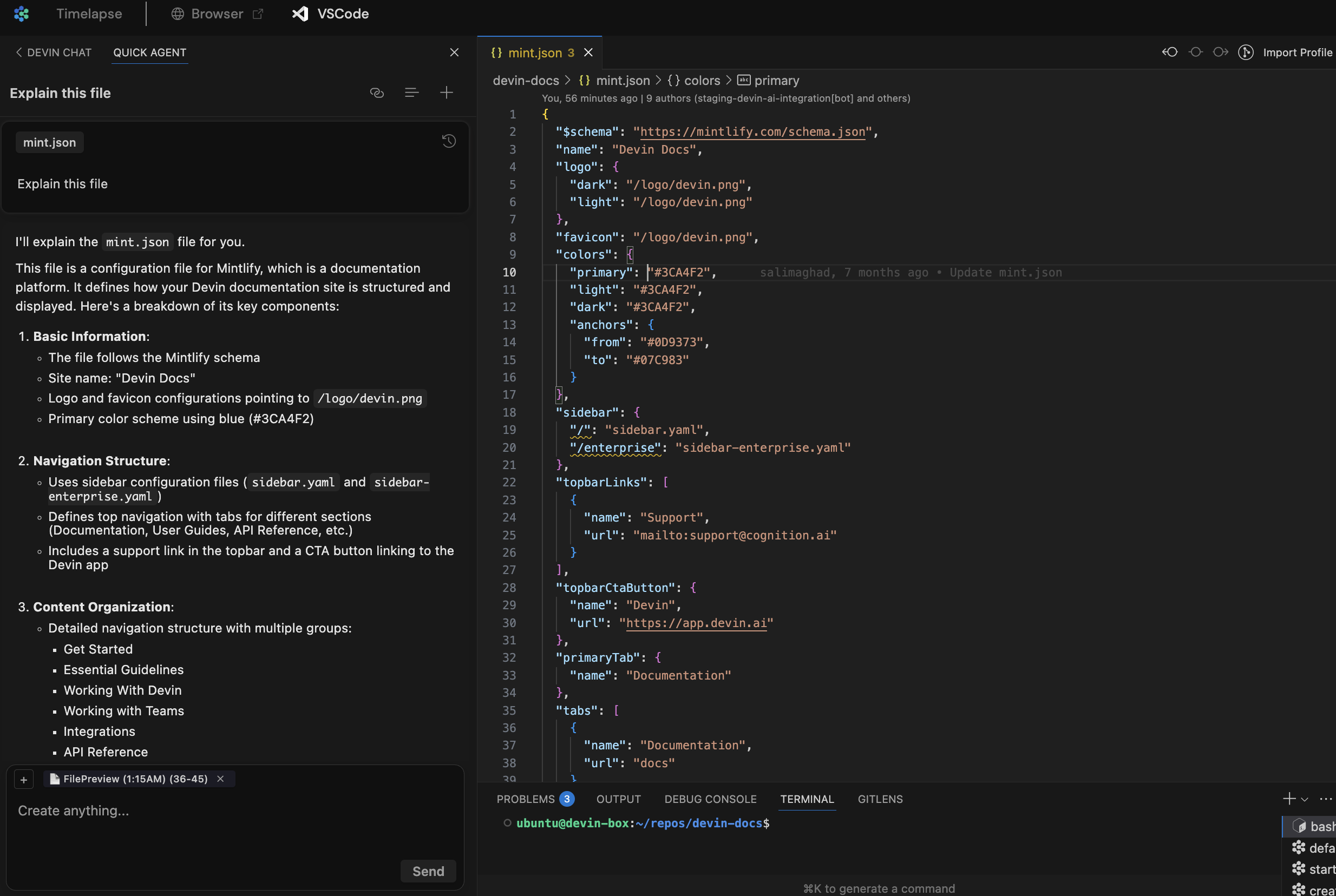
Devin now does its work in an interactive VSCode environment loaded with your repos. Check in on Devin’s edits in real time, then touch up the changes or test Devin’s code directly using the IDE tools and shortcuts you’re familiar with.- Click “Review Changes” for a diff view of file edits so far. You’re in a fully featured IDE, so you can open files in new tabs, jump to definition, etc.
- Devin may send citations or references to code. Clicking on these will deep link into VSCode!
- Click “Follow Devin” to follow Devin’s edits in real time. Click stop to take over and use the IDE yourself.
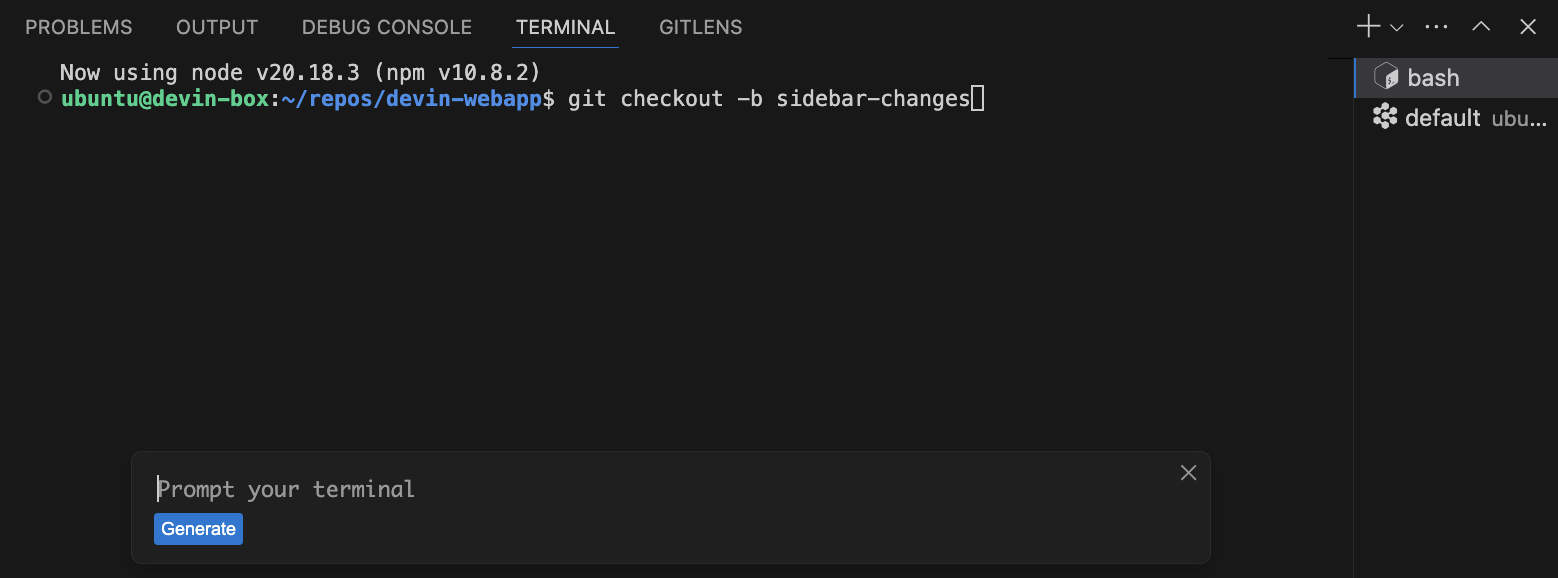
- Use
⌘Kto generate terminal commands from natural language.
- Use
⌘Ifor rapid responses to questions or rapid file edits.
- All of Devin’s terminals, commands, and their outputs are available in VSCode. Toggle from read-only to writable to run your own commands.
- Test and fix changes end to end without leaving the Devin webapp. Ask Devin to run your app locally, or take over and run commands yourself. Then use Devin’s browser to test the local build yourself!
Interactive Planner
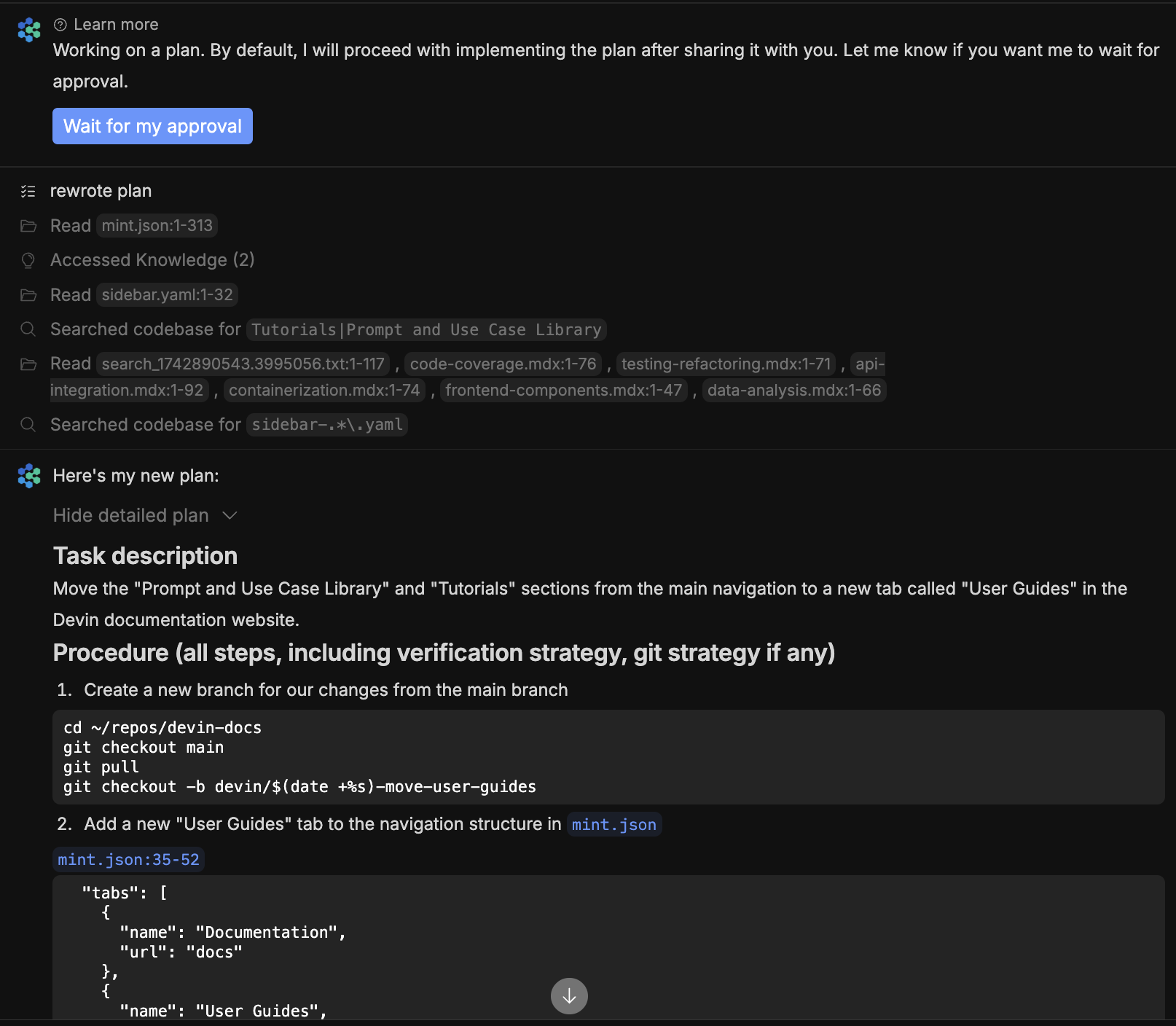
Each time you kick off a new session, Devin responds in seconds with relevant files, findings, and an initial plan. Scope out your changes and give feedback on Devin’s plan before letting Devin work autonomously.- Devin rapidly scans relevant files and code snippets to generate an initial plan. This initial plan and subsequent messages may now cite code snippets and files, and clicking on these citations now deep links into the Devin IDE!
-
For more complex tasks, click “Wait for my approval” so that Devin waits for your feedback on its full plan. Brainstorm and explore the codebase together in VSCode to refine the plan.
- By default, if you don’t click “Wait for my approval”, Devin waits 30 seconds for your input before proceeding. You can always change the default behavior in Settings > Customization.
Ask Devin
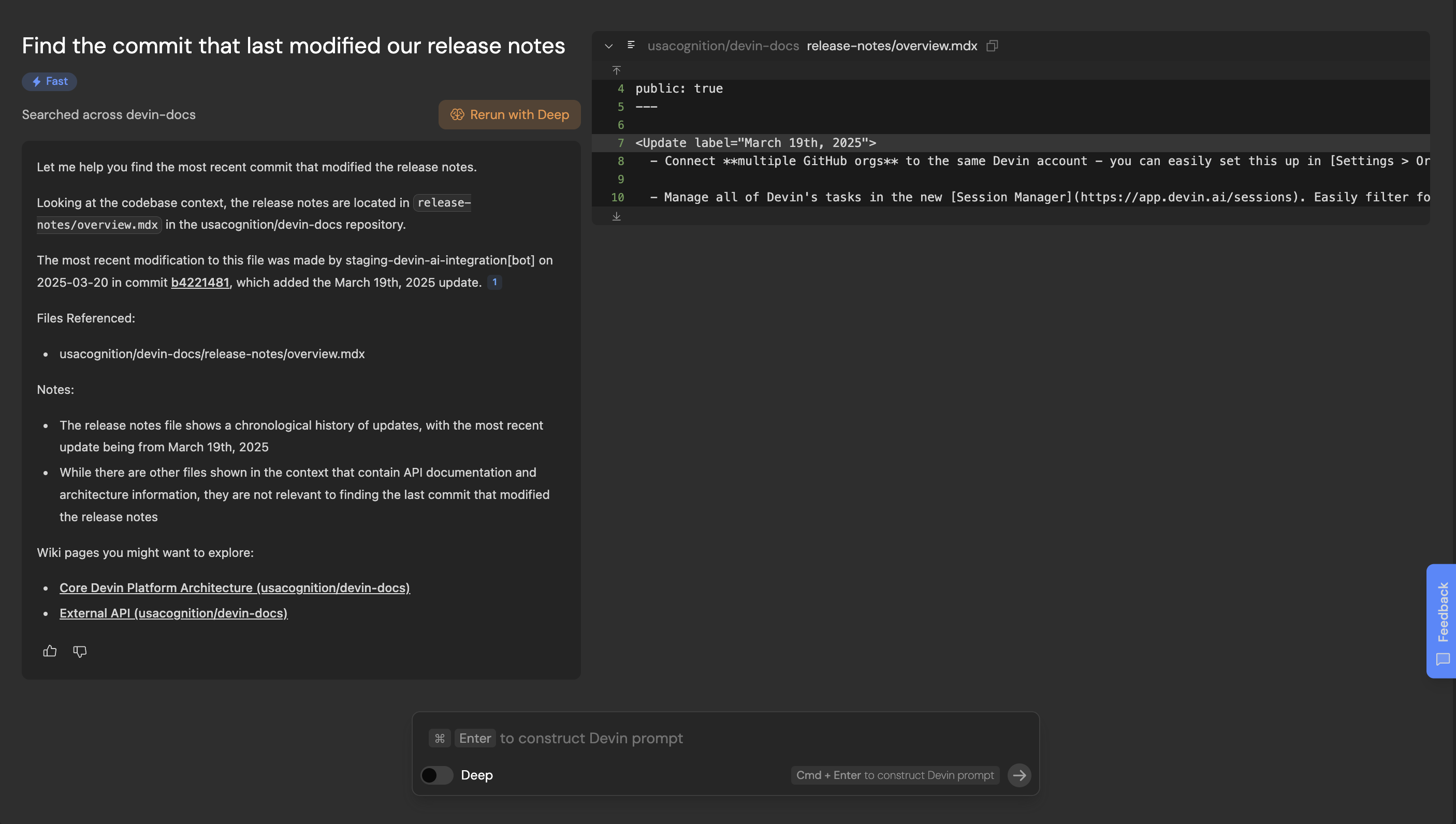
Ask Devin is a new tool built to rapidly answer questions about your codebase. Use Ask Devin for one-off questions like “Figure out where the auth backend endpoint is defined” or “Find the commit that introduced the new support functionality,” or use it to map out the initial spec for a task you want Devin to execute.- 🔎 Ask Devin -> Devin: Ask Devin to make code changes after using Ask Devin to find the relevant code. Use Cmd + Enter to quickly construct a high quality Devin prompt using your search context.
- 🔬 Deep Mode: Toggle on deep mode for complex questions that require extended research.
- 📓 DeepWiki is used by Ask Devin to better understand your codebase, and may help you as well! It contains architecture diagrams, links to sources, and more. Check it out at the bottom of your sidebar.
- 💬 Ask follow up questions - you can scroll up/down or use the component on the right (appears on hover) to navigate your history
- 🔗 Share your Ask Devin results: Try sharing a link to your search results when discussing code with your co-workers
- 💡 Tip: For now, we recommend setting up a Site Search Shortcut in Chrome so you can more quickly start Ask Devin queries from your browser address bar. Just go to chrome://settings/searchEngines and add a site search with url http://app.devin.ai/search?prompt=%s
- Connect multiple GitHub orgs to the same Devin account - you can easily set this up in Settings > Organization Integrations. Let us know if you’d like this enabled for your team.
- Manage all of Devin’s tasks in the new Session Manager. Easily filter for sessions by PR status, users, playbooks and export session data.
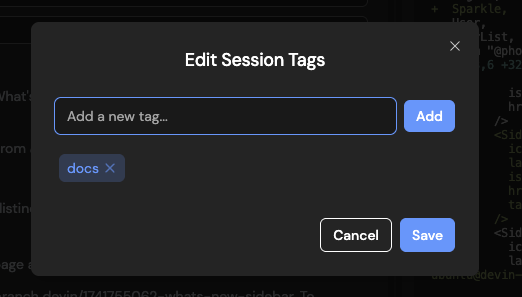
-
Tag sessions with custom tags that you can filter by in the Session Manager. Click on the 3 dots icon of the session page to “Edit Tags”.
- Customize when Devin auto-closes PRs due to inactivity under Settings > Customizations.
-
Easily tag
@file_nameto reference files in Devin’s input box so Devin can quickly find the right place in your codebase to review and/or edit. Note that this only works for files in repos that have been set up in Devin’s Workspace.
- Speed: Devin is ~2x faster vs in October 2024 and takes ~7.8 minutes on average to complete junior developer tasks in our internal evaluations.
- Copy/paste in Devin’s browser: You can now copy text from your browser and paste it into Devin’s browser! This was a highly requested feature that removes a major friction with providing Devin access to accounts (you no longer need to type in your passwords)!
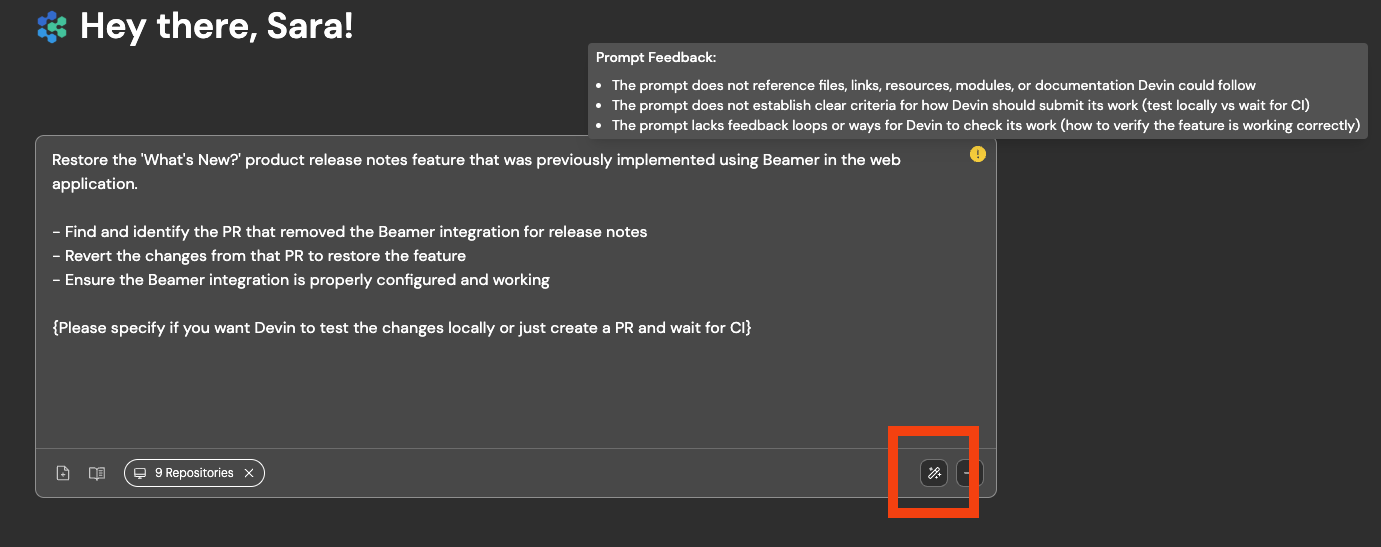
- Helping users with their prompts: Devin proactively gives you feedback on suboptimal prompts & proposes breaking tasks down when they’re too complex.
-
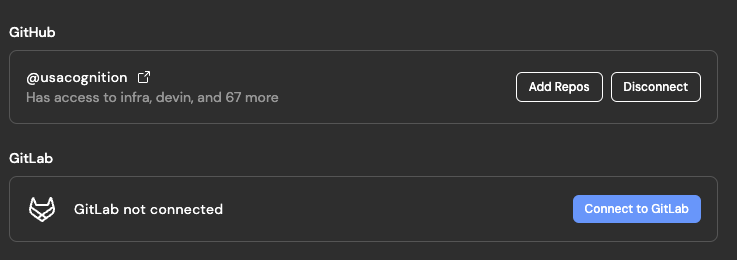
Gitlab (beta): Connect both Gitlab and GitHub repos to Devin! Devin can now push, pull, and view/create Gitlab MRs. Contact us via app.devin.ai/settings/support to set this up.
- Batch edits: Tell Devin to “find and edit” code to encourage Devin to “fan out” and edit an arbitrary number of files in parallel. This greatly improves speed, especially for repetitive refactors.
- Multi-action: Devin can choose to perform any set of diverse batch of actions optimistically (e.g. viewing the browser, while running a shell command, while reading 10 code files), improving speed.
-
Browser improvements: We’ve shipped browser changes that allow Devin to:
- deal with auto-opening tabs (required for some complex auth flows)
- use multiple tabs (helpful for iteratively comparing 2+ webpages)
- Local UI Testing: Devin can better test + visually understand UI changes locally.
-
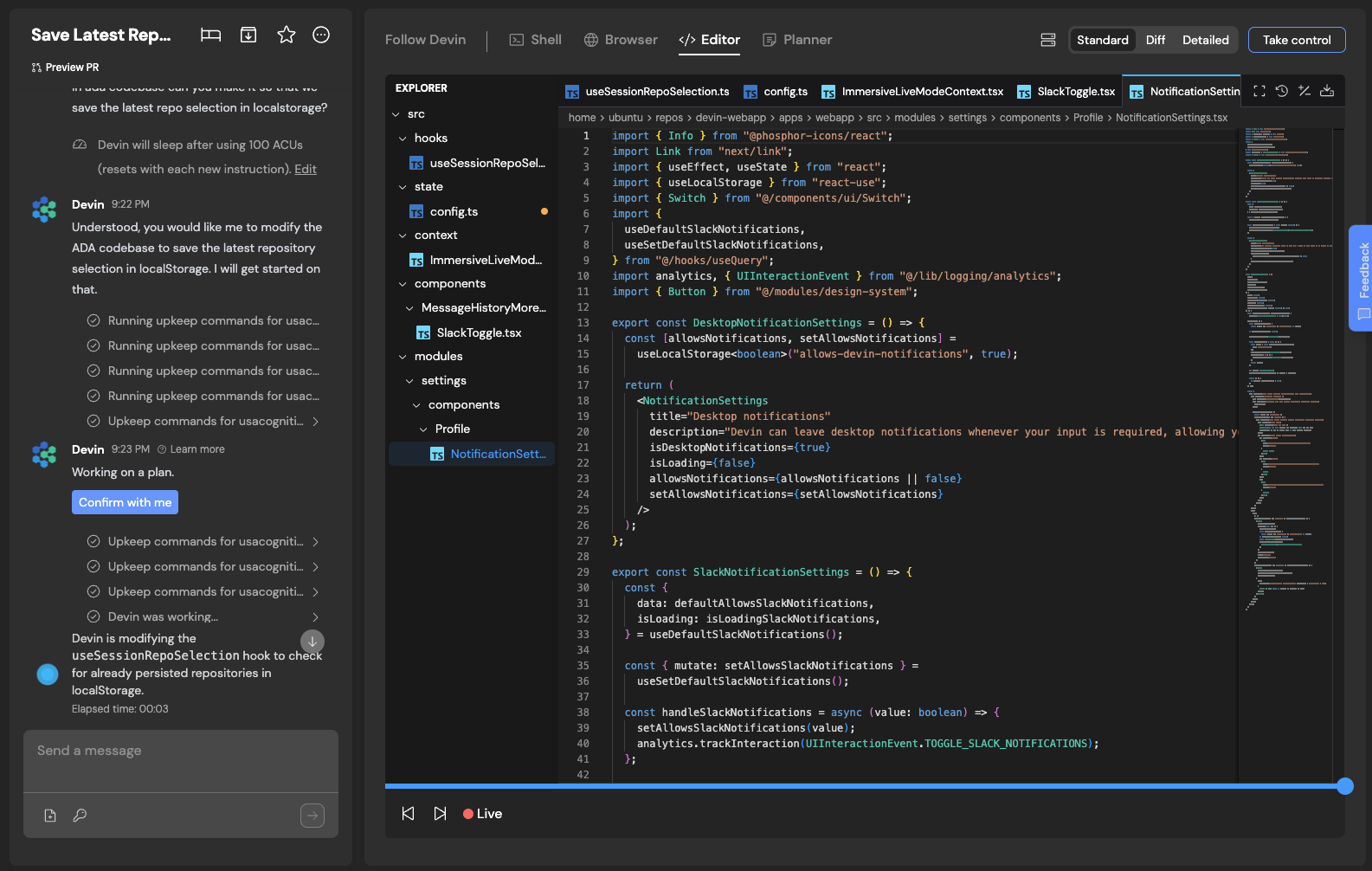
Customize chat vs workspace width: Drag to make the chat as narrow or wide as you’d like! The editor in the workspace is also easier to navigate now, with file tree on the left.
-
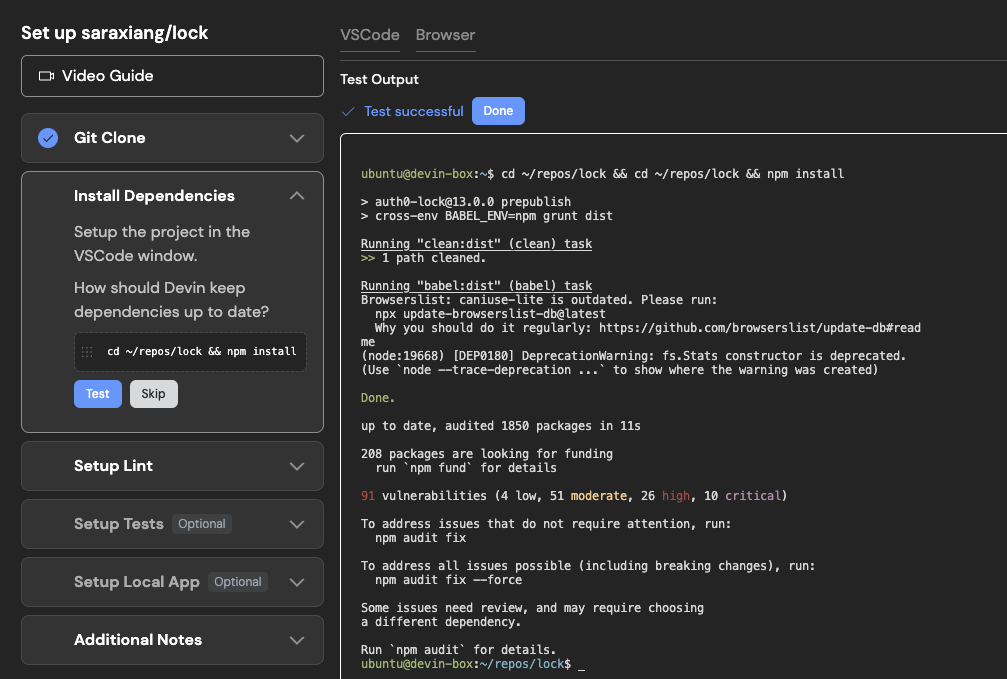
Repo setup (in Devin’s Workspace): We verify that all the commands you provide Devin (to run lint, install dependencies, and run tests) run successfully, and Devin will surface in chat if any of these commands don’t succeed.
- Sonnet 3.7 in Devin: We incorporated Sonnet 3.7 in Devin on 2/24, with optimizations to our use rolling out starting 2/26. In our testing, the new model is the best we have seen to-date on a variety of tasks including debugging, codebase search, and agentic planning.
- Keyboard shortcuts: Use → ← or ↑ ↓ anywhere on the session page to step through Devin’s workspace progress over time.
- Devin PR Metrics: app.devin.ai/metrics now shows all PRs opened by Devin, even when 2+ PRs were opened in the same session.
- Faster startup: Devin only installs dependencies for the repositories needed in a session.
- Addressing your PR review feedback: Devin is more reliable at remembering to address all the review comments you left on its PR.
- Misc brain improvements: Devin is less likely to loop while trying to fix CI/lint failures, is better at planning, is better with git, and many more improvements!
Devin’s thoughts and editor diagnostics are now visible: In the Follow Devin tab, you’ll now see: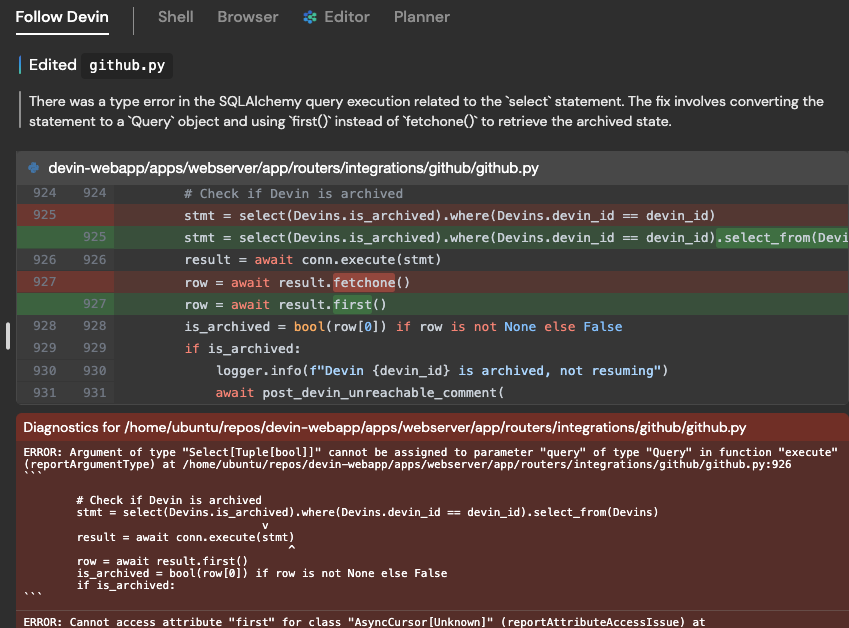
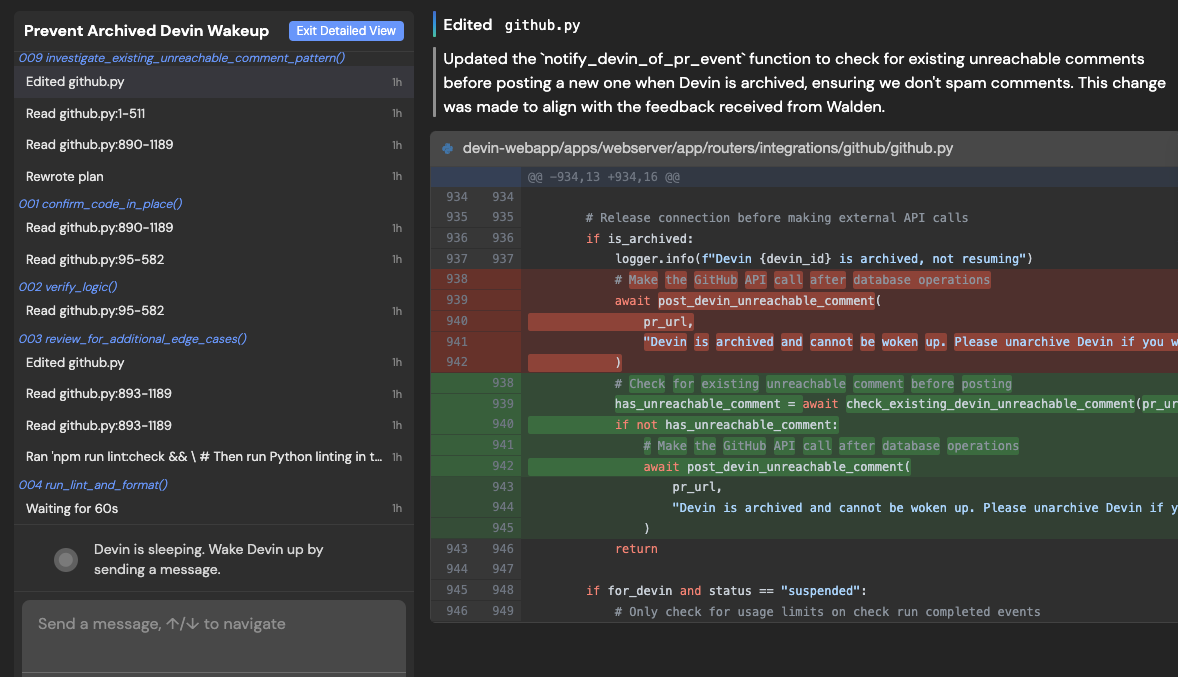
- each action Devin took (e.g. “Edited github.py”)
- Devin’s thoughts explaining why the action was taken (e.g. “There was a type error….the fix involves XYZ”)
- any editor diagnostics errors present after the action was taken (in red)
Improved Repo Context: We’ve made major improvements to Devin’s ability to reason in context in a repositoryDevin is now more likely to find all relevant files to edit, will notice and re-use existing code and patterns, and will make more accurate PRs overall. These changes will be gradually rolled out to all users by 1/17/25.Introducing Devin enterprise accounts:Enterprise accounts enable centralized management of multiple Devin organizations. Admins of enterprise accounts can: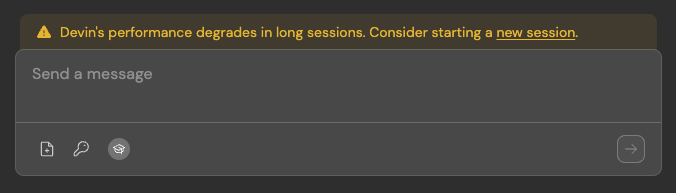
- Manage members and access controls for all organizations
- Centrally manage billing across all organizations
- Navigate to Settings > Devin’s Workspace > Danger Zone
- Switch to
Large Performant (Beta)- this will require resetting your machine setup. If you want to opt in to experimental auto-migration, reach out to support@cognition.ai or via Slack Connect
- Keeping sessions under 10 ACUs (Devin’s performance degrades in long sessions)
- Providing details in your very first instruction to Devin, including (1) specific requirements (2) high level description of the task (3) what Devin should do after making the requested changes - e.g. testing instructions, PR guidelines, or tell Devin to wait for CI to pass without testing locally
- If you find yourself often re-using instructions, add them to Devin’s knowledge in Settings > Devin’s Settings > Knowledge
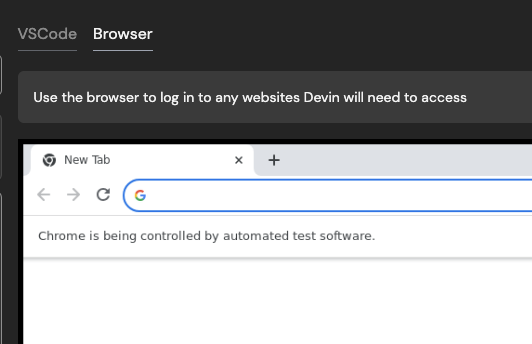
Use Devin’s Browser when setting up Devin’s workspace (i.e. machine snapshot):It’s now easier to get Devin started with testing websites that require login. If you log in for Devin during onboarding with Devin’s browser, we’ll save the cookie for future sessions (if the cookie expires, you’ll need to provide credentials for Devin in Secrets as well).This also unblocks authentication processes that require visiting a URL on Devin’s machine.