> ## Documentation Index
> Fetch the complete documentation index at: https://docs.devin.ai/llms.txt
> Use this file to discover all available pages before exploring further.
# 管理前端组件
> Devin 可以使用前端库,并在会话期间与您共享可视化界面。
# 创建一个 Storybook Story
Devin 内置了浏览器功能,并且可以为其项目和应用程序截取屏幕截图。 在本教程中,我们将使用一个基于 Next.js 的简单开源[仪表盘](https://github.com/powerhouse-inc/fusion)。Devin 将帮助我们把应用中的部分现有组件添加到 Storybook 的工作环境中。 如果你之前没用过,[Storybook](https://storybook.js.org/) 是一个开源的前端“工作台”,可以帮助你在一个集中界面中可视化、分类和测试前端 UI 组件。
#### 初始提示
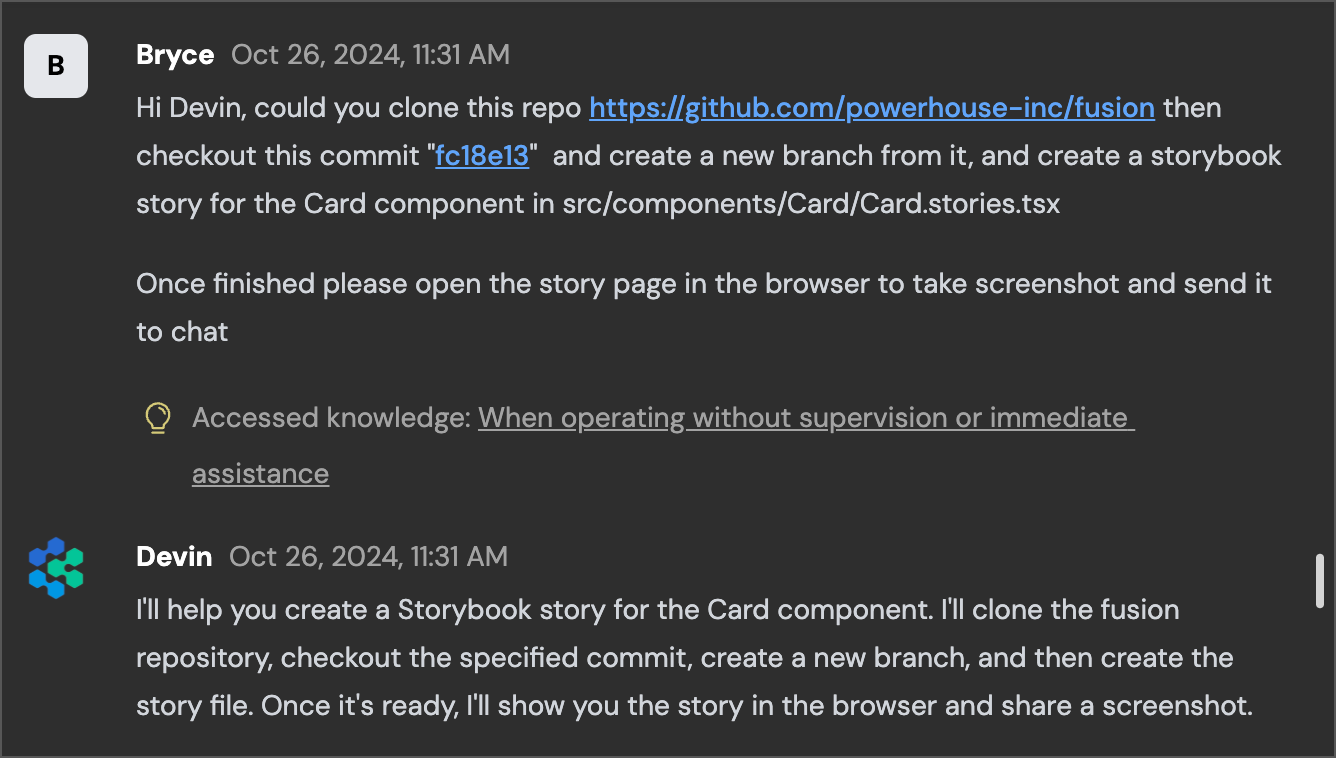
我们在本次[会话](https://app.devin.ai/sessions/8426d6656a7a4b0c8cb4dccc2d83b138?ts=1729958134257)中使用的初始提示相当简单,因为我们期望 Devin 自行对 Storybook 以及我们的应用本身进行一些背景研究,以获取相关上下文。
#### 安装并运行 Storybook
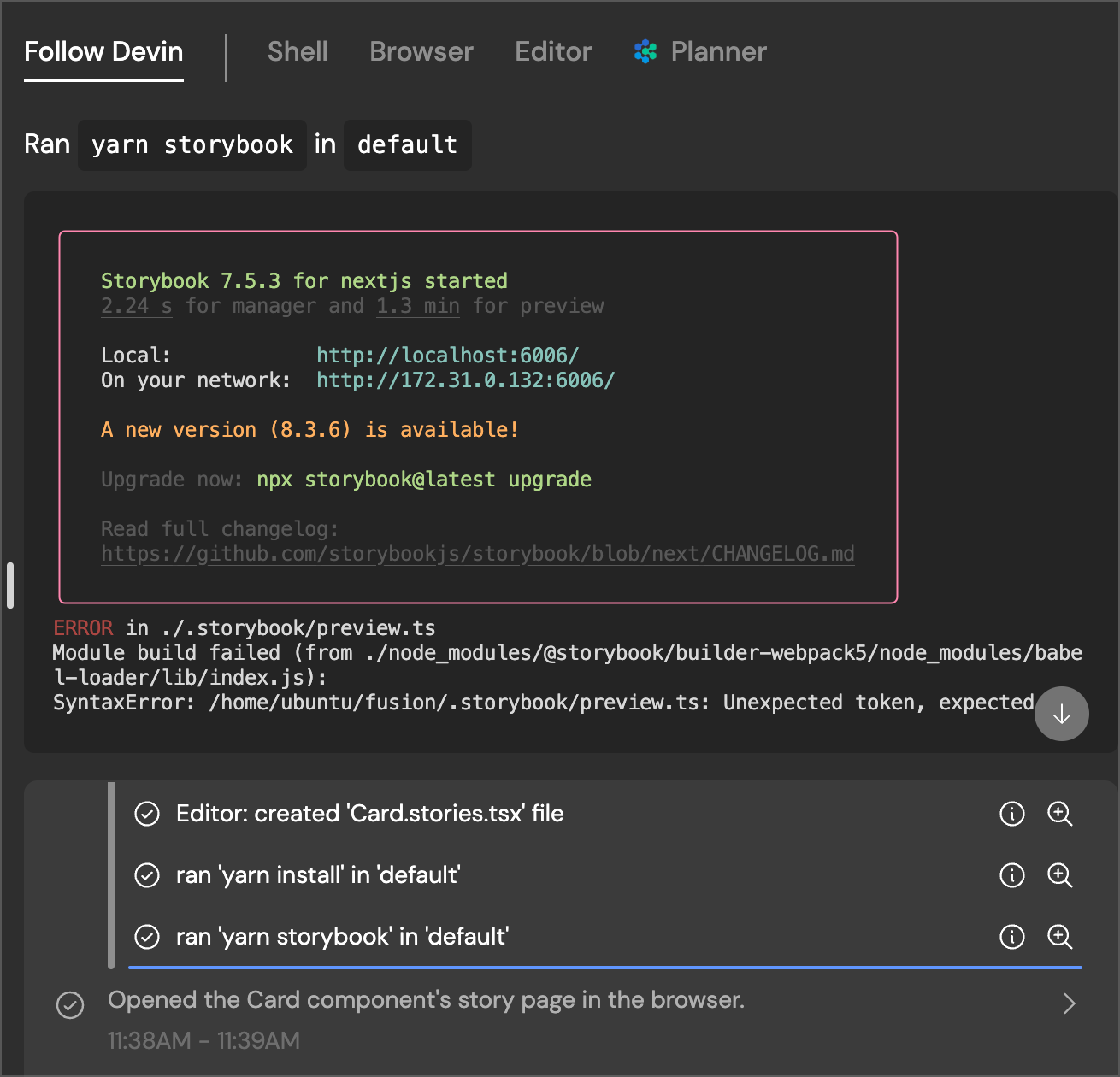
Devin 首先查看我们应用的 Card 组件来了解上下文,然后在其工作区中安装并运行 Storybook 包。Devin 的一项强大能力是,它可以自行安装、配置和运行应用,并在其内置 Shell 中根据输出做出响应。Devin 随后生成 Storybook 配置文件并运行该应用。在本例中运行 Storybook 时,我们遇到了一些构建错误。
#### 调试
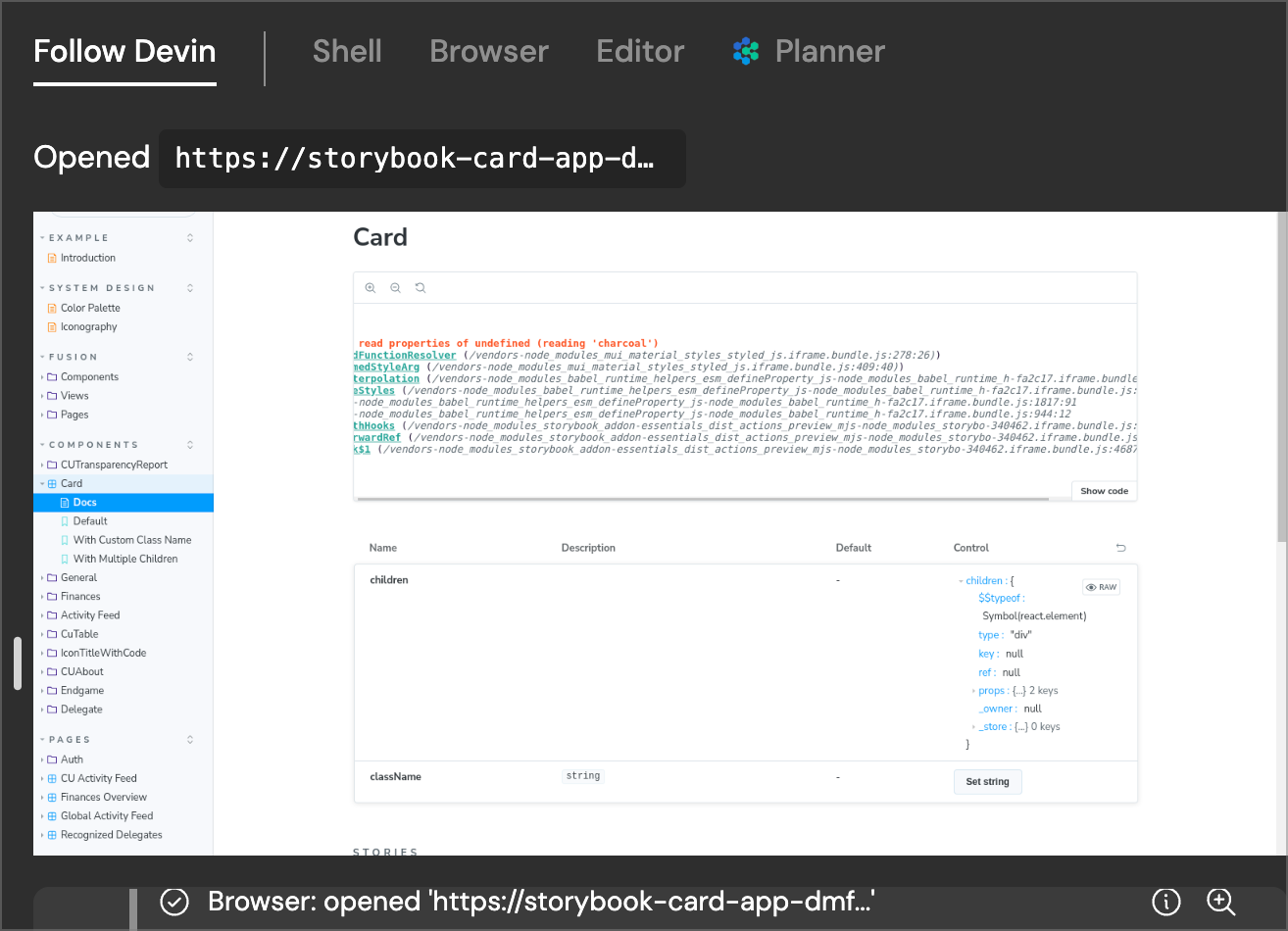
我们还可以在 Devin 的浏览器中看到,我们在运行 Storybook 时遇到的构建错误,也导致了 Devin 在尝试加载 Card 组件时出现前端错误。当你在 Devin 会话中处理前端相关任务时,能够回溯查看 Devin 在开发过程各个阶段中在浏览器里“看到”的内容,会非常有用:
#### 实现 Card Story
接下来 Devin 开始修复错误,使我们的 Card story 组件可以在 Storybook 中正确渲染。经过少量迭代,Devin 让应用成功构建,并在本次会话中给我们发送了正确 Storybook 输出的截图。在 Devin 工作过程中,请它发送特定界面的截图,可以帮助你核实应用 UI 中实际发生了什么以及当前的渲染状态。
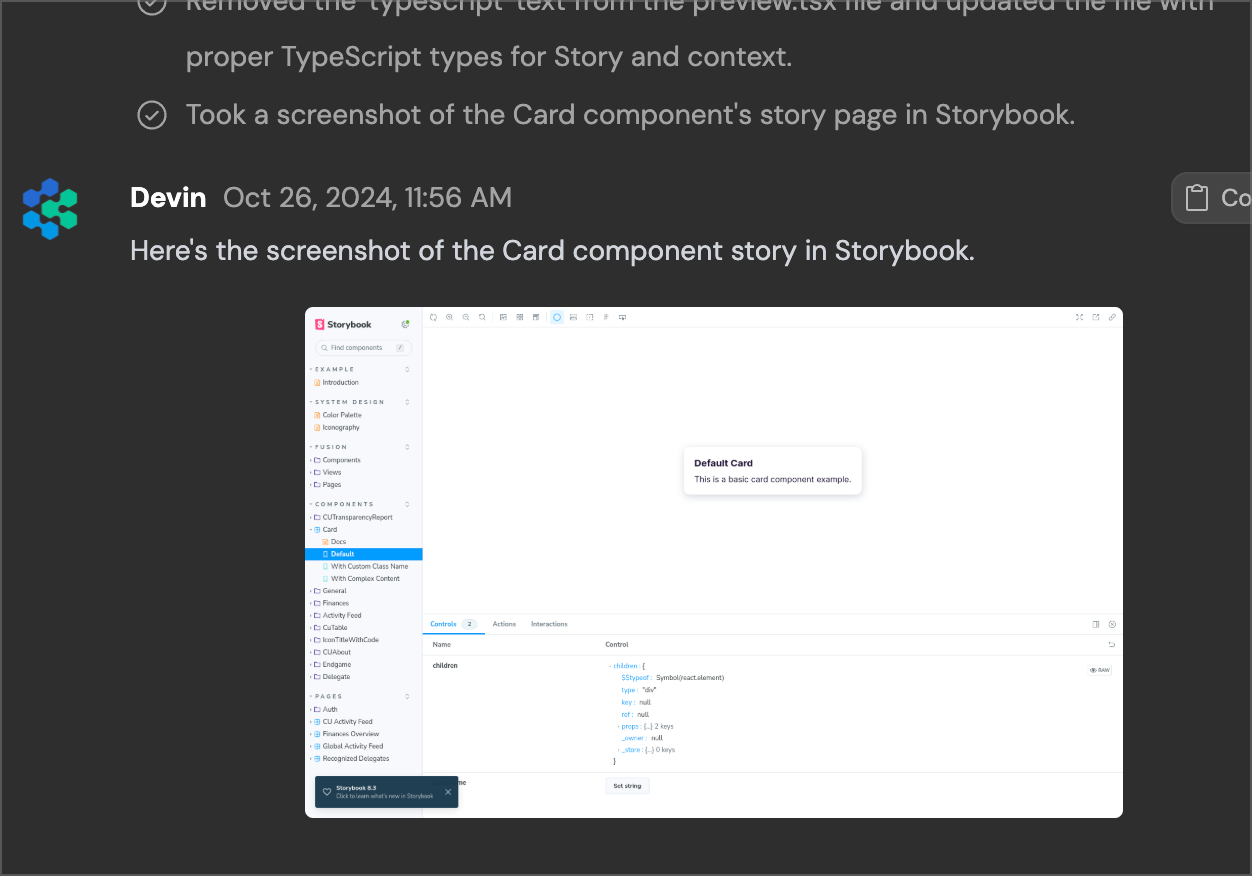
当我们将 Devin 对 Storybook 的实现,特别是其中的 Card story,与核心应用中已有的内容进行对比时,可以看到 Devin 相比开源实现做出了一些改进。尤其是,Devin 在 Card 组件的 story 中新增了一些示例,并配有更详细的文档和演示。它还为 Storybook 添加了对亮色/暗色主题的配置支持。
我们也鼓励你尝试让 Devin 帮你完成一些前端相关任务,无论是帮助你的团队在 Storybook 之类的工具中更好地维护组件清单,还是在其内置浏览器中测试 UI/UX 流程。[申请使用我们的 Teams 计划](https://cognition.com/get-started#company),立即亲自体验。