> ## Documentation Index
> Fetch the complete documentation index at: https://docs.devin.ai/llms.txt
> Use this file to discover all available pages before exploring further.

# 为代码仓库建立索引

> 通过为代码仓库建立索引来启用 Ask Devin 和 DeepWiki

为你的代码仓库建立索引可以让 Devin 理解你的代码库，并启用 [Ask Devin](/zh/work-with-devin/ask-devin) 和 [DeepWiki](/zh/work-with-devin/deepwiki) 等强大功能。本快速指南将引导你完成索引流程。

<Info>
  代码仓库索引与 [环境配置](/zh/onboard-devin/environment) 是相互独立的流程。索引用于启用代码搜索和理解功能，而环境配置则用于设置 Devin 的开发环境。
</Info>

<div id="index-your-repository">
  ## 为代码仓库建立索引
</div>

1. 前往 [app.devin.ai](https://app.devin.ai)，并确认已登录到你的组织
2. 点击侧边栏中的 **Settings** 进入组织设置
3. 选择 **Repositories** 选项卡以查看所有已连接的代码仓库
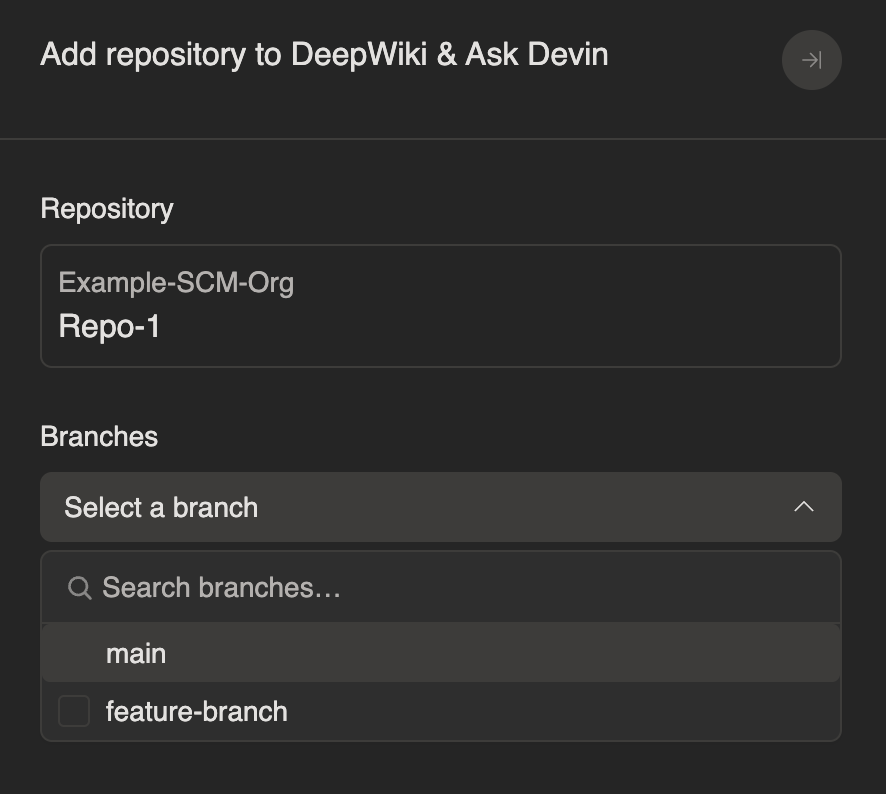
4. 在你想建立索引的代码仓库上点击 **Index repo**

<Frame>
  <img src="https://mintcdn.com/cognitionai/Rh6yxttB5EkdbkMb/images/quickstart/Org-Repositories-List.png?fit=max&auto=format&n=Rh6yxttB5EkdbkMb&q=85&s=4b8df30a5e0d396e2b527c48854c8ec8" alt="Repositories list" width="3262" height="668" data-path="images/quickstart/Org-Repositories-List.png" />
</Frame>

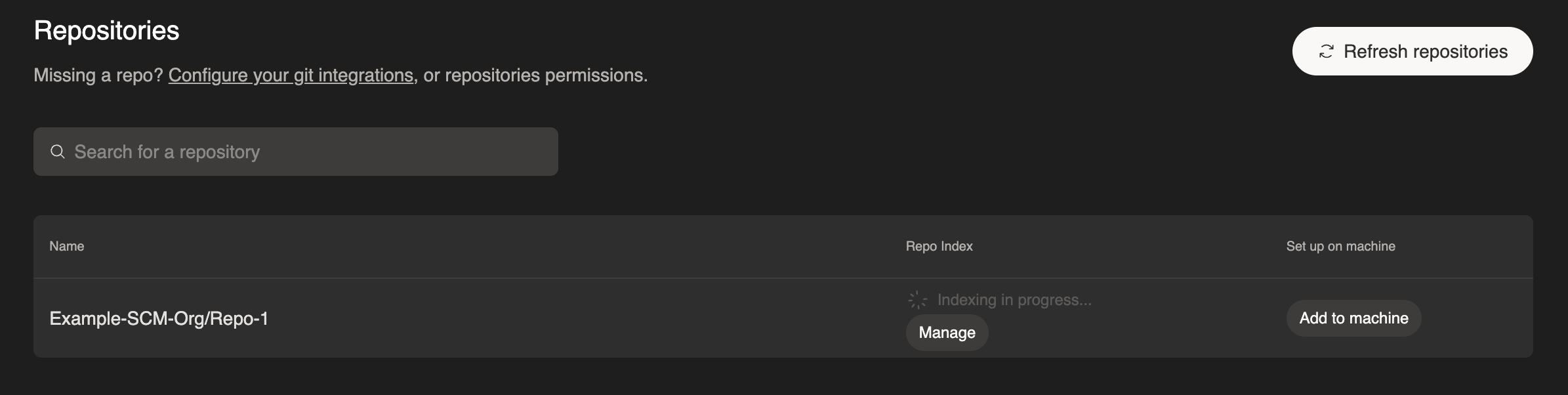
5. 选择你希望 Devin 分析的分支

<Frame>
  <img src="https://mintcdn.com/cognitionai/Rh6yxttB5EkdbkMb/images/quickstart/Index-Branch.png?fit=max&auto=format&n=Rh6yxttB5EkdbkMb&q=85&s=ea6ca3c40cf88517381ff8dfc0ddbf02" alt="Select branches to index" width="886" height="794" data-path="images/quickstart/Index-Branch.png" />
</Frame>

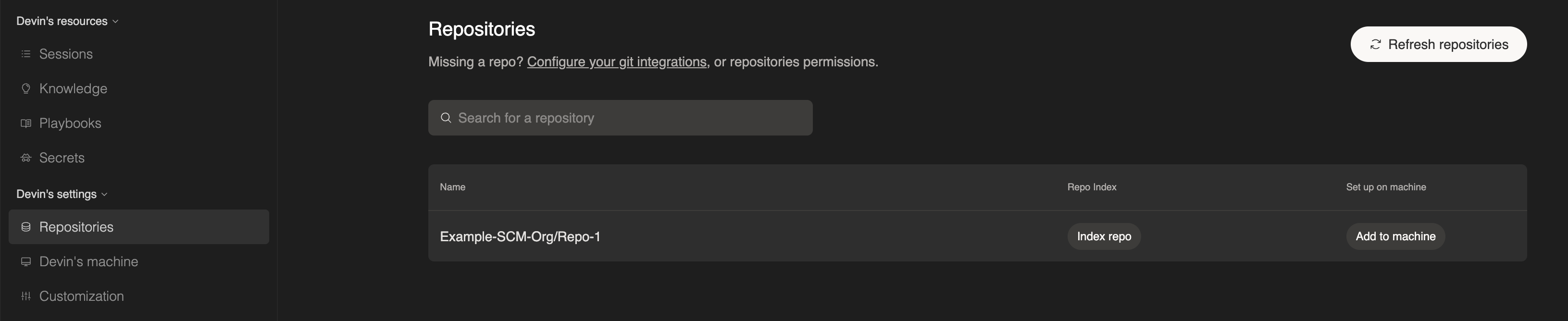
6. 等待索引完成 —— 具体时间取决于代码仓库大小，可能需要几分钟

<Frame>
  <img src="https://mintcdn.com/cognitionai/Rh6yxttB5EkdbkMb/images/quickstart/Index-In-Progress.png?fit=max&auto=format&n=Rh6yxttB5EkdbkMb&q=85&s=7e31957b2c940816e63cf609eb027451" alt="Indexing in progress" width="2390" height="602" data-path="images/quickstart/Index-In-Progress.png" />
</Frame>

如果之后需要为更多分支建立索引，在任一已建立索引的代码仓库上点击 **Manage**，选择新分支，然后点击 **Add branch**。

完成后，你将可以使用：

* **[Ask Devin](/zh/work-with-devin/ask-devin)** - 就你的代码库提问，并通过先进的代码搜索功能获得详细而准确的解答。你也可以使用 Ask Devin 来划定任务范围并进行任务规划。
* **[DeepWiki](/zh/work-with-devin/deepwiki)** - 浏览为你的代码仓库自动生成的文档

<Tip>
  为获得最佳效果，请优先为团队正在积极开发的分支建立索引。这样可以确保 Ask Devin 和 DeepWiki 对你的代码具备最新、最准确的理解。
</Tip>