> ## Documentation Index
> Fetch the complete documentation index at: https://docs.devin.ai/llms.txt
> Use this file to discover all available pages before exploring further.
# Git 集成
> 将 Devin 连接到您的源代码仓库
## Enterprise 源代码管理设置
要让 Devin 访问你的代码仓库,你必须先将你的源代码管理 (SCM) 提供商连接到 Enterprise,然后再授予某个 Devin 组织访问特定群组或代码仓库的权限。
SCM 集成只能由 Enterprise 管理员进行配置。
在 **Enterprise Settings > Integrations** 中开始操作,将 Devin 连接到你的源代码。
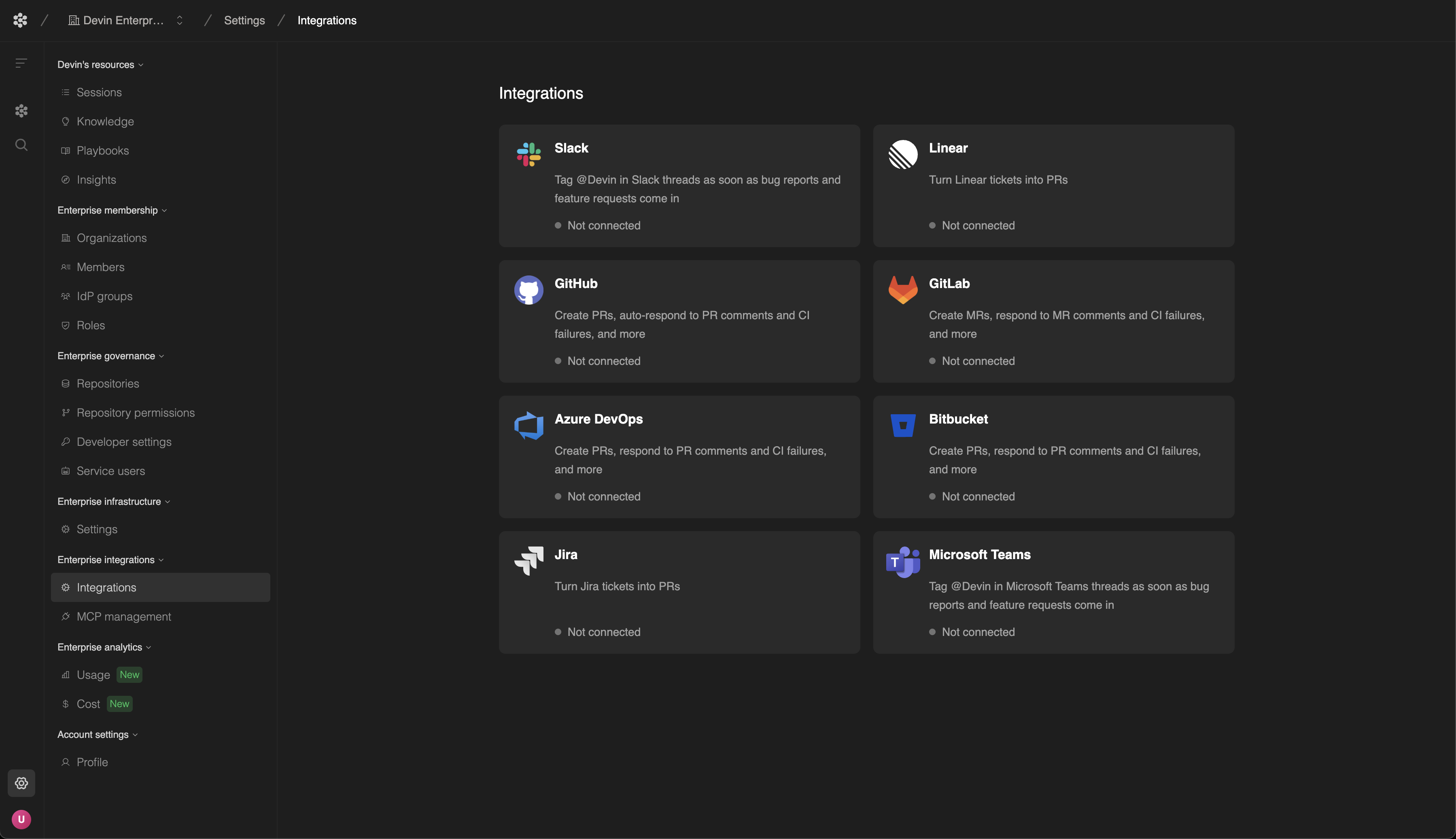 有关配置 Git 集成的更多信息,请参阅你的 SCM 提供商的相关文档:
将 Devin 连接到 GitHub 代码仓库。
将 Devin 连接到你的 GitHub Enterprise Server。
将 Devin 连接到 Azure DevOps 代码仓库。
将 Devin 连接到 GitLab 代码仓库。
将 Devin 连接到 Bitbucket 代码仓库。
有关配置 Git 集成的更多信息,请参阅你的 SCM 提供商的相关文档:
将 Devin 连接到 GitHub 代码仓库。
将 Devin 连接到你的 GitHub Enterprise Server。
将 Devin 连接到 Azure DevOps 代码仓库。
将 Devin 连接到 GitLab 代码仓库。
将 Devin 连接到 Bitbucket 代码仓库。
## 仓库权限
将你的 Devin Enterprise 连接到 SCM 提供商会建立一条安全连接,使你能够管理不同组织和代码仓库的访问权限。不过,在你明确授予权限之前,Devin 组织无法访问或操作你的仓库。
在将 Devin Enterprise 连接到 SCM 提供商之后,你可以在 **Enterprise 设置 > 仓库权限** 中管理仓库权限。
### 添加或更新权限
1. 从页面顶部的下拉菜单中选择你要为其管理代码库访问权限的 Devin 组织。
* 在这里可以查看当前已配置的所有权限和代码库。
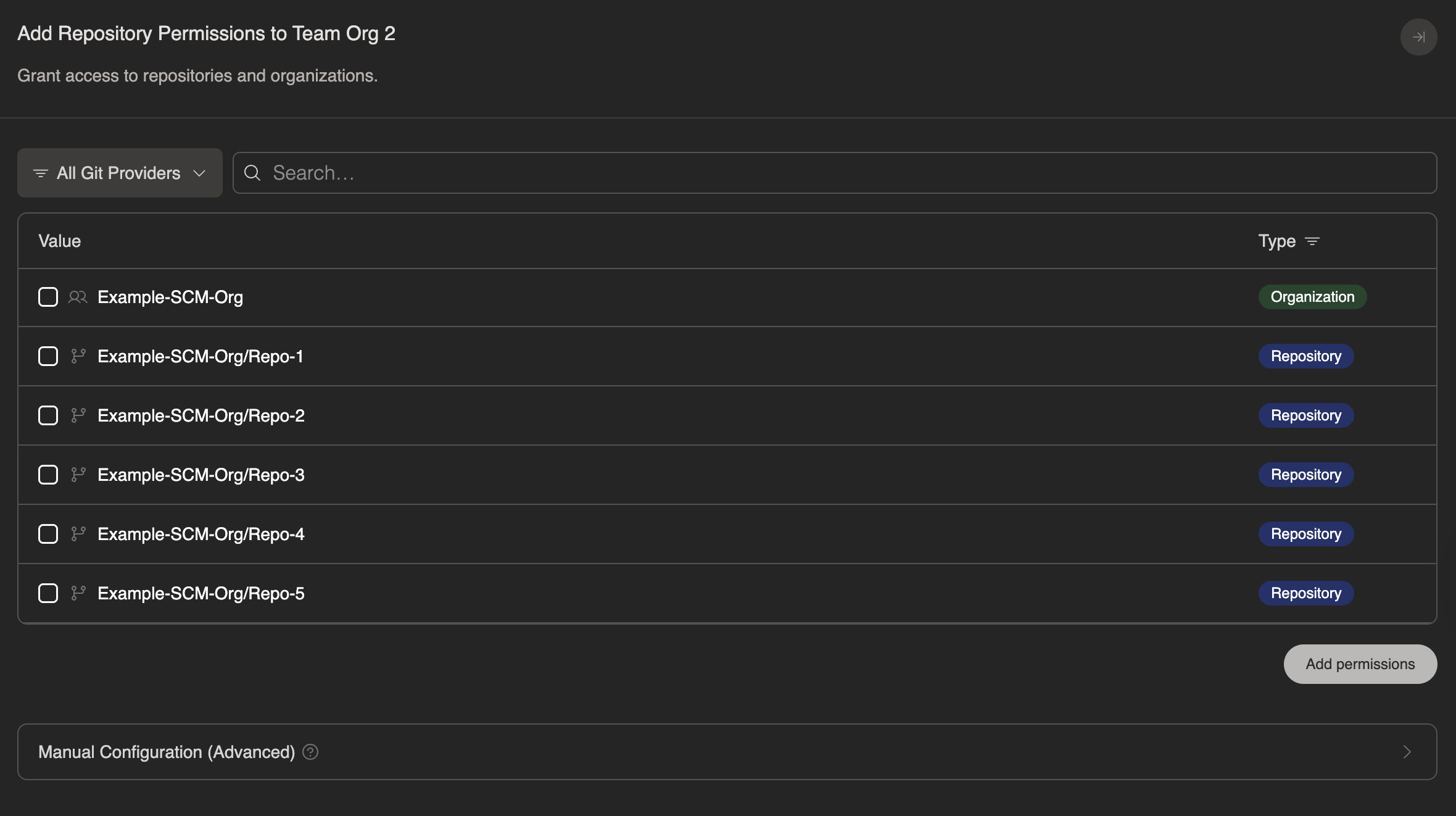
2. 点击 **+ Add Permissions** 打开权限侧边栏。
3. 选择你希望授予的访问级别:
* **组级访问**:授予对某个组织单元内所有代码库的访问权限。选择你的 SCM 提供商的分组结构:
* GitHub / GitHub Enterprise Server: Organization
* Azure DevOps: Organization 或 Project
* GitLab: Group 或 Subgroup
* Bitbucket: Workspace
* **代码库级访问**:授予对单个特定代码库的访问权限。
4. 如有需要,使用下拉菜单按 Git 提供商进行筛选。
5. 选择 **Add permissions** 以保存更改。
### 撤销权限
要撤销对代码库或分组的访问权限:
* 点击要移除的权限右侧的 **垃圾桶图标**,或
* 进入 **+ Add Permissions**,取消勾选该权限并保存。
保存后,该 Devin Organization 将不再能够访问这些代码库或分组。