> ## Documentation Index
> Fetch the complete documentation index at: https://docs.devin.ai/llms.txt
> Use this file to discover all available pages before exploring further.
# Devin Desktop 忽略规则
> 使用采用 gitignore 风格语法的 .codeiumignore 文件,配置 Devin Desktop 在索引期间要忽略的文件和目录。
## WindsurfIgnore
默认情况下,Devin Desktop Indexing 会忽略:
* `gitignore` 中指定的路径
* `node_modules` 中的文件
* 隐藏路径名 (以 "." 开头)
文件一旦被忽略,就不会被索引,也不会计入 Indexing Max Workspace Size 的文件数量限制。
包含在 .gitignore 中的文件无法由 Cascade 编辑。
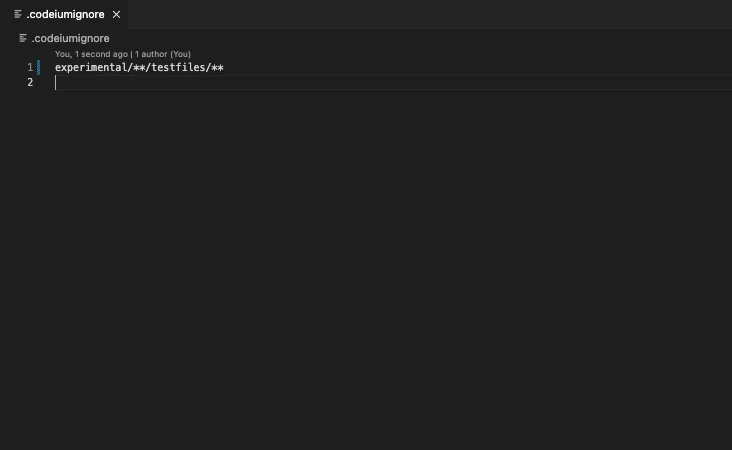
如果你想进一步配置 Devin Desktop Indexing 忽略哪些文件,可以在 repo 根目录添加一个 `.codeiumignore` 文件,其语法与 `.gitignore` 相同
### 全局 .codeiumignore
对于管理多个代码仓库的 Enterprise 客户,你可以将全局 `.codeiumignore` 文件放在 `~/.codeium/` 文件夹中,以便在所有代码仓库中统一强制执行忽略规则。此全局配置将应用于你系统上的所有 Devin Desktop 工作区。
全局 `.codeiumignore` 文件使用与 `.gitignore` 相同的语法,并且可与任何代码仓库特定的 `.codeiumignore` 文件同时生效。
## 系统要求
首次启用时,Devin Desktop 会在为工作区建立索引时占用少量 CPU。具体耗时取决于工作区大小,通常为 5–10 分钟,并且每个工作区只需进行一次。之后,CPU 使用率会自动恢复正常。Devin Desktop Indexing 还需要一定的 RAM (对于包含 5000 个文件的工作区,约需 300MB) 。
“Max Workspace Size (File Count)”设置决定了 Devin Desktop Indexing 会尝试为某个工作区 / 模块建立索引时所支持的最大工作区大小。如果你的工作区似乎未建立索引,请尝试将此数值调高。对于拥有约 10GB RAM 的用户,我们建议将其设置为不高于 10,000 个文件。