> ## Documentation Index
> Fetch the complete documentation index at: https://docs.devin.ai/llms.txt
> Use this file to discover all available pages before exploring further.
# 常见问题
## 我无法连接我的 GitHub.com 组织
如果你无法完成集成设置,或者在想要连接的组织旁边看到“Configure”,很可能是你或你的某位队友已经将该 GitHub 组织连接到了另一个 Devin 账户。**你需要先断开现有的集成,然后才能将其连接到你的 Devin 账户。**
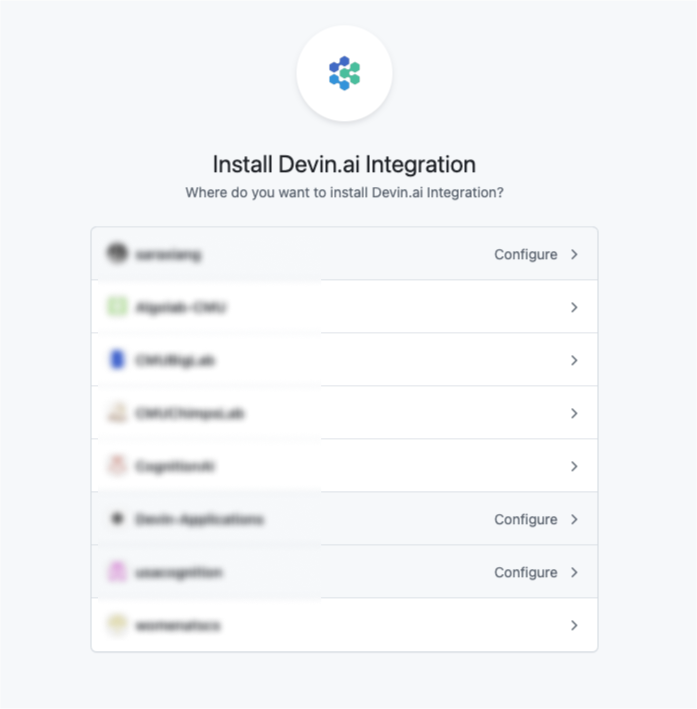 你可以按照以下步骤断开现有的集成:
1. 进入已启用该集成的 Devin Enterprise 或 Organization
2. 前往 Integrations 页面
* 如果你使用的是 Enterprise 账户,请在 Enterprise Settings 中访问 [https://app.devin.ai/settings/connected-accounts](https://app.devin.ai/settings/connected-accounts)
* 如果你使用的是 Teams 账户,请在 Organization Settings 中访问 [https://app.devin.ai/settings/integrations](https://app.devin.ai/settings/integrations)
3. 点击进入 GitHub 集成卡片
4. 在 GitHub 集成下点击“Disconnect”
或者,你也可以通过 GitHub 断开该集成:
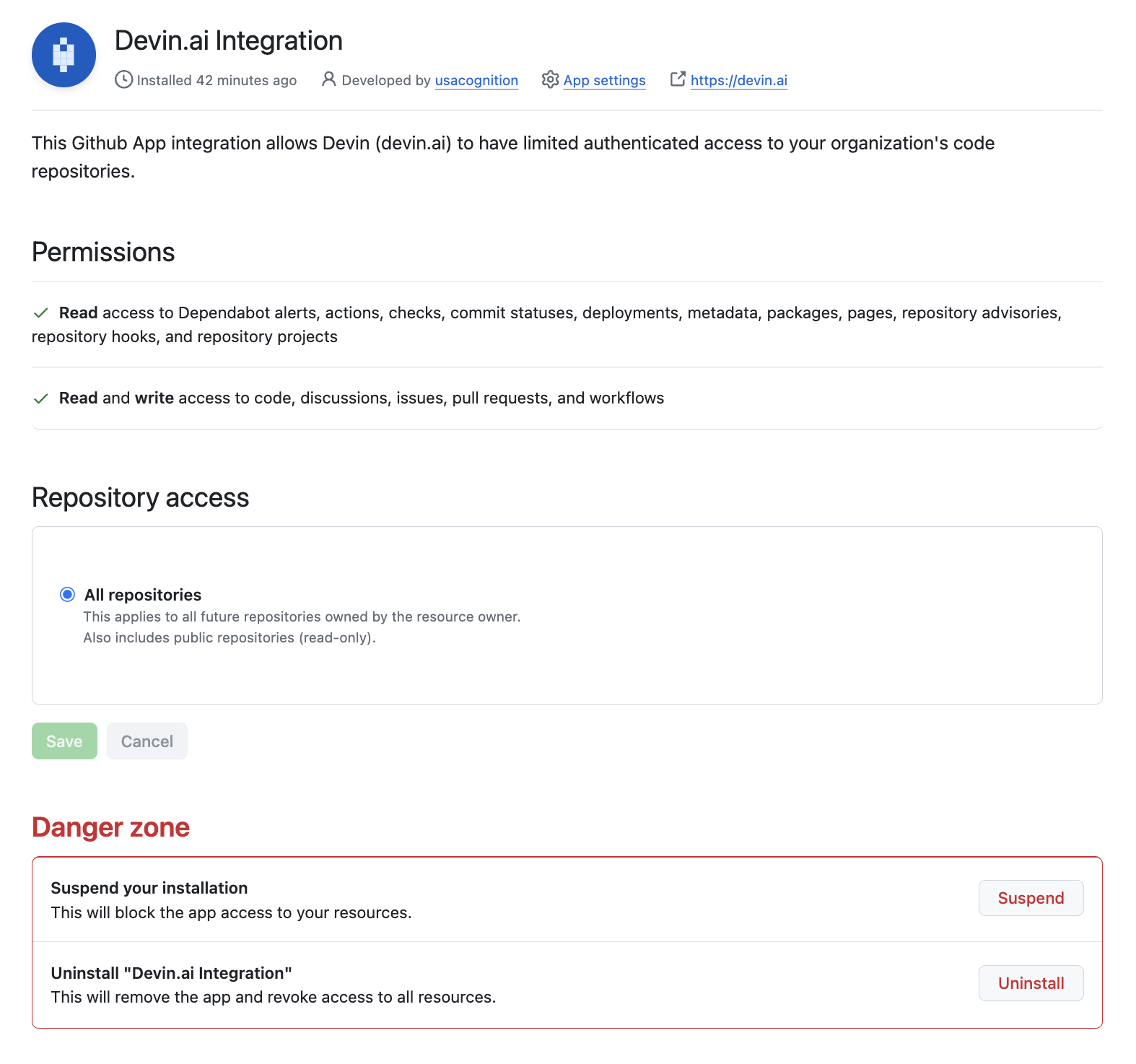
1. 前往 [GitHub Integration 设置](https://github.com/settings/installations)
2. 找到 Devin.ai Integration 并点击“Configure”
3. 滚动到“Danger zone”区域以卸载该集成
你可以按照以下步骤断开现有的集成:
1. 进入已启用该集成的 Devin Enterprise 或 Organization
2. 前往 Integrations 页面
* 如果你使用的是 Enterprise 账户,请在 Enterprise Settings 中访问 [https://app.devin.ai/settings/connected-accounts](https://app.devin.ai/settings/connected-accounts)
* 如果你使用的是 Teams 账户,请在 Organization Settings 中访问 [https://app.devin.ai/settings/integrations](https://app.devin.ai/settings/integrations)
3. 点击进入 GitHub 集成卡片
4. 在 GitHub 集成下点击“Disconnect”
或者,你也可以通过 GitHub 断开该集成:
1. 前往 [GitHub Integration 设置](https://github.com/settings/installations)
2. 找到 Devin.ai Integration 并点击“Configure”
3. 滚动到“Danger zone”区域以卸载该集成
## 我无法连接我的 Slack 组织
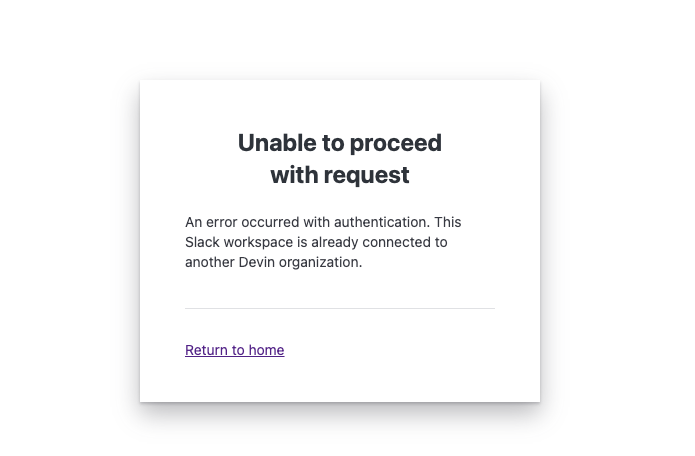
如果你看到 “Unable to proceed with request” 错误,这意味着你或你的某位队友已经将你的 Slack 组织连接到了另一个 Devin 组织。**在连接新的组织之前,你需要先断开现有的集成。**
 你可以按照以下步骤断开现有集成:
1. 前往当前已有集成的 Devin Enterprise 或 Organization
2. 前往 Integrations 页面
* 如果你使用的是 Enterprise 帐号,请在 Enterprise Settings 中访问 [https://app.devin.ai/settings/connected-accounts](https://app.devin.ai/settings/connected-accounts)
* 如果你使用的是 Teams 帐号,请在 Organization Settings 中访问 [https://app.devin.ai/settings/integrations](https://app.devin.ai/settings/integrations)
3. 点击 Slack 集成卡片
4. 在 Slack 集成下点击 “Disconnect”
如果你无法断开集成或找不到现有组织,请联系 [support@cognition.ai](mailto:support@cognition.ai)
你可以按照以下步骤断开现有集成:
1. 前往当前已有集成的 Devin Enterprise 或 Organization
2. 前往 Integrations 页面
* 如果你使用的是 Enterprise 帐号,请在 Enterprise Settings 中访问 [https://app.devin.ai/settings/connected-accounts](https://app.devin.ai/settings/connected-accounts)
* 如果你使用的是 Teams 帐号,请在 Organization Settings 中访问 [https://app.devin.ai/settings/integrations](https://app.devin.ai/settings/integrations)
3. 点击 Slack 集成卡片
4. 在 Slack 集成下点击 “Disconnect”
如果你无法断开集成或找不到现有组织,请联系 [support@cognition.ai](mailto:support@cognition.ai)
## IP 白名单
如果你需要将 Devin 的服务加入白名单,请添加以下 IP 地址:
* 100.20.50.251
* 44.238.19.62
* 52.10.84.81
* 52.183.72.253
* 20.172.46.235
* 52.159.232.99
* 4.204.199.103
* 54.201.200.193
* 54.69.238.189
* 100.23.34.160
(请注意:虽然我们希望尽量保持此列表不变,但这些 IP 在未来的更新中可能会发生变更。)
## 会话过期
Devin 会话在 30 天后无法继续。如果你需要在该时间段之后继续工作,请启动一个新会话,并再次提供所有相关上下文(例如:目标、需求、关键决策,以及任何重要文件或链接),以便 Devin 能继续高效工作。