> ## Documentation Index
> Fetch the complete documentation index at: https://docs.devin.ai/llms.txt
> Use this file to discover all available pages before exploring further.
# Creating Playbooks
> Build a library of reusable prompts for your organization
export const PromptBlock = ({children, type, agent, intent, playbookId}) => {
var utm = 'utm_source=docs&utm_medium=use-case-gallery&utm_campaign=prompt-block';
var tag = 'docs-use-case-gallery';
var agentParams = (agent ? '&agent=' + agent : '') + (intent ? '&intent=' + intent : '') + (playbookId ? '&playbookId=' + playbookId : '');
var label = type === 'schedule' ? 'Schedule in Devin' : type === 'playbook' ? 'Create Playbook' : type === 'knowledge' ? 'Add to Knowledge' : agent === 'advanced' ? 'Try in Devin' : agent === 'dana' ? 'Try in Dana' : agent === 'ada' ? 'Try in Ask Devin' : 'Try in Devin';
var buildUrl = function (text) {
var encoded = encodeURIComponent(text);
if (type === 'schedule') return 'https://app.devin.ai/settings/schedules/create?' + utm + agentParams + '&prompt=' + encoded;
if (type === 'playbook') return 'https://app.devin.ai/settings/playbooks/create?' + utm + '&body=' + encoded;
if (type === 'knowledge') return 'https://app.devin.ai/knowledge?' + utm + '&body=' + encoded;
if (agent === 'ada') return 'https://app.devin.ai/search?' + utm + '&noSubmit=true&prompt=' + encoded;
return 'https://app.devin.ai/?tags=' + tag + '&' + utm + agentParams + '&prompt=' + encoded;
};
const ref = React.useRef(null);
const [href, setHref] = React.useState('#');
React.useEffect(() => {
if (!ref.current) return;
var codeEl = ref.current.querySelector('pre code');
if (codeEl) {
var text = codeEl.textContent.trim();
if (text) setHref(buildUrl(text));
}
var header = ref.current.querySelector('[data-component-part="code-block-header"]');
if (header && !header.querySelector('.prompt-block-devin-link')) {
var link = document.createElement('a');
link.href = href;
link.target = '_blank';
link.rel = 'noopener noreferrer';
link.className = 'prompt-block-devin-link';
link.style.cssText = 'display:inline-flex;align-items:center;gap:6px;text-decoration:none;color:#fff;font-size:11px;font-weight:500;padding:4px 10px;border-radius:6px;white-space:nowrap;background:#317CFF;transition:background 0.2s;margin-left:8px;';
link.innerHTML = ' ' + label;
link.onmouseenter = function () {
link.style.background = '#2968D9';
};
link.onmouseleave = function () {
link.style.background = '#317CFF';
};
header.appendChild(link);
}
var existingLink = ref.current.querySelector('.prompt-block-devin-link');
if (existingLink && href !== '#') existingLink.href = href;
});
return
{children}
;
};
## What are Playbooks?
### Playbooks are easily shareable, reusable prompts for repeated tasks
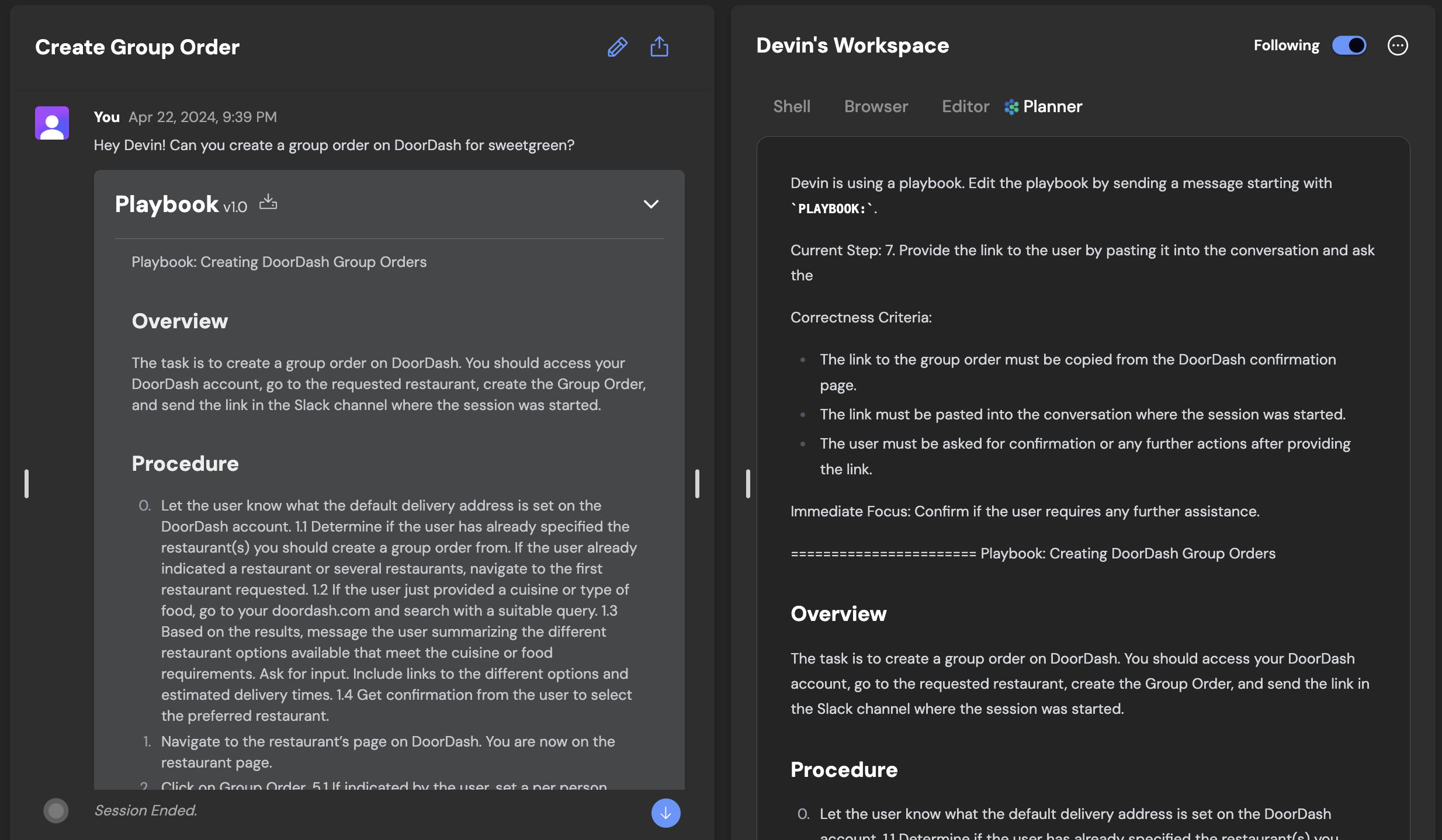
A playbook is like a custom system prompt for a repeated task. For example, if you need to have many different Devin sessions that each integrate the same third-party library but in different parts of your application, you might want a Playbook.
Playbooks are also easily shareable and reusable, so once anyone succeeds with Devin, others can more easily replicate that success!
Most best practices, style guides, or other project-specific instructions should be shared with Devin by using [Knowledge](/product-guides/knowledge). We recommend reading the docs on Knowledge before creating Playbooks, to understand which method better fits your needs.
We recommend using Playbooks when:
* You or your teammates will reuse the prompt on multiple sessions.
* You find yourself repeating the same reminders to Devin
* The use case may be relevant to others — in your organization or within the Devin user community.
## Getting Started with Playbooks
Playbooks can immediately unlock Devin’s ability to contribute in a wide range of areas, but today require skill to write. Similar to prompt engineering, writing playbooks requires trial and error. The fruit of this labor, though, is a document which unlocks Devin’s ability to independently tackle complex work, from ingesting data into Redshift and performing database migrations to using diverse software and APIs: e.g. Together, Plaid, Stripe, Modal, Springboot, Odoo, and Storybook.
Consider writing your first playbook with a simple multi-step task you want Devin to tackle.
1. Create a document that outlines...
1. The outcome you want Devin to achieve
2. The steps required to get there
2. **Optional**: Add sections like **Procedure**, **Specifications**, **Advice**, **Forbidden Actions** or **Required from User**
1. **Procedure**: Outline the entire scope of the task. Include at least one step for setup, the actual task, and delivery.
2. **Specifications**: Describe postconditions - what should be true after Devin is done?
3. **Advice**: Include tips to correct Devin’s priors
4. **Forbidden Actions**: Include any action Devin should absolutely not take
5. **Required from User**: Describe any input or information required from the user
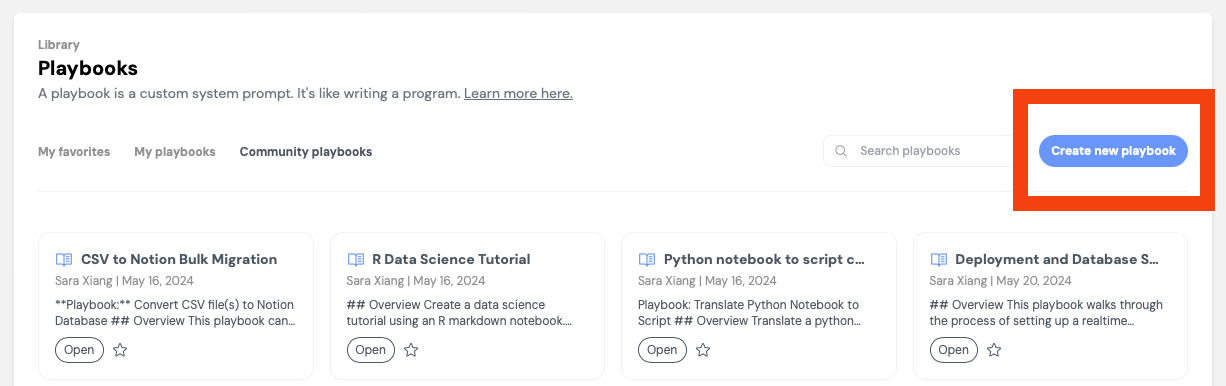
3. Create the playbook directly in the web app by clicking [Create a new Playbook](https://app.devin.ai/settings/playbooks/create). Alternatively, save a file with the file extension `.devin.md` and drag-and-drop it in the web app when starting a Devin session
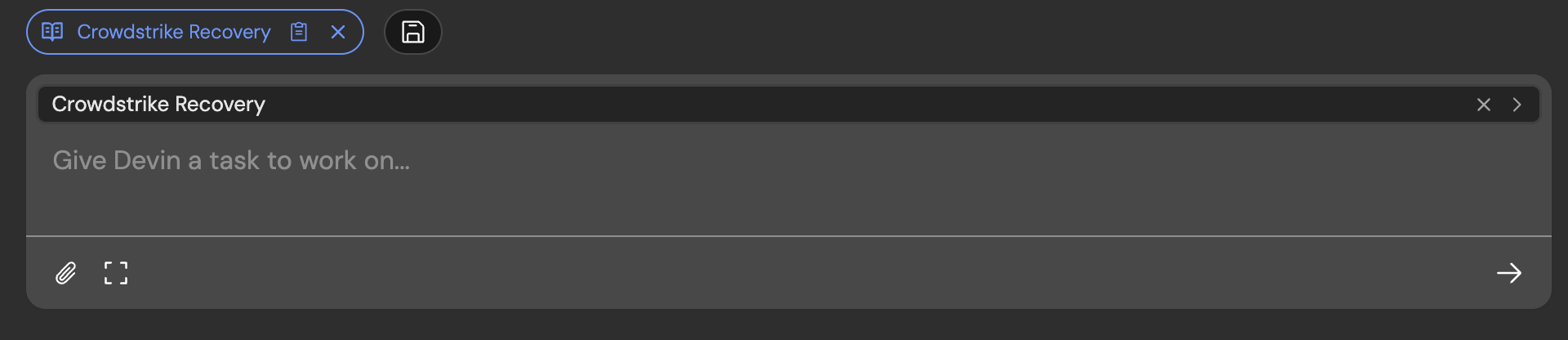
You’ve successfully attached a playbook to a session if you see a blue pill appear, along with an inline component for editing the playbook before starting your session.
## Writing a Great Playbook
### Procedure
The Procedure section should...
* Have **one step per line**, each line written imperatively
* Cover the entire scope of the task
* Include at least one step for setup, the actual task, and delivery
* Aim to make the steps **Mutually Exclusive** and **Collectively Exhaustive**
* **Additional Tips**
* Procedures should help you define the order of Devin's action - like if/else/loops/goto in code
* Don’t make tasks too specific unless you really need to, this can reduce Devin’s ability to problem-solve
* Each procedure step should contain an action verb - e.g. Write, Navigate to, etc.
### Advice and Pointers
Share advice and pointers with Devin if...
* You have a preferred way of completing the tasks
* The advice applies to the entire task, or multiple steps. Advice specific to one step should be written next to that step (e.g. as a sub-bullet)
* You are correcting Devin’s priors. Advice can function like comments on pseudocode that influence its execution.
If the advice only applies to one Procedure step, write the advice under the procedure step using nested bullet points
### Specifications
The **Specifications** section can be helpful to describe the postconditions of the playbook — what should be true once Devin is done?
### What's Needed From User
Think through anything necessary but outside of Devin’s control. For example, if the user needs to provide a token or information that is not publicly available to Devin.
### Other Tips + Tactics
* Run 2+ Devins in parallel with the same playbook to quickly identify possible errors.
* If Devin needs help, chat with it to help it along. Then add to your playbook so Devin succeeds without intervention next time.
Be explicit about what the deliverable is & how Devin should communicate the fact that it’s done (e.g. what files to attach or links to share, if any)
Explore the different decisions Devin can make, and guide Devin down the most efficient path in the playbook.
* They can be the difference maker between a working playbook and a broken one.
* For example, the following can be a very good detail to include because alloy and tts-1 are probably not things Devin would've picked otherwise, and this guides Devin in a direction that is more likely to succeed!
```
3. Create request dict with model: "tts-1", voice: "alloy"
```
## Example Playbook
View example sessions using the playbook below [here](https://app.devin.ai/sessions/93f381206f44492e9fc8b236ee022877) and [here](https://app.devin.ai/sessions/eed1a18b9ce348f69e6bac84bb42d992).
## Macros
You can assign a **macro** to any playbook — a short identifier starting with `!` (e.g., `!data-tutorial`). Macros let you quickly attach a playbook to a session by typing its macro name in the prompt input. Macros can only contain letters, numbers, and hyphens, and must be unique within your organization.
## Version History
Playbooks maintain a **version history** so you can track changes over time. Each time you edit and save a playbook, a new version is created. You can view previous versions and revert to an earlier version if a recent change didn't work out as expected.
## Enterprise Playbooks
For enterprise customers, playbooks can be managed at the **enterprise level** in addition to the organization level. Enterprise playbooks are shared across all organizations in your enterprise, making it easy to standardize workflows across teams. Enterprise admins can create and manage enterprise-level playbooks from the enterprise settings.
```txt R Data Science Tutorial theme={null}
Playbook: R Data Science Tutorial
## Overview
Create a data science tutorial using an R markdown notebook.
## What’s Needed From User
- Link to a dataset (csv file attachment or kaggle link)
- Specific task to create a data science tutorial for
## Procedure
1. Download the dataset provided by the user.
- If needed, download the dataset using the Kaggle CLI - you don't need any credentials for this
2. Create an R markdown notebook titled `data_science_tutorial.Rmd`.
3. Create a `tmp.Rmd` file for writing and saving intermediate code.
4. Create 5 main sections inside the `data_science_tutorial.Rmd` file and add code from the `tmp.Rmd` file containing the following:
- Dataset Statistics. Generate a statistical summary of the dataset.
- EDA (Exploratory Data Analysis). Create a bar chart and a scatter plot for the provided data.
- Train-test split. Split the data in an 80:20 ratio. Save the training and testing data.
- Training the machine learning model. Save the model once trained.
- Inference with the saved model. Load the saved model and evaluate its performance on the test set using the metric specified by the user.
5. Once the code is written, add a short explanation for each section.
6. Convert the R markdown notebook to HTML format
7. Send the final R markdown notebook, HTML file, saved model and testing data to the user.
## Specifications
1. Send the R markdown notebook and HTML file to the user.
2. Send the saved model and testing data to the user.
## Advice and Pointers
1. Do not re-install packages if already installed.
2. Sign in to RStudio is not required to complete this task.
3. Run the entire notebook after you add code for each section.
## Forbidden Actions
1. Do not overwrite the `data_science_tutorial.Rmd` file.
```
 We recommend using Playbooks when:
* You or your teammates will reuse the prompt on multiple sessions.
* You find yourself repeating the same reminders to Devin
* The use case may be relevant to others — in your organization or within the Devin user community.
## Getting Started with Playbooks
We recommend using Playbooks when:
* You or your teammates will reuse the prompt on multiple sessions.
* You find yourself repeating the same reminders to Devin
* The use case may be relevant to others — in your organization or within the Devin user community.
## Getting Started with Playbooks
 ## Writing a Great Playbook
### Procedure
The Procedure section should...
* Have **one step per line**, each line written imperatively
* Cover the entire scope of the task
* Include at least one step for setup, the actual task, and delivery
* Aim to make the steps **Mutually Exclusive** and **Collectively Exhaustive**
* **Additional Tips**
* Procedures should help you define the order of Devin's action - like if/else/loops/goto in code
* Don’t make tasks too specific unless you really need to, this can reduce Devin’s ability to problem-solve
* Each procedure step should contain an action verb - e.g. Write, Navigate to, etc.
### Advice and Pointers
Share advice and pointers with Devin if...
* You have a preferred way of completing the tasks
* The advice applies to the entire task, or multiple steps. Advice specific to one step should be written next to that step (e.g. as a sub-bullet)
* You are correcting Devin’s priors. Advice can function like comments on pseudocode that influence its execution.
## Writing a Great Playbook
### Procedure
The Procedure section should...
* Have **one step per line**, each line written imperatively
* Cover the entire scope of the task
* Include at least one step for setup, the actual task, and delivery
* Aim to make the steps **Mutually Exclusive** and **Collectively Exhaustive**
* **Additional Tips**
* Procedures should help you define the order of Devin's action - like if/else/loops/goto in code
* Don’t make tasks too specific unless you really need to, this can reduce Devin’s ability to problem-solve
* Each procedure step should contain an action verb - e.g. Write, Navigate to, etc.
### Advice and Pointers
Share advice and pointers with Devin if...
* You have a preferred way of completing the tasks
* The advice applies to the entire task, or multiple steps. Advice specific to one step should be written next to that step (e.g. as a sub-bullet)
* You are correcting Devin’s priors. Advice can function like comments on pseudocode that influence its execution.