> ## Documentation Index
> Fetch the complete documentation index at: https://docs.devin.ai/llms.txt
> Use this file to discover all available pages before exploring further.
# Index a Repository
> Enable Ask Devin and DeepWiki by indexing your repositories
Indexing your repositories allows Devin to understand your codebase and enables powerful features like [Ask Devin](/work-with-devin/ask-devin) and [DeepWiki](/work-with-devin/deepwiki). This quick guide walks you through the indexing process.
Repository indexing is separate from [environment configuration](/onboard-devin/environment). Indexing enables code search and understanding features, while environment configuration sets up Devin's development environment.
## Index Your Repository
1. Go to [app.devin.ai](https://app.devin.ai) and ensure you're logged into your organization
2. Click on **Settings** in the sidebar to access your organization settings
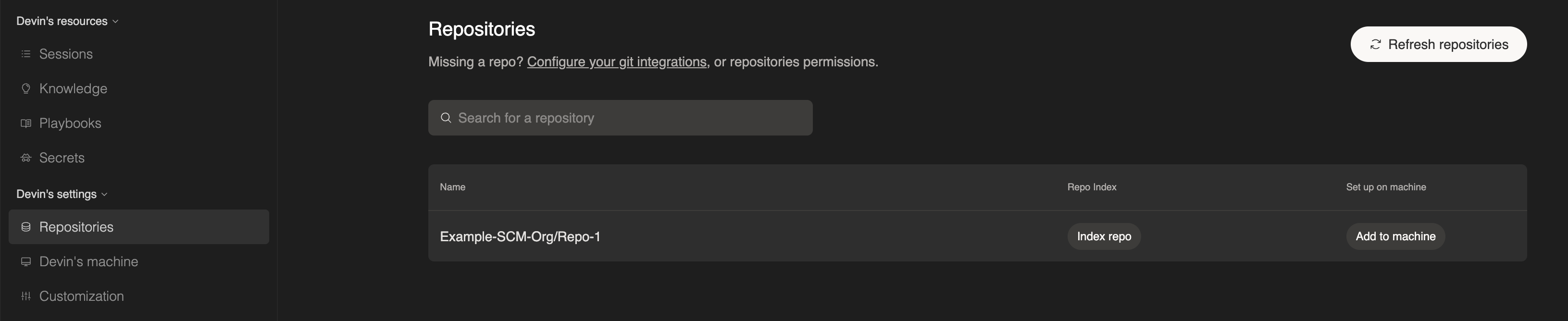
3. Select the **Repositories** tab to view all connected repositories
4. Click **Index repo** on the repository you want to index
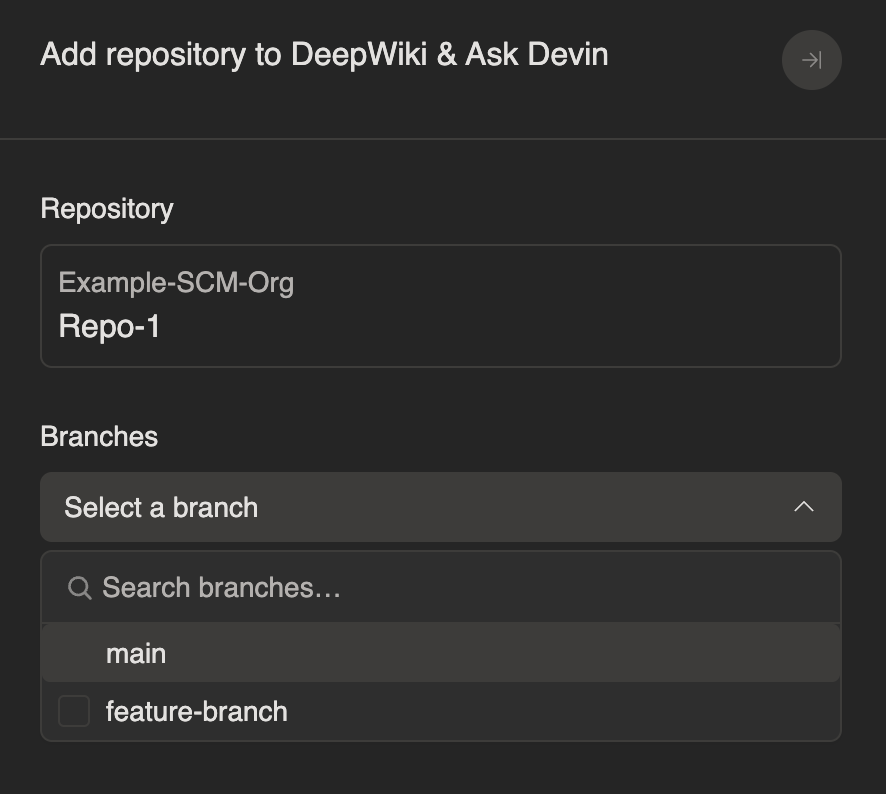
 5. Select the branch(es) you want Devin to analyze
 6. Wait for indexing to complete — this may take a few minutes depending on repository size
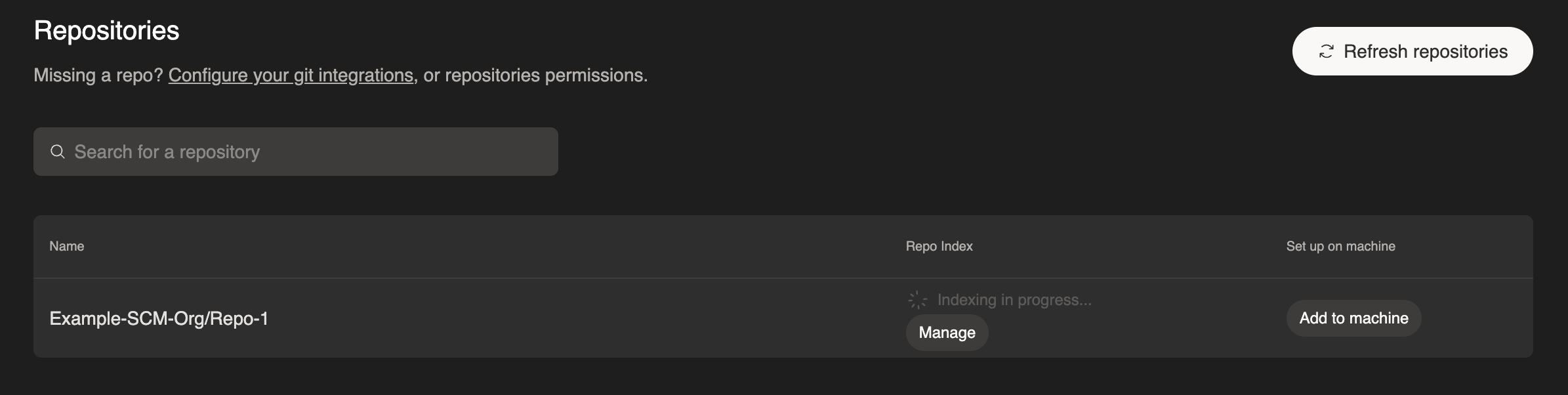 To index additional branches later, click **Manage** on any indexed repository, select a new branch, and click **Add branch**.
Once complete, you'll have access to:
* **[Ask Devin](/work-with-devin/ask-devin)** - Ask questions about your codebase and get detailed, accurate answers powered by advanced code search. You can also use Ask Devin to scope and plan tasks.
* **[DeepWiki](/work-with-devin/deepwiki)** - Explore auto-generated documentation for your repositories
For best results, index the branches your team actively develops on. This ensures Ask Devin and DeepWiki have the most up-to-date understanding of your code.
To index additional branches later, click **Manage** on any indexed repository, select a new branch, and click **Add branch**.
Once complete, you'll have access to:
* **[Ask Devin](/work-with-devin/ask-devin)** - Ask questions about your codebase and get detailed, accurate answers powered by advanced code search. You can also use Ask Devin to scope and plan tasks.
* **[DeepWiki](/work-with-devin/deepwiki)** - Explore auto-generated documentation for your repositories
For best results, index the branches your team actively develops on. This ensures Ask Devin and DeepWiki have the most up-to-date understanding of your code.