> ## Documentation Index
> Fetch the complete documentation index at: https://docs.devin.ai/llms.txt
> Use this file to discover all available pages before exploring further.
# Personal Analytics
> Let users view their own ACU consumption and usage analytics across your enterprise.
## Overview
Personal analytics lets individual users view their own usage of Devin — their ACU consumption across every organization in your enterprise — from a **My analytics** page in their settings. This is scoped to each user's own activity: users only ever see their own consumption, not anyone else's.
Personal analytics is off by default. Enabling it for your users requires granting the permission to the roles that should be able to see it.
## Using Personal Analytics
### Grant the "View Personal Analytics" permission
Add the **View Personal Analytics** permission to the role you want to be able to view their own personal usage. This is an account-level (enterprise) permission that grants read-only access to a user's own consumption.
You can add this permission to an existing role or create a new custom role for it. For step-by-step instructions on creating and assigning roles, see [Creating and Assigning Custom Roles](/enterprise/security-access/custom-roles#creating-and-assigning-custom-roles).
The permission is required. Without it, the **My analytics** page is not accessible.
### View personal analytics
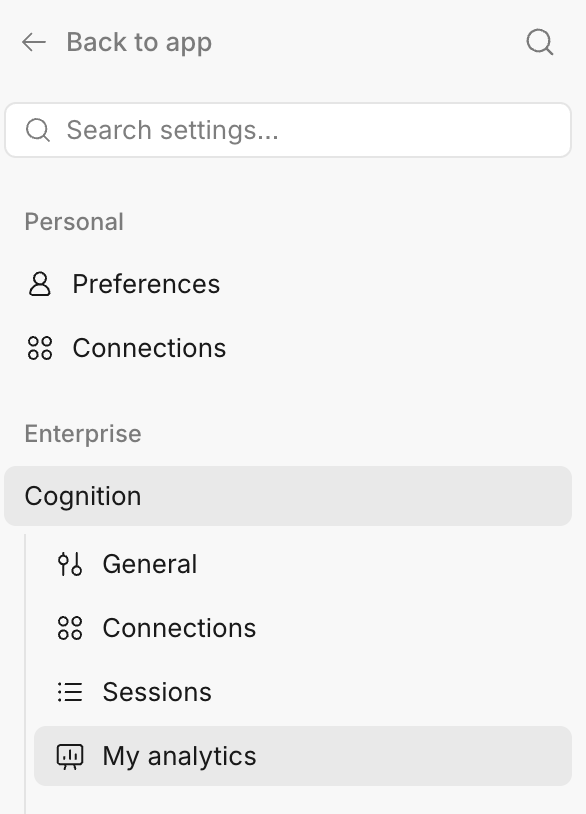
Once the permission is granted, users with the permission can view their own usage. Navigate to **Settings → Enterprise → My analytics** to see your ACU consumption across the enterprise.
 ## Related
* [Usage](/admin/billing/usage) — how Devin meters work and where to view account-wide consumption
* [Creating and Assigning Custom Roles](/enterprise/security-access/custom-roles) — grant the **View Personal Analytics** permission
## Related
* [Usage](/admin/billing/usage) — how Devin meters work and where to view account-wide consumption
* [Creating and Assigning Custom Roles](/enterprise/security-access/custom-roles) — grant the **View Personal Analytics** permission