> ## Documentation Index
> Fetch the complete documentation index at: https://docs.devin.ai/llms.txt
> Use this file to discover all available pages before exploring further.
# Windsurf PR Reviews
> AI-powered GitHub pull request reviews for Teams and Enterprise. Automatically review PRs, edit titles, and provide feedback as GitHub comments.
**Looking for AI-powered PR reviews?** We recommend Devin Review, our new code review tool that uses state-of-the-art AI and UX to scale human understanding of ever-more-complex code diffs—whether authored by a human or an agent. Try Devin Review or learn more.
Windsurf PR Reviews helps teams streamline code reviews with AI-powered feedback on GitHub pull requests. This feature is currently in beta for Teams and Enterprise customers using GitHub Cloud.
 ## How It Works
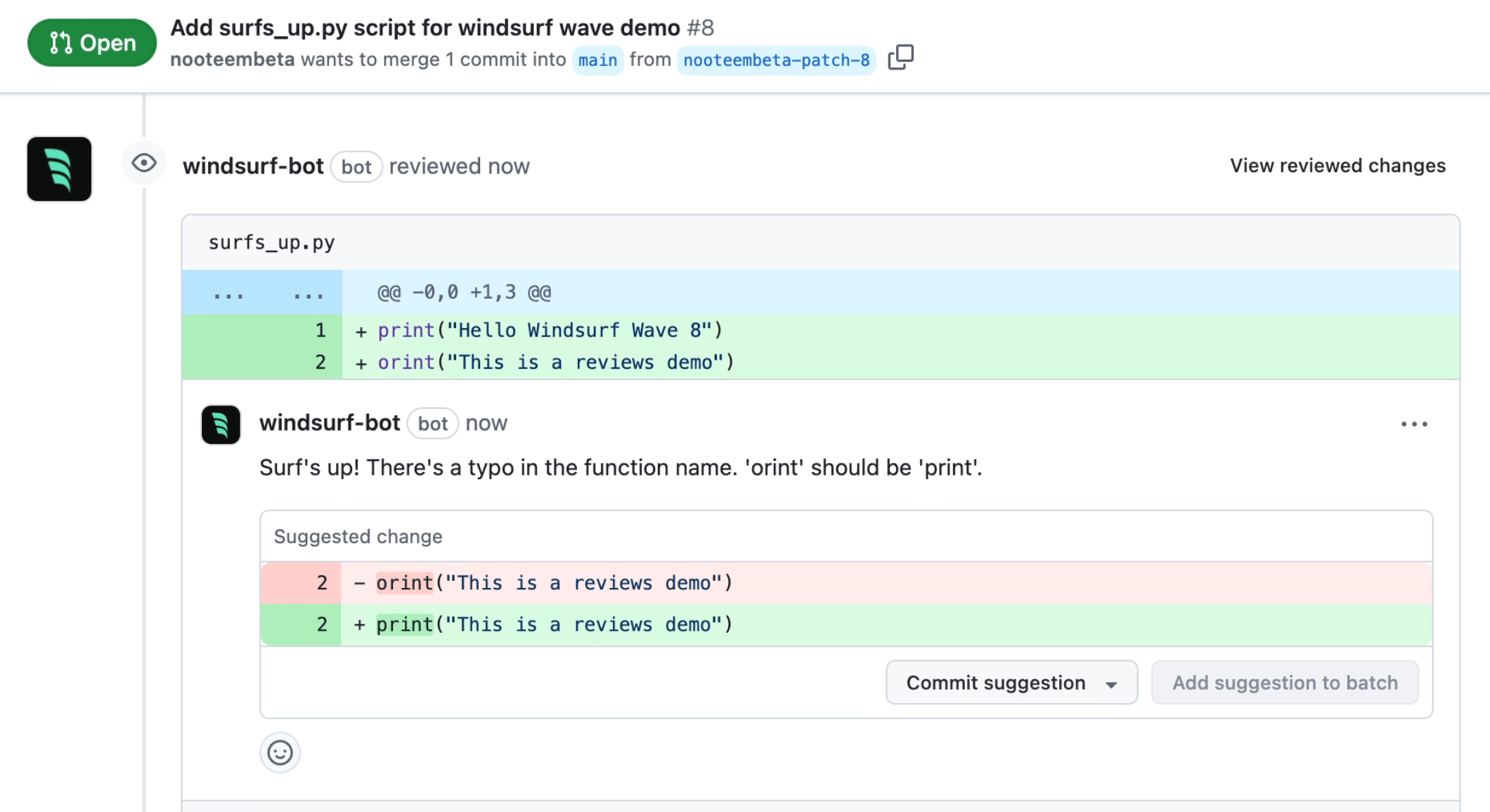
Once enabled, Windsurf automatically reviews eligible pull requests in selected repositories and provides feedback as GitHub review comments.
Reviews can be manually triggered when you mark a PR as “ready for review” or you type `/windsurf-review` in a PR comment.
You can also edit a PR title by typing `/windsurf` into the PR title.
Example workflow:
1. Developer opens a pull request in an enabled repository
2. Developer marks the PR as ready for review or types “@windsurf /review” in a PR comment
3. Windsurf reviews the PR and posts feedback as GitHub review comments
4. Developer addresses feedback and updates the PR
Limitations: 50 files per PR and Organization-wide limit of 500 reviews/month.
## Setup
An organization admin must connect the Windsurf GitHub bot to your GitHub Cloud organization to enable Windsurf PR Reviews:
1. Navigate to the Windsurf Team Settings page and click on Github Integration, or click [here](https://windsurf.com/team/settings)
2. During installation on the Github side, select which repositories to enable for PR reviews
3. Back in the Windsurf settings, configure toggles for allowing reviews/edits, define PR Guidelines for Reviews and Descriptions
4. All users in the organization can then receive PR reviews on their pull requests
Reviews are not triggered on draft pull requests.
## Disabling PR Reviews
To disable Windsurf PR Reviews, disconnect the Windsurf GitHub bot from your organization or remove it from specific repositories via GitHub settings.
## Best Practices
For effective PR reviews:
* Use natural language in PR Guidelines
* Don't be too vague about the purpose of your changes
* Include detailed examples where helpful
## How It Works
Once enabled, Windsurf automatically reviews eligible pull requests in selected repositories and provides feedback as GitHub review comments.
Reviews can be manually triggered when you mark a PR as “ready for review” or you type `/windsurf-review` in a PR comment.
You can also edit a PR title by typing `/windsurf` into the PR title.
Example workflow:
1. Developer opens a pull request in an enabled repository
2. Developer marks the PR as ready for review or types “@windsurf /review” in a PR comment
3. Windsurf reviews the PR and posts feedback as GitHub review comments
4. Developer addresses feedback and updates the PR
Limitations: 50 files per PR and Organization-wide limit of 500 reviews/month.
## Setup
An organization admin must connect the Windsurf GitHub bot to your GitHub Cloud organization to enable Windsurf PR Reviews:
1. Navigate to the Windsurf Team Settings page and click on Github Integration, or click [here](https://windsurf.com/team/settings)
2. During installation on the Github side, select which repositories to enable for PR reviews
3. Back in the Windsurf settings, configure toggles for allowing reviews/edits, define PR Guidelines for Reviews and Descriptions
4. All users in the organization can then receive PR reviews on their pull requests
Reviews are not triggered on draft pull requests.
## Disabling PR Reviews
To disable Windsurf PR Reviews, disconnect the Windsurf GitHub bot from your organization or remove it from specific repositories via GitHub settings.
## Best Practices
For effective PR reviews:
* Use natural language in PR Guidelines
* Don't be too vague about the purpose of your changes
* Include detailed examples where helpful